
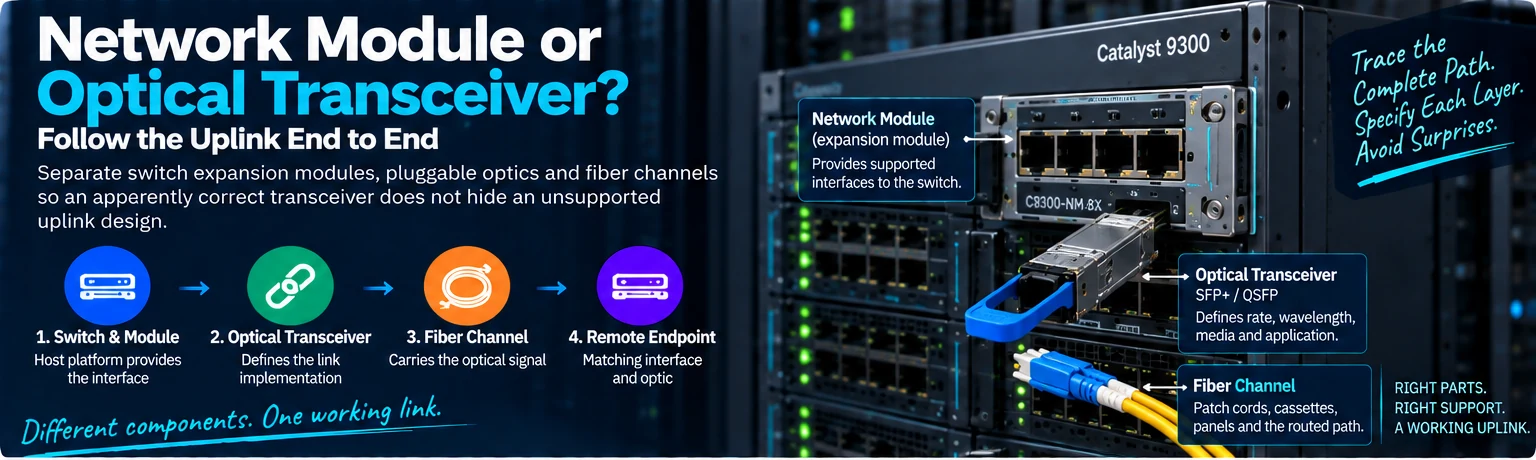
A network module and an optical transceiver can both appear in an uplink quotation, but they solve different problems. Confusing them can leave a buyer with the correct optical rate and no supported interface in which to use it.
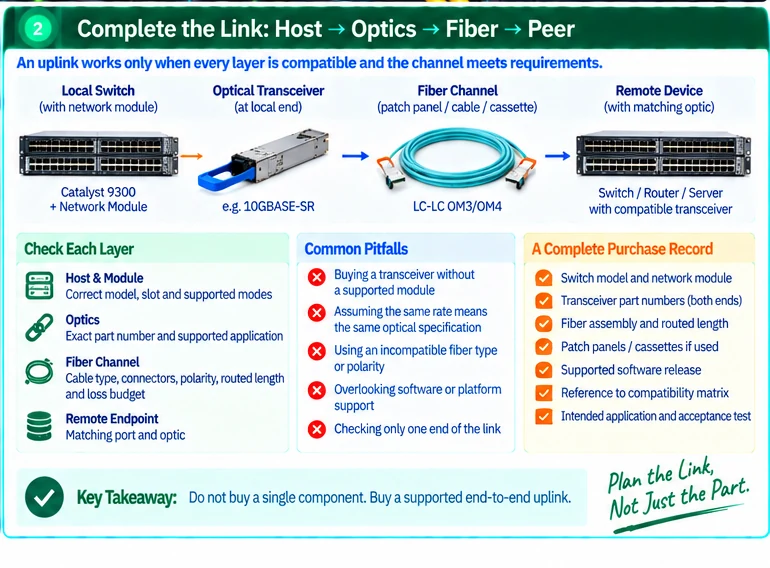
The clearest way to select an uplink is to trace the complete connection from the switch’s host slot to the peer device.
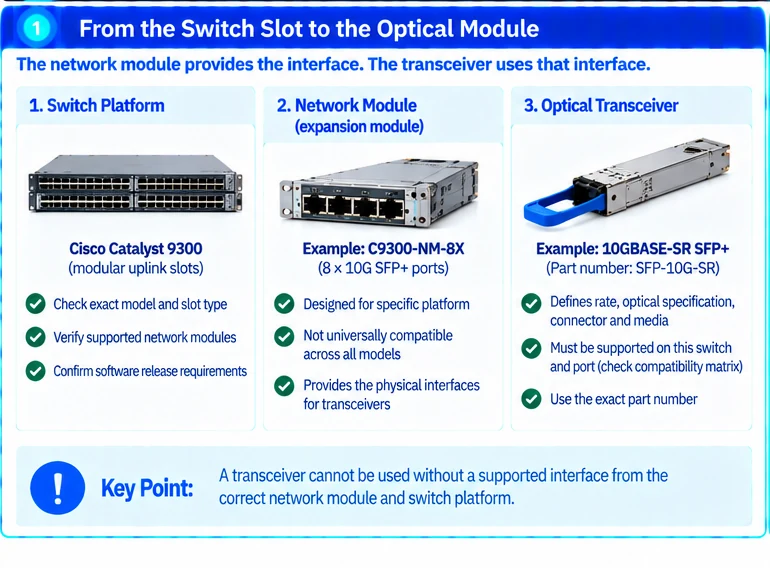
The network module belongs to the host platform
An expansion module provides a supported set of interfaces to a particular switch system. Its compatibility is determined by the host model and applicable platform documentation, not merely by the branding on the front panel.
Cisco’s Catalyst 9300 network-module installation guide identifies supported combinations and installation conditions. A module intended for one variant should not be treated as a universal accessory for the whole family. R13
This is the first decision: establish which interface the host can actually provide in the intended configuration.
The transceiver defines a supported link implementation
The optical module then connects that interface to a specific optical application. Rate, wavelength implementation, fiber medium, connector and operating conditions all matter. Cisco’s 10G and 100G transceiver documentation describes multiple optical interfaces within each rate category. R18R25
The peer must implement the matching link. Two modules with the same nominal rate can still require different media or optical arrangements.
Host support is another independent check. Use the exact switch, port, software baseline and module identifier in the vendor compatibility process. A compatible optical standard does not automatically establish vendor support for every host/module combination. R49
The fiber path completes the system
A correct pair of optics can still be connected through an unsuitable channel. Include patch panels, cassettes, connector types, polarity and the routed distance in the design. Document the channel’s applicable loss requirements and test evidence.
Consider an illustrative upgrade from one uplink rate to another. Replacing only the optics may work when the host interface and channel already support the target application. In another installation, the expansion module or fiber path must change as well. The same purchasing description can therefore lead to very different work.
| Layer | Question that must be resolved |
|---|---|
| Switch and module | Does the host support this interface configuration? |
| Local transceiver | Is the exact module supported in this port and release? |
| Fiber channel | Does the complete path meet the optical application requirements? |
| Remote endpoint | Does its port and optic provide the matching link? |
Keep replacements tied to the approved path
An alternative part should be evaluated at the layer it changes and against the rest of the connection. A new network module may alter supported port modes; a replacement optic may alter channel requirements; a different fiber assembly may alter polarity or loss.
The purchasing unit is therefore not just “a 100G optic.” It is a supported end-to-end uplink. Once that distinction is explicit, the BOM, receiving inspection and installation plan become much easier to reconcile.
Engineering illustrations
These figures illustrate the design concepts discussed here. They are not measured results, certified configurations or a supplied-equipment list.
Related reading
- Catalyst Fiber Uplink Design: From Network Module to Optical Channel
- Catalyst 9300 Uplink Module Checklist: Host Support Before Transceiver Choice