
Catalyst 9300 Uplink Module Checklist: Host Support Before Transceiver Choice
Select C9300 and C9300X network modules by exact host support, required interfaces, software conditions and complete optical links.
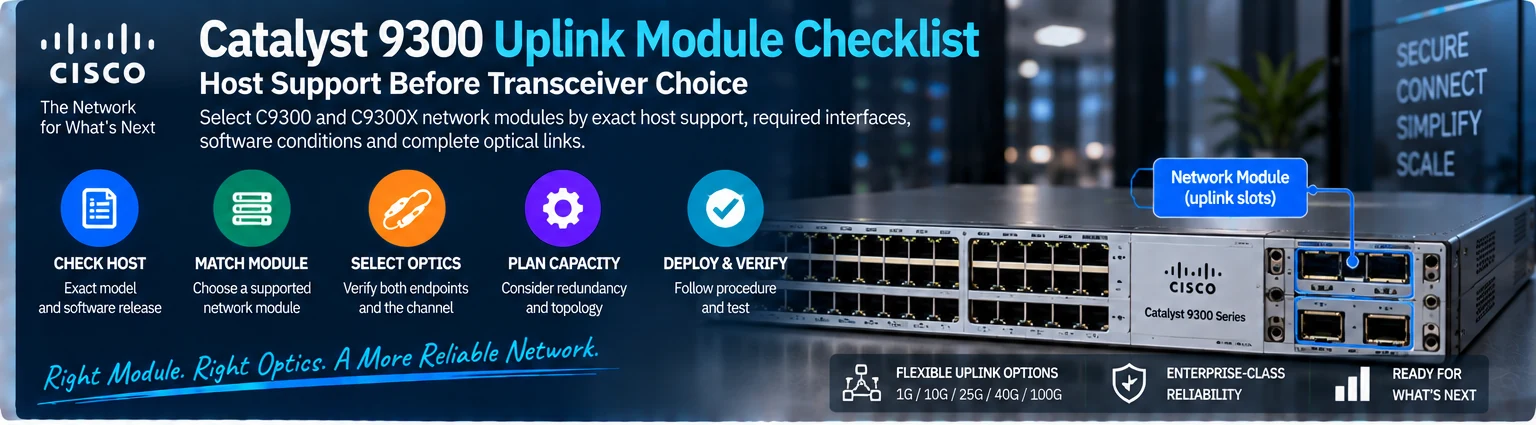
A Catalyst network module establishes which uplink interfaces the host can provide. A transceiver then implements a supported connection on one of those interfaces. Selecting the optic first can leave an unsupported module or host combination hidden in the BOM.
1. Identify the exact host
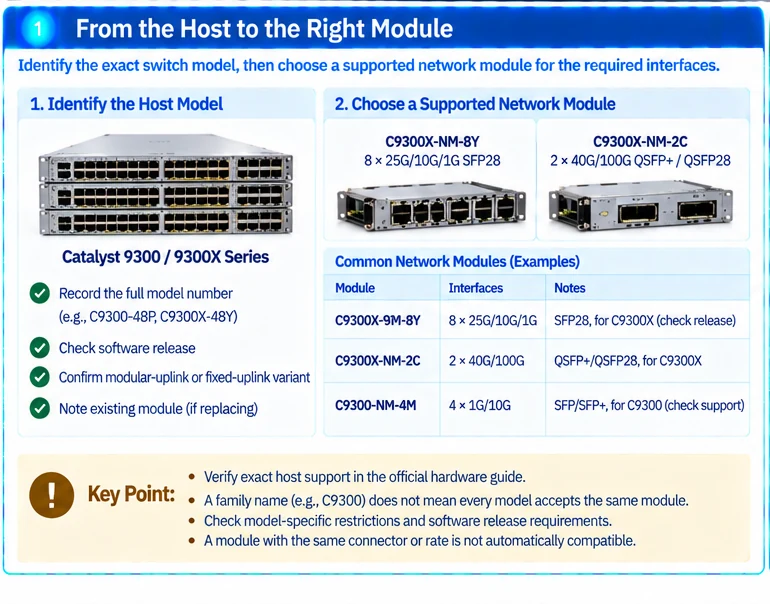
Record the full switch model and software release. Distinguish modular-uplink variants from fixed-uplink variants before looking for a network module. Family-level terms such as C9300 do not establish that every member accepts the same accessory. R12
Capture the installed module identifier when replacing or expanding an existing system. A photograph without a readable label is not enough to approve a substitution.
2. Match the required interfaces to a supported module
Use the current hardware guide for the host. For example, Cisco lists C9300X-NM-8Y with eight 25G/10G/1G interfaces and C9300X-NM-2C with two 40G/100G interfaces, with stated C9300X-family support conditions. These examples illustrate different interface requirements, not interchangeable upgrade choices for every Catalyst chassis. R13
| Selection field | Required answer |
|---|---|
| Host | Exact switch and relevant release |
| Module | Full identifier and documented host support |
| Interface use | Number of active ports and required rates |
| Mode restrictions | Any documented port or combination limits |
| Peer | Device and port at the other end |
| Media | Supported modules/assemblies and complete channel |
Check footnotes and model-specific restrictions, not only the headline module table.
3. Select optics or cables for both endpoints
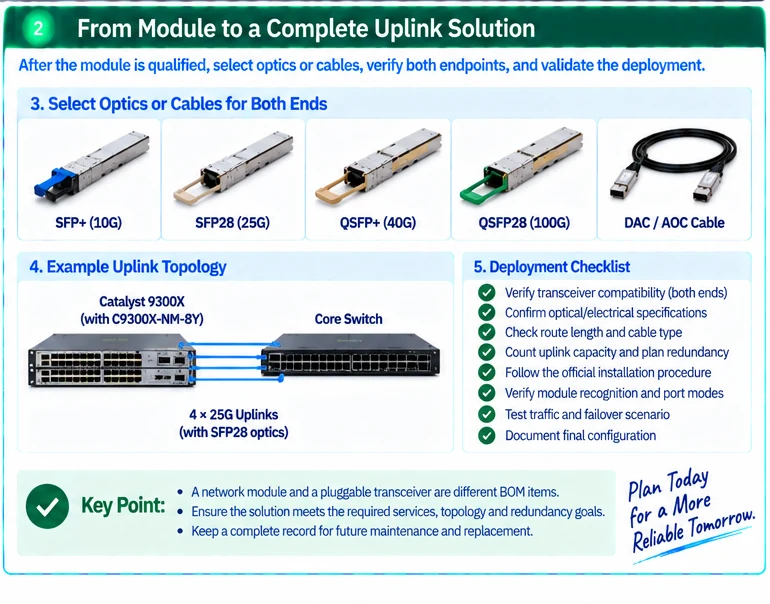
After the module is qualified, choose the actual transceiver or assembly. Confirm support at both hosts, optical or electrical compatibility, route length and applicable mode settings. The Cisco compatibility matrix supports the host-side check; it does not replace the channel design. R49
A network module and a pluggable optical module are different BOM items. Ensure that a quoted uplink package contains the components the installation actually needs.
4. Review capacity and redundancy
Count endpoint demand and uplink capacity under normal and planned failure states. Decide which failure the additional connection is intended to protect. Two module ports may still share the same host, power supply or physical route.
For an illustrative requirement of four independent 25G uplinks, a two-port 100G module is not automatically equivalent merely because its aggregate headline capacity is greater. The topology and peer-interface requirements may require four separate logical connections.
5. Follow the installation procedure
Use the host’s documented installation and removal process. Do not infer that a component can be changed live from its physical modularity. Preserve a management path and a rollback procedure before modifying an uplink.
After installation, verify module recognition, supported port modes, link diagnostics and the intended traffic paths. Test the agreed failover scenario and record the actual result.
The final output is an approved host-module-interface chain with an associated channel record. It makes future replacements reviewable and prevents a transceiver order from being mistaken for a complete uplink upgrade.
Engineering illustrations
These figures illustrate the design concepts discussed here. They are not measured results, certified configurations or a supplied-equipment list.
Related reading
- Catalyst Fiber Uplink Design: From Network Module to Optical Channel
- Network Module or Optical Transceiver? Follow the Uplink End to End
References
可直接使用的项目资料
按当前任务选择资料。可以先提交已有清单,后续再补缺项。下载模板为英文。