
C9300X Multigigabit Selection: Verify the Port Mix and PoE Budget
Select a C9300X configuration by exact port-speed distribution, endpoint power modes, uplink module and degraded-state requirements.
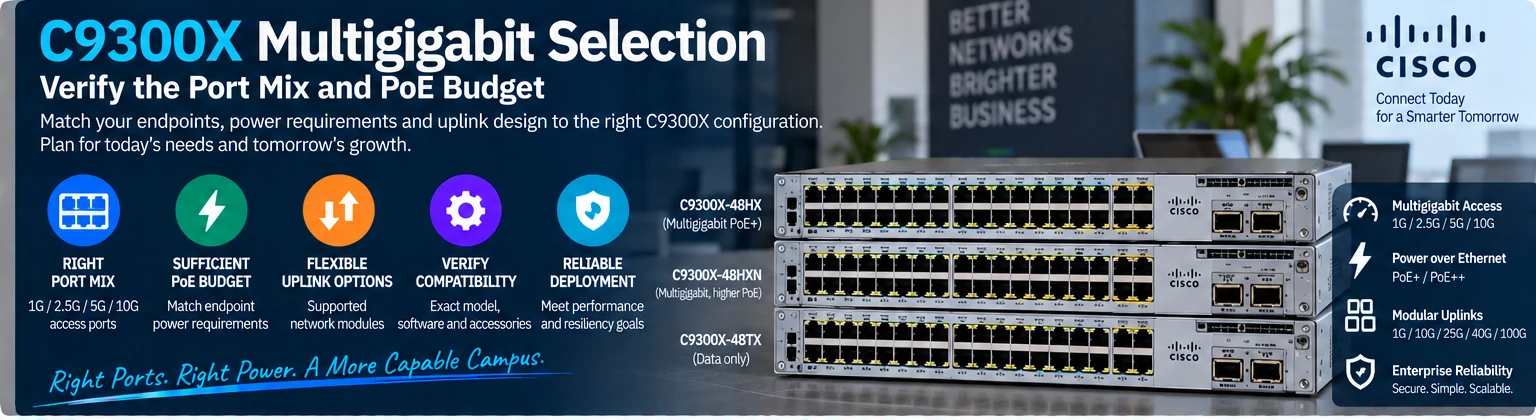
C9300X selection requires more than choosing a port count. Variants can differ in supported access rates, power delivery and uplink options. Use a per-port requirement table and the exact switch identifier to determine whether the configuration fits the endpoint population.
1. Build an endpoint requirement table
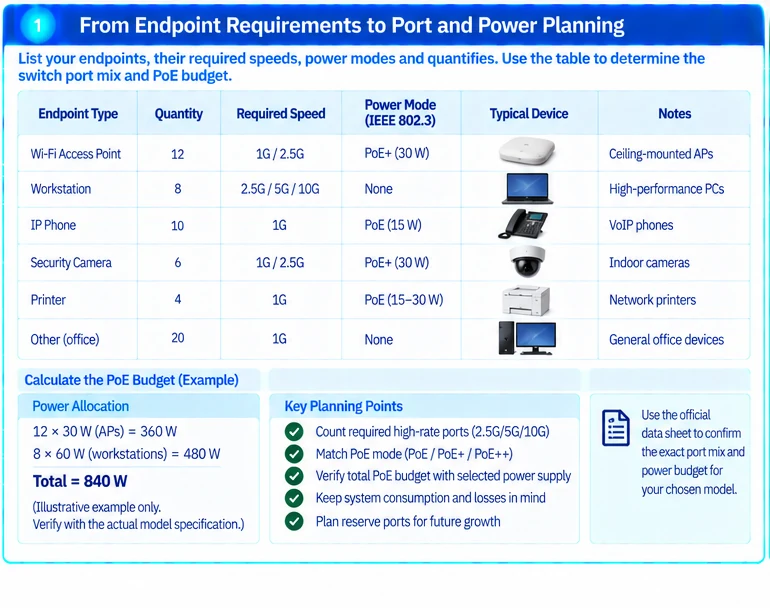
For each endpoint group, record quantity, supported Ethernet rates, required power mode and expected application demand. Keep APs, workstations and specialized powered devices in separate rows where their requirements differ.
An illustrative worksheet might contain twelve APs needing a specified PoE mode, eight workstations requiring a higher wired rate and twenty ordinary office endpoints. A single total of forty devices does not express the required port mix.
2. Check the exact access-port distribution
Cisco’s data sheet distinguishes, for example, C9300X-48HX, C9300X-48HXN and C9300X-48TX. Their names should not be treated as cosmetic suffix changes: the documented port-rate distribution and power functions differ. Verify the current table and applicable notes for the actual offered SKU. R12
| Requirement | Verification task |
|---|---|
| Required high-rate ports | Count the ports supporting that rate on the exact model |
| Ordinary endpoints | Confirm supported negotiated rates and interface type |
| Powered devices | Match the required power mode and available budget |
| Uplinks | Select the supported module and peer interfaces |
| Resilience | Recalculate capacity and power after the defined failure |
Do not assume a data-only variant provides PoE because another member of the series does.
3. Calculate power allocation
Use the endpoint requirement relevant to its full intended operation. Sum allocations and compare them with the switch’s documented available PoE budget under the selected supply arrangement. Keep system consumption and source-to-endpoint losses conceptually separate. R32
For a purely illustrative allocation, twelve devices at 30 W and eight at 60 W require 840 W before any additional endpoint allocation. This does not imply that a particular C9300X configuration provides 840 W; that must be established from the exact system specification and failure-state requirement.
4. Select the uplink as its own requirement
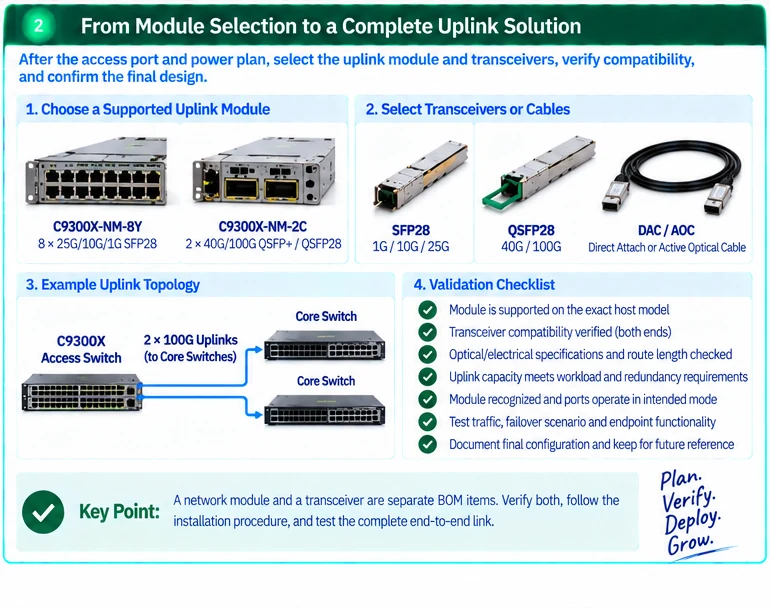
Use the host’s supported network-module options and the intended number of logical uplinks. Then qualify the transceivers or assemblies at both ends. Cisco’s module guide includes host-specific restrictions that must remain part of the selection record. R13
Calculate uplink demand from workload and concurrency, not merely from the number of high-rate access ports. Record the normal and degraded-state assumptions.
5. Validate the installed endpoints
Check actual link rates, power negotiation and endpoint functions on representative devices. Qualify the installed copper channels for their intended applications. For APs, test the required wireless behavior rather than accepting only an Ethernet link-up result.
Retain the model, supply arrangement, module, software baseline and endpoint test results. The finished selection should explain which requirement each variant or accessory satisfies and which unresolved condition prevents approval.
Engineering illustrations
These figures illustrate the design concepts discussed here. They are not measured results, certified configurations or a supplied-equipment list.
Related reading
- Multigigabit Campus Design: Balance Access Speed, PoE and Uplinks
- Faster Ethernet Does Not Mean More PoE: Plan Data and Power Separately
References
可直接使用的项目资料
按当前任务选择资料。可以先提交已有清单,后续再补缺项。下载模板为英文。