Network engineering
SOHO Networking: Keep Business Access, Guest Use and Recovery Simple
Build a small-office or home-office network with clear service priorities, controlled guest access and practical outage recovery.
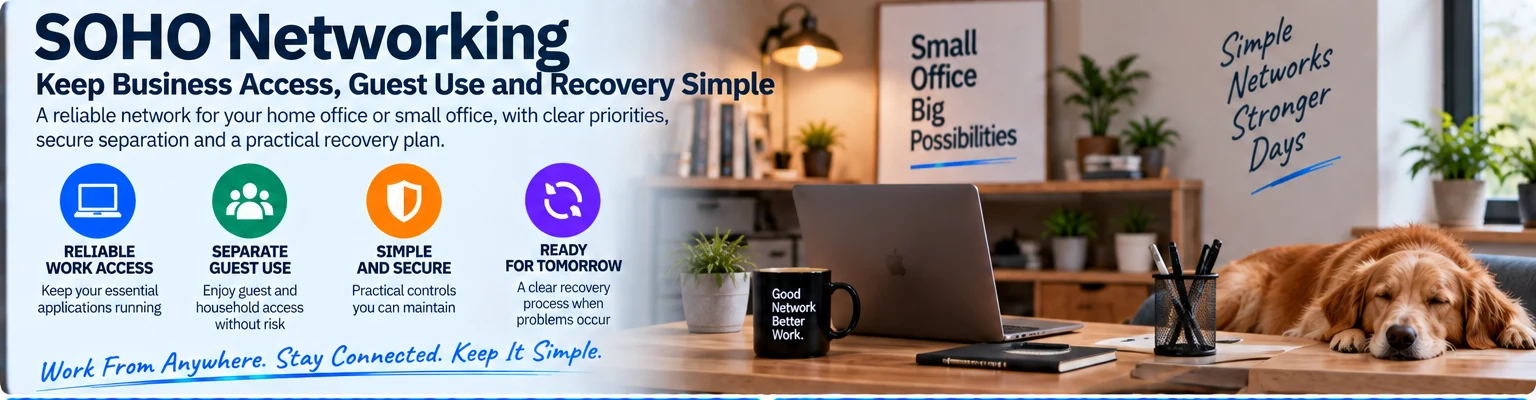
A small-office or home-office network should make ordinary work reliable without creating a system that requires a specialist for every change. The priorities are a dependable connection to business services, appropriate separation from guest or household use and a clear recovery procedure.
Identify the work that must continue
List business applications, workstations, printers, storage and any voice or meeting services. Distinguish essential devices from guest or entertainment traffic. Record whether important data or applications remain available when the internet connection is lost.
An illustrative remote worker using cloud applications has a different recovery requirement from a small studio with local shared storage. The network should reflect that difference instead of adopting the same equipment list for both.
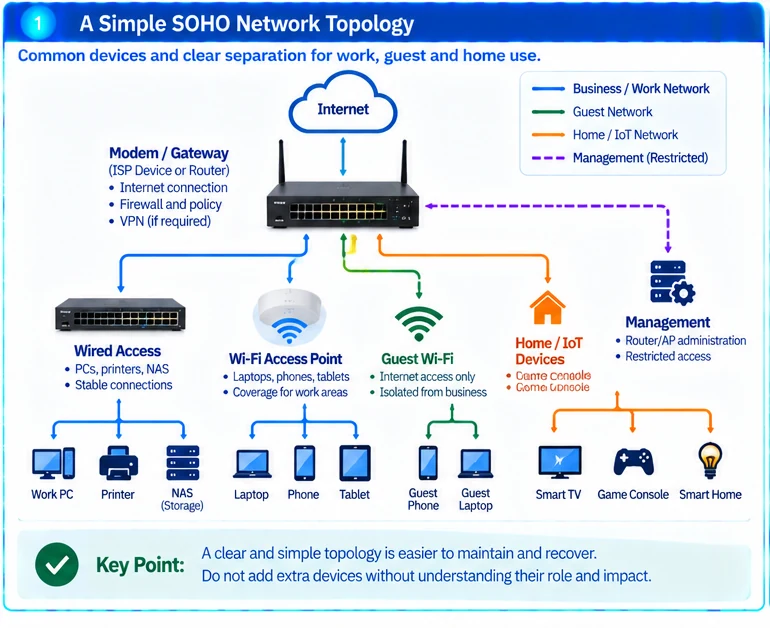
Use a small, clear topology
| Component or role | Purpose |
|---|---|
| Internet gateway | Provides the approved external connection and policy boundary |
| Wired access | Connects fixed devices where a stable cable path is practical |
| Wireless access | Serves mobile clients in the actual working areas |
| Guest separation | Limits access to business and management resources |
| Recovery record | Explains ownership, backups and the restoration sequence |
Do not add a second router or extender without understanding its addressing and management role. An extra device can create another dependency rather than improve the service.
Protect business and administrative access
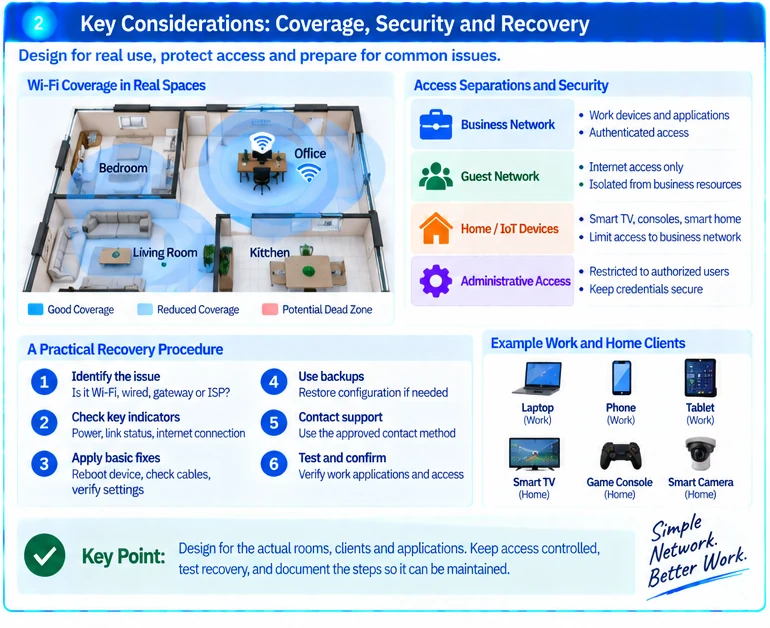
Use an approved access method for business systems and restrict device administration. A device being inside the home or office network should not automatically give it access to every business resource. This reflects the distinction between network location and authorization described in zero-trust architecture. R35
Keep credentials out of shared public documents. Preserve secure access to essential recovery information when the network itself is unavailable.
Validate wireless where work happens
Check the actual desk, meeting area and other occupied locations with the devices used for work. Consider building materials and interference rather than relying on the router’s advertised coverage. Survey principles remain useful even when the installation is small. R37
A higher internet subscription rate will not necessarily fix poor local Wi-Fi or a failing cable. Diagnose the affected path before replacing equipment.
Write a recoverable operating procedure
Document how to identify whether a fault is local wireless, wired access, the gateway or the provider. Record the authorized support contact and the configuration backup method. Test restoration of settings on a suitable device or during an approved maintenance opportunity.
The final design should be understandable to the person who maintains it. For scoping, provide the work applications, device count, room layout, existing equipment and acceptable outage impact. The best result is not the most elaborate topology; it is a clear service with known limits and a usable recovery path.
Engineering illustrations
These figures illustrate the design concepts discussed here. They are not measured results, certified configurations or a supplied-equipment list.