
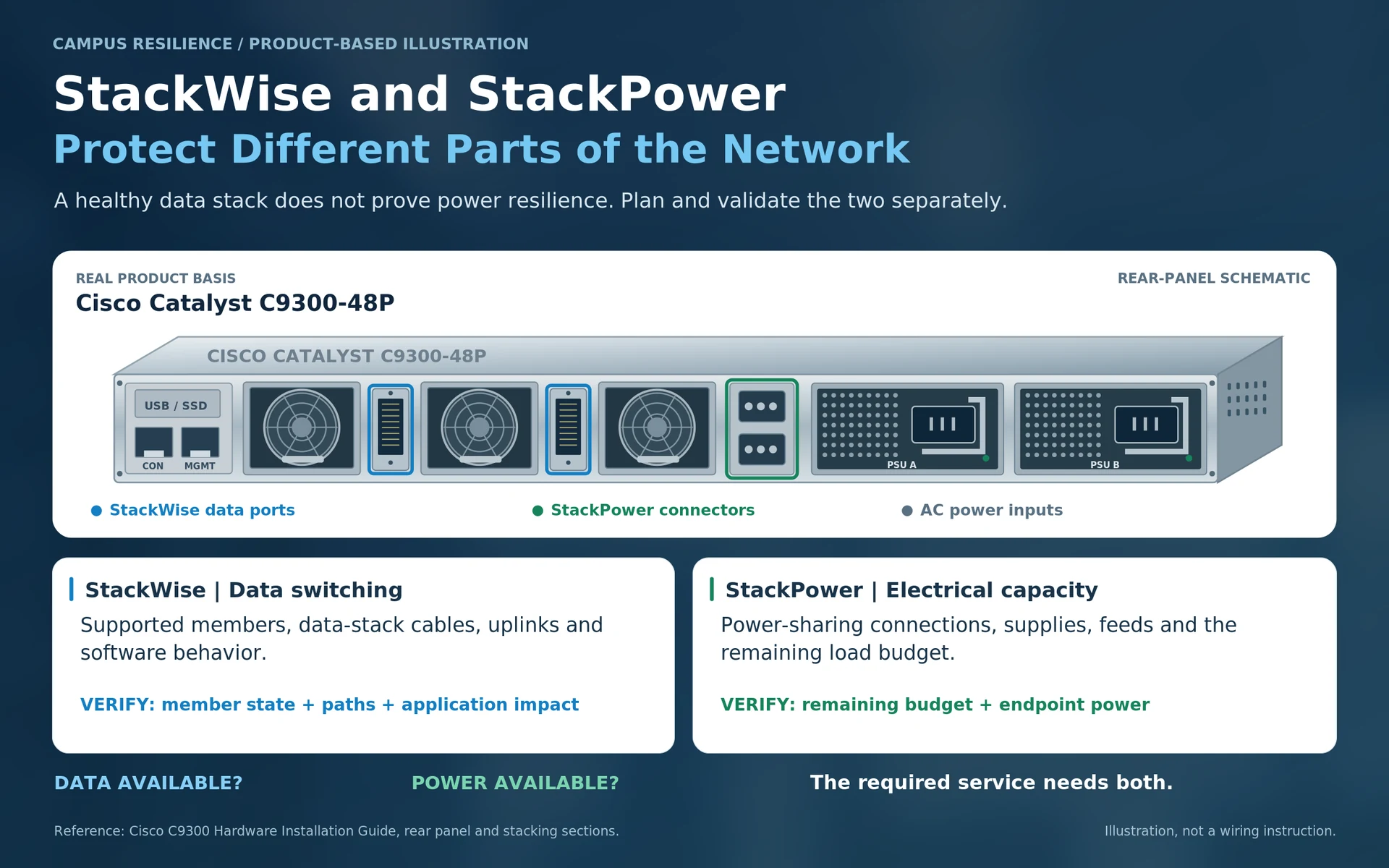
A campus stack can be healthy while its power-resilience objective is not met. The reverse can also occur: endpoints remain powered, but the required data path is unavailable. These are not contradictory results. They concern different parts of the system.
StackWise and StackPower must therefore be treated as separate design decisions on the platforms that support them.
Data stacking is about a supported switching system
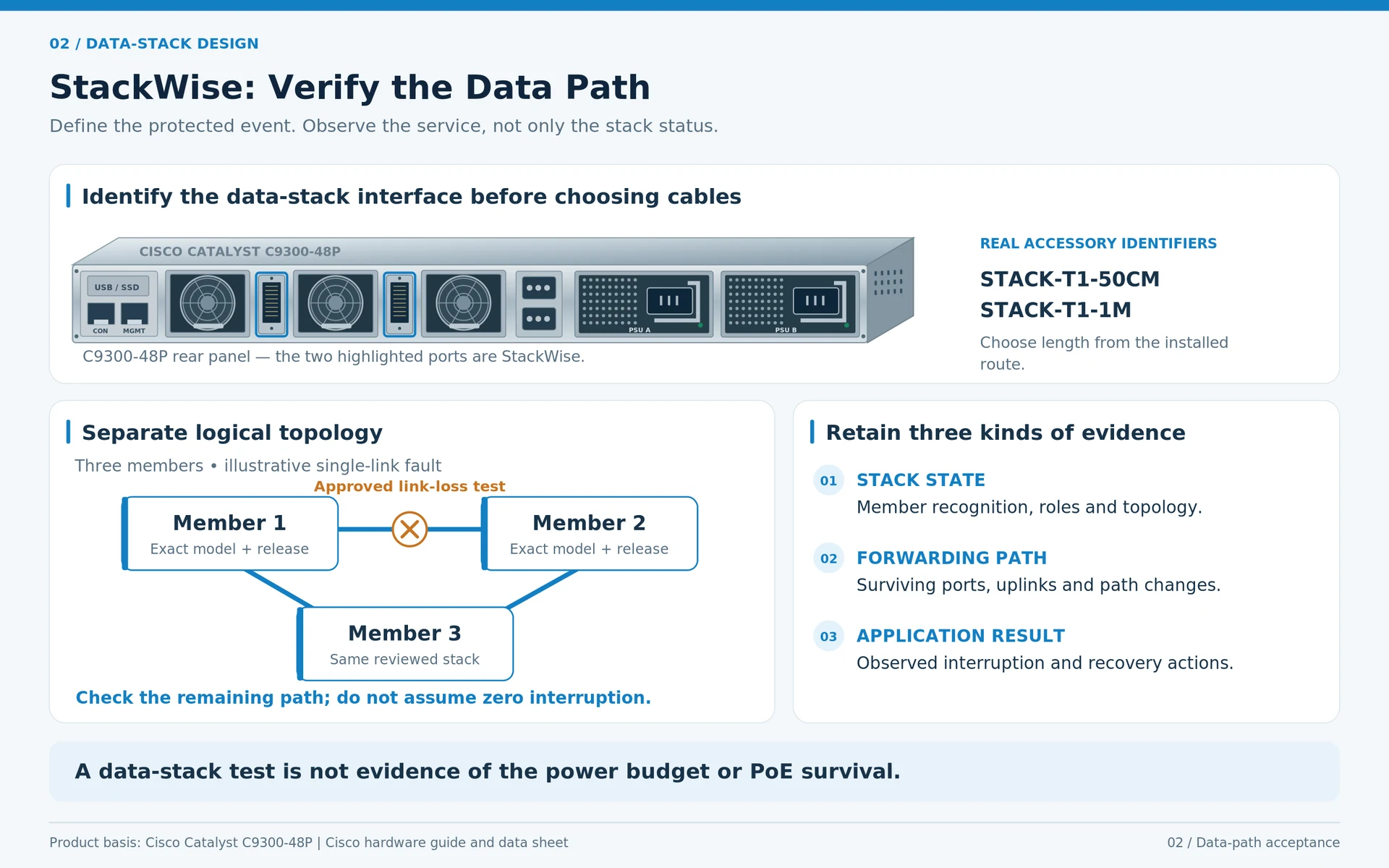
A data stack connects supported members through the platform’s stacking interfaces and software behavior. The exact member combinations, accessories and operating conditions depend on the model and release.
Cisco’s Catalyst documentation identifies these platform-specific arrangements. An adapter or cable associated with one family should not be assumed to fit another, and a working ring is not proof of every desired failure behavior. R12R15
The design should state which member, link or control-plane event it is intended to tolerate and what service interruption is acceptable.
Power sharing is a different capacity problem
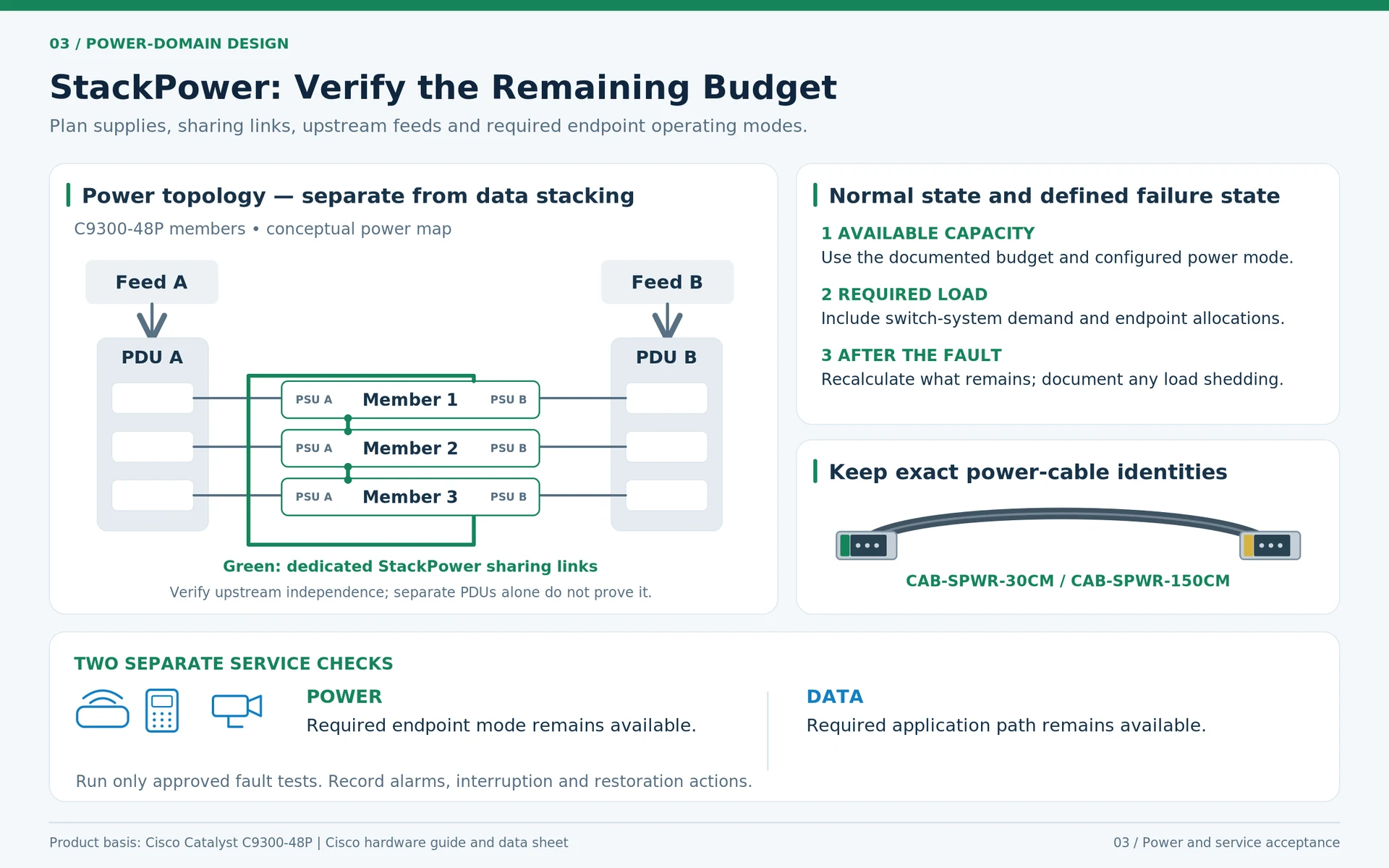
On supported systems, StackPower provides a defined electrical-capacity arrangement. It does not create unlimited power or remove the need to calculate the remaining budget after a failure. R12R15
Account for system consumption and endpoint allocations using the correct platform rules. PoE planning must also distinguish switch-side supplied power from device-side available power. R32
An illustrative budget might have sufficient installed capacity for normal operation but lose enough supply capacity during a fault that lower-priority devices must be shed. A data-stack status screen would not reveal whether that electrical objective had been properly specified.
Draw two diagrams
Use one diagram for data-stack links, uplinks and member roles. Use another for power-sharing connections, supplies, PDU outlets and upstream feeds. The physical arrangements may occupy the same rack, but they should not be merged into an ambiguous line labeled “redundancy.”
Check cable reach, connector access and replacement space in both drawings. A technically correct accessory can still be unsuitable for the actual installation route.
| Failure scenario | What to observe |
|---|---|
| Data-stack link loss | Member state, path changes and application interruption |
| Stack-member loss | Surviving ports, uplinks and affected services |
| Supply or feed loss | Remaining capacity and endpoint power behavior |
| Restoration | Recovery sequence, alarms and any manual actions |
Accept the service, not the label
Run only approved fault tests in a controlled window. Record whether phones, access points and other critical endpoints remain powered and whether their required network services remain available. These are separate measurements.
Do not describe a design as interruption-free merely because the hardware supports stacking or power sharing. The actual outcome depends on the complete configuration and the specific fault.
A useful purchasing request contains both diagrams, the installed identifiers and the required failure-state budget. That makes the accessory list meaningful and prevents a common mistake: assuming that buying one type of redundancy automatically delivers the other.
Engineering illustrations
These figures illustrate the design concepts discussed here. They are not measured results, certified configurations or a supplied-equipment list.
Related reading
- Campus Stack Resilience: Separate Data Paths from Power Sharing
- Cisco Power and Stack Accessories: Build Two Separate Compatibility Records