
Cisco Power and Stack Accessories: Build Two Separate Compatibility Records
Select switch power supplies, StackWise accessories and StackPower cables with exact platform support and independently tested redundancy goals.
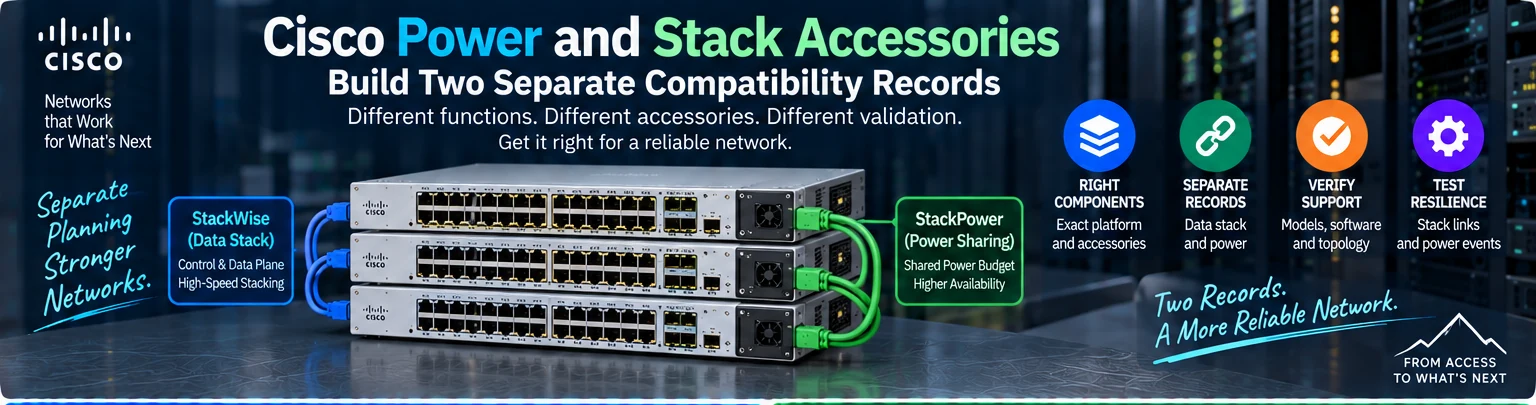
Power supplies, stack adapters and stack cables support different system functions. Similar connectors or a common Catalyst family name do not make them interchangeable. Build separate records for the data stack and the power arrangement before ordering accessories.
1. Identify every stack member
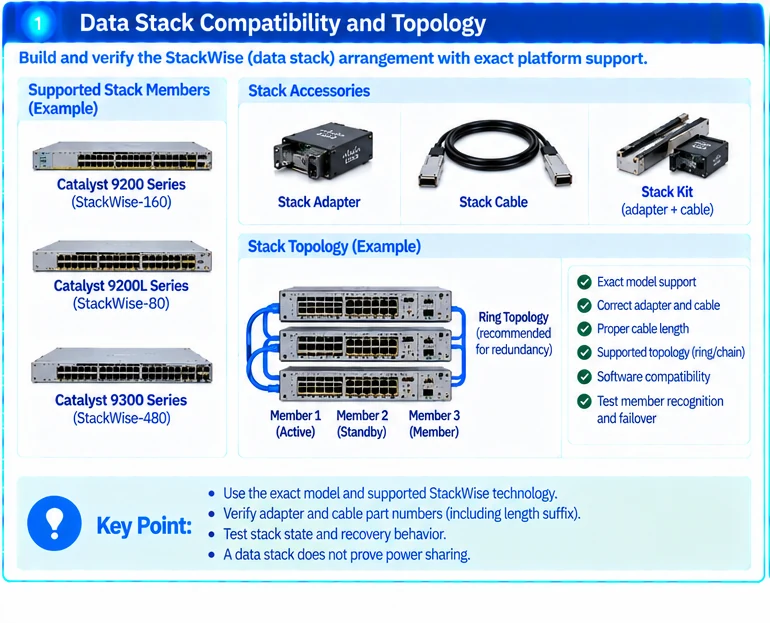
Record the exact switch model, software baseline and installed accessories. Confirm which stack technology and topology the platform supports. Data-sheet and installation guidance must apply to the actual member variants. R12R14R15
Distinguish an adapter, cable and complete kit. A seller’s use of the word kit does not prove that every required item is included.
2. Qualify the data-stack arrangement
| Data-stack field | Required information |
|---|---|
| Member support | Exact permitted platform combination |
| Adapter | Identifier and host compatibility, if required |
| Cable | Correct system, length and connector arrangement |
| Topology | Intended member sequence and redundant path |
| Software | Supported version and member compatibility |
| Acceptance | Member recognition, intended state and approved fault behavior |
Measure the installed route and service access before choosing cable length. Do not shorten a cable identifier in the spare record if the suffix distinguishes its actual assembly.
3. Qualify power independently
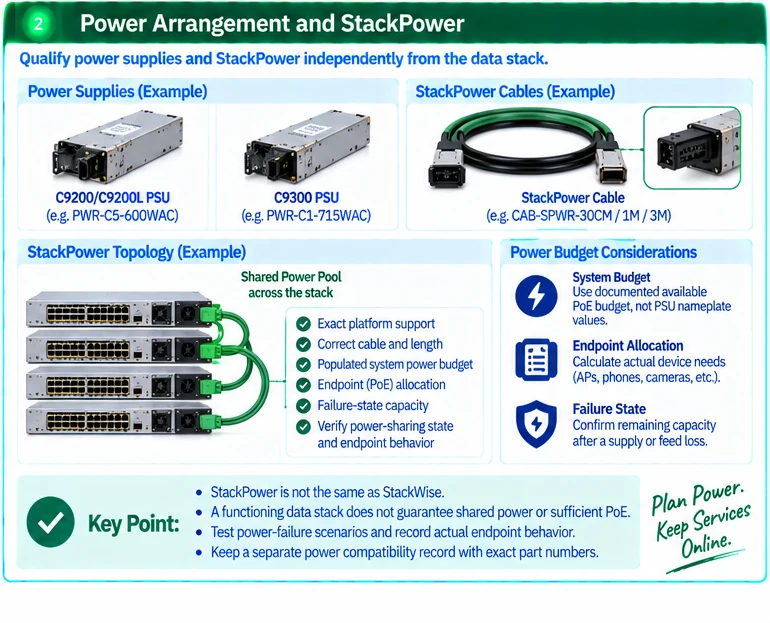
StackWise and StackPower are not synonyms. A functioning data stack does not prove that the intended electrical capacity is shared or that the power-failure objective is met. Support differs by exact platform. R12
| Power field | Required information |
|---|---|
| Supply identity | Approved part and input configuration |
| Available capacity | Populated-system budget under normal operation |
| Endpoint allocation | Required PoE for intended device functions |
| Failure state | Remaining capacity after the defined supply or feed loss |
| Power-sharing system | Supported topology and correct accessories, where used |
Use the documented system budget rather than adding PSU nameplate values and assuming all power reaches endpoints. R32
4. Review installation conditions
Check power connectors, feeds, airflow, cable access and required blanks. Follow the exact replacement and installation procedure. Do not infer safe live replacement from a component being removable.
Electrical and hardware maintenance should be performed by qualified personnel within the equipment instructions and site process.
5. Test both resilience objectives
Verify the data-stack state and the supported recovery behavior under an approved stack-link event. Separately verify the power arrangement and required endpoint behavior under the approved power event. Record which services continue and which are interrupted.
If the design depends on load prioritization or shedding, document that behavior explicitly. It is not equivalent to preserving full endpoint power after every failure.
The handover should include two diagrams, two qualified accessory lists and two sets of acceptance evidence. Keeping these records separate prevents a complete-looking stack BOM from concealing an incomplete power design.
Engineering illustrations
These figures illustrate the design concepts discussed here. They are not measured results, certified configurations or a supplied-equipment list.
Related reading
- Campus Stack Resilience: Separate Data Paths from Power Sharing
- StackWise and StackPower Protect Different Parts of the Network
References
可直接使用的项目资料
按当前任务选择资料。可以先提交已有清单,后续再补缺项。下载模板为英文。