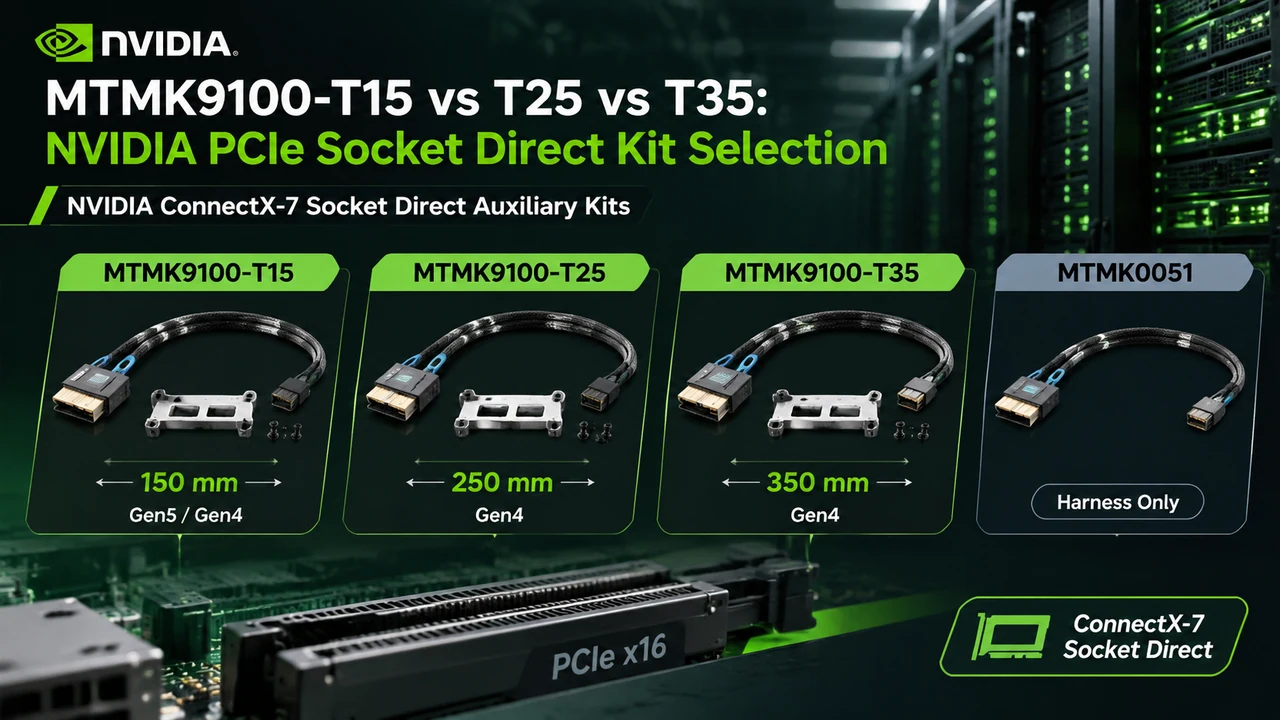

MTDF-DST-A is identified in NVIDIA’s XDR accessory list as a ventilated QSFP thermal cap. MTUSB-1 is the USB-to-I²C device called out in NVIDIA Firmware Tools (MFT) documentation. Include service accessories according to the physical port and the approved maintenance procedure. NVIDIA Q32xx/Q34xx accessory and replacement parts · NVIDIA MFT access to hardware devices
The overview distinguishes the tasks of protecting an empty cage and diagnosing an adapter. View full-size cover image.
MTDF-DST-A vs MTUSB-1 on a switch service request
The useful decision is which service task created the request. Choose MTDF-DST-A for a documented QSFP thermal-cap position, with the correct cage type and count. Specify MTUSB-1 when the platform service procedure and NVIDIA Firmware Tools require a USB-to-I²C access path. This second line needs the correct device, connection board or harness and a supported service environment. If the order refers to a QM97XX OSFP cage, use its own FRU table to scope the cap. NVIDIA XDR accessory table · NVIDIA QM97XX accessory table · NVIDIA MFT access methods
| Order code | Actual service task | Verify before ordering |
|---|---|---|
| MTDF-DST-A | Protect and ventilate the specified vacant QSFP position | Chassis model, physical cage and model-specific accessory table |
| MTUSB-1 | Connect approved hardware to NVIDIA Firmware Tools over USB-to-I²C | Target platform, supported access method, service host and harness package |
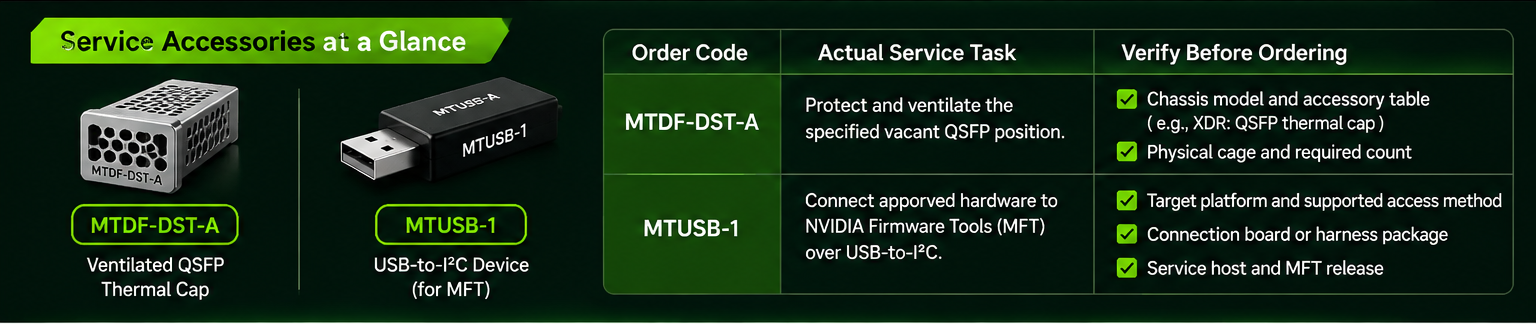
Match the order code to the service task for the port cage or adapter.
Documented service application: cage maintenance and adapter diagnostics
NVIDIA’s Quantum-X800 accessory manual identifies the ventilated QSFP cap as MTDF-DST-A, and the QM97XX manual lists an OSFP thermal cap separately. A rack walk should therefore record which physical cage is empty and the exact supported cap. A separate firmware maintenance ticket can cite NVIDIA’s documented MTUSB-1 service path for approved hardware and the specified connector and harness. Confirm both jobs against the platform documentation and issue distinct quantities and ownership. NVIDIA XDR accessory list · NVIDIA MTUSB-1 hardware and package contents
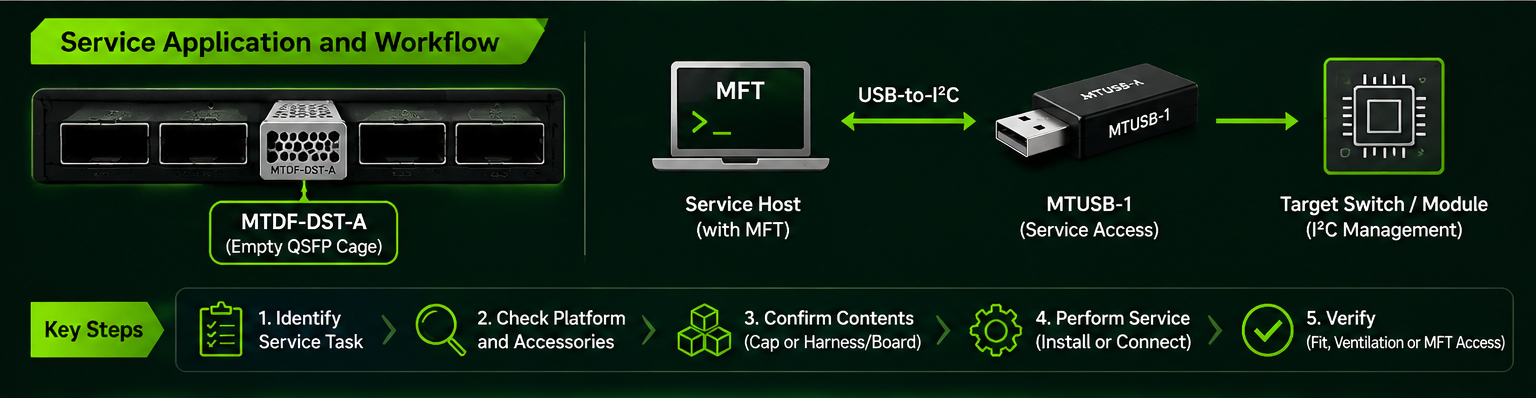
Follow the relevant service path to identify the accessory, connection and acceptance check.
MTDF-DST-A and unused switch ports
List the chassis part number, port type and exact slot or cage for every cap required. Separate the data cages from management and other auxiliary ports because the port families can differ on the same chassis. The XDR hardware manual describes MTDF-DST-A as a QSFP thermal cap. The QM97XX accessory table names ACC001850 as an OSFP thermal cap. Look up the applicable table when replacing a missing cap on a QM9700 or another Quantum-2 chassis. NVIDIA XDR replacement parts · NVIDIA QM97XX replacement parts
A rack with 24 data cages occupied out of 32 has eight unused data cages to check. Use the documentation and physical survey to establish which of them need a specific approved cap, which caps arrived with the rack, and whether the service inventory needs spares. Document the chassis, date and quantity on the maintenance list. Keep fiber connector dust protection separate from the ventilated cap specified for a switch cage.
MTUSB-1 in a service toolkit
NVIDIA describes USB-to-I²C as one MFT hardware access path alongside PCIe and supported in-band methods. For an MTUSB-1 order, verify that the work instruction names the access method and the target hardware, and confirm that the package includes the required connection board or harnesses for the maintenance task. Record the supported MFT release and service host environment. The toolkit, target connector and platform procedure together determine whether the service path is available. NVIDIA MFT access methods · NVIDIA MTUSB-1 device and remote access documentation
The MTUSB-1 kit packaging reference
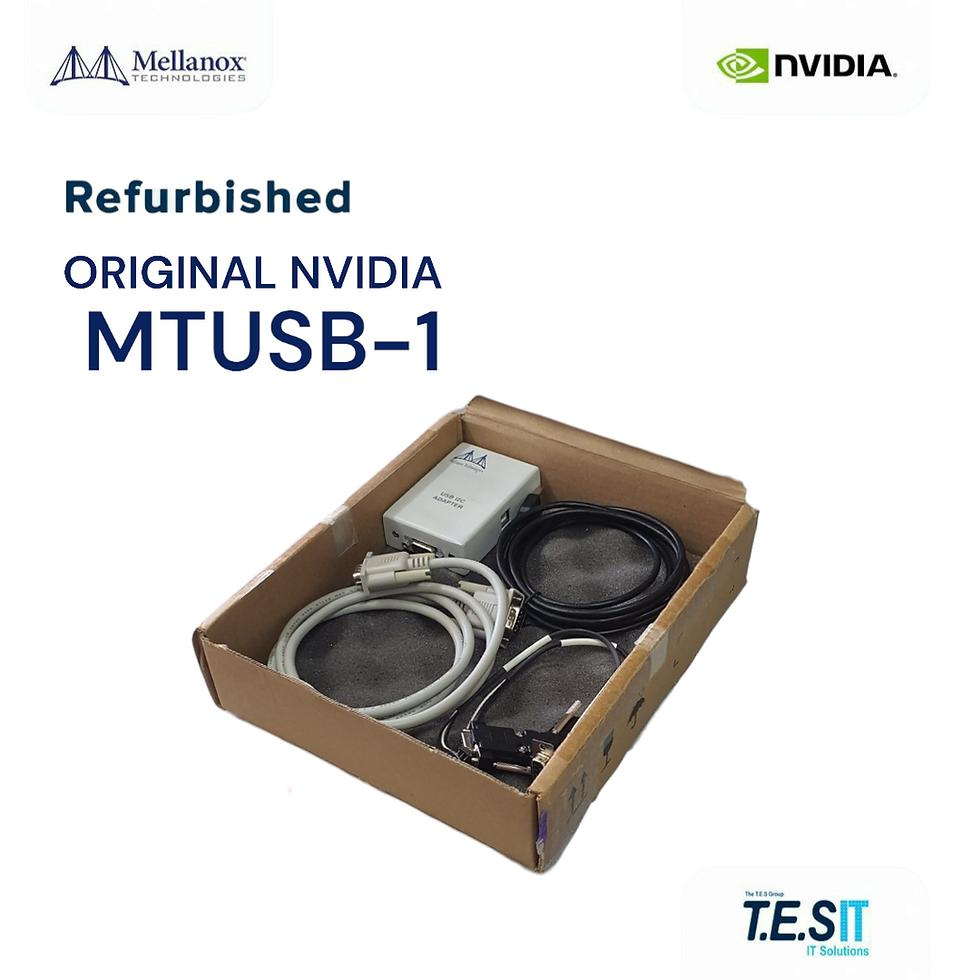
The reference photo shows the packaging of a sample labeled refurbished.
Create two inventory lines for the service kit
Put consumable port caps on a chassis-specific spare list and keep diagnostic tools with the team that services firmware. For example, a Quantum-2 rack can have a replenishment line for the documented OSFP cap alongside a shared MTUSB-1 tool line. Record the port cap quantity from the installed layout. For the diagnostic tool, record which target platforms have a verified connection procedure and who maintains the required harnesses. A visible switch cage or a generic USB connection alone leaves the replacement or service method unresolved.
Replacement decision and verification
Replacement decision. Use the chassis-specific cap for the intended empty cage and a separately approved hardware access method for diagnostics. For an OSFP cage in a QM97XX work order, check ACC001850 in that manual. For MTUSB-1, qualify the exact target device, connection board or harness and supported MFT environment. NVIDIA QM97XX accessory table · NVIDIA MTUSB-1 documentation
Verification. Confirm the approved cap seats and leaves the documented ventilation path clear. For diagnostic access, confirm the approved tool can identify the intended device under the maintenance procedure before authorizing the next service step.
Buying guide for a switch service work order
For cage protection, send the switch OPN, the physical port location, cap part number and required count. For USB-to-I²C servicing, send the target platform, required access method, package contents and MFT environment. Attach the current service document for the chassis rather than using an accessory name copied from a generic inventory category. SwitchInfra MTDF-DST-A · SwitchInfra MTUSB-1
Frequently asked questions
Which document determines the cap for a QM9700 data cage?
Use the QM97XX accessory table for its OSFP thermal cap and check the specific installed cage. The XDR accessory table identifies the ventilated QSFP MTDF-DST-A separately. NVIDIA QM97XX accessories · NVIDIA XDR accessories
What other pieces should be identified on an MTUSB-1 request?
List the required connector or cable board, harness, service host environment and MFT version for the exact platform. Verify the target hardware and access method using the platform procedure. NVIDIA MFT remote hardware access and package contents
Acronyms and terms
- MFT means NVIDIA Firmware Tools.
- USB means Universal Serial Bus. I²C means Inter-Integrated Circuit.
- QSFP means Quad Small Form Factor Pluggable. OSFP means Octal Small Form Factor Pluggable.
- FRU means field-replaceable unit. Match it to the model-specific accessory table.