
NVIDIA FRU Selection: Identify the Installed Variant Before Ordering
Select replacement power supplies, fans, rails and accessories with a traceable equipment-to-part record and a verified replacement procedure.
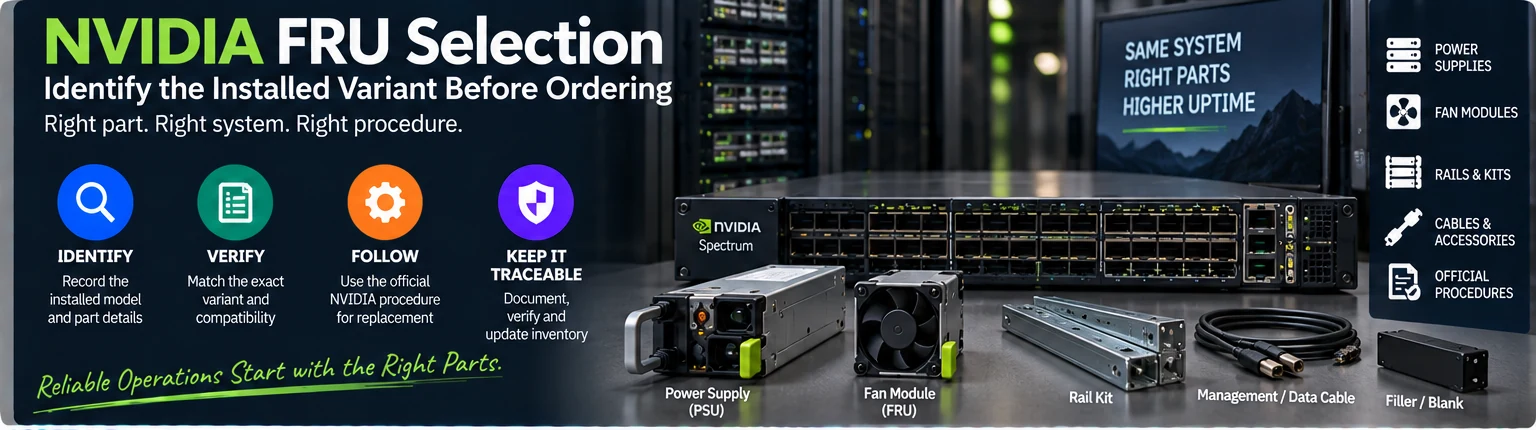
Use this guide to qualify a field-replaceable unit or accessory for an installed NVIDIA networking system. It covers selection and documentation, not a universal live-replacement procedure. The output is a traceable match between the installed equipment, the proposed part and the applicable manufacturer instructions.
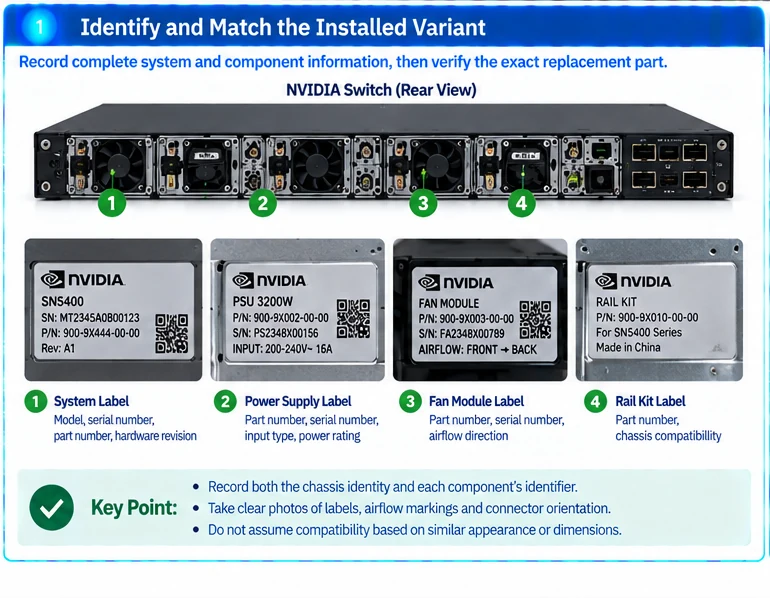
1. Capture the installed identity
Record the complete equipment model and ordering identifier, serial number, hardware revision where relevant and software baseline. Separately record the identifier on the installed component. Photograph the label, airflow marking and connector orientation when useful.
Do not merge equipment and component serials into one inventory field. A chassis identifier does not prove which fan or power-supply variant is currently fitted.
2. Classify the replacement role
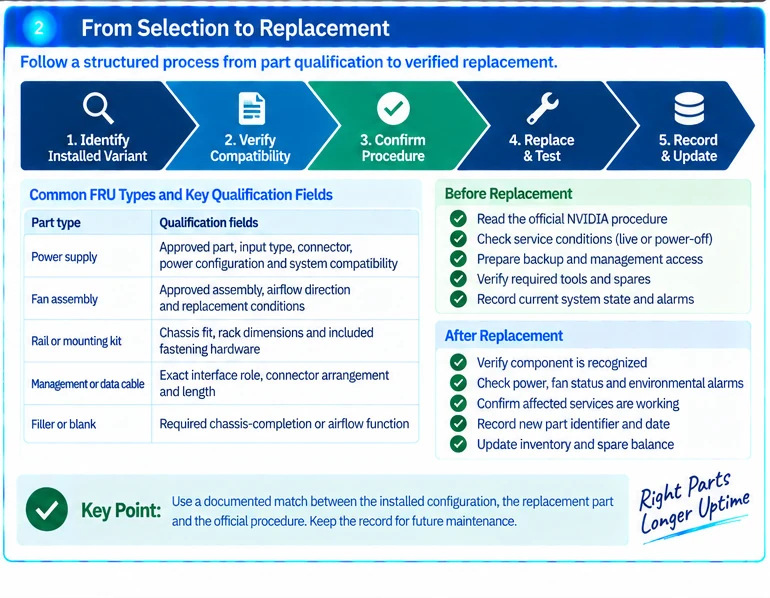
| Part type | Qualification fields |
|---|---|
| Power supply | Approved part, input type, connector, power configuration and system compatibility |
| Fan assembly | Approved assembly, airflow direction and replacement conditions |
| Rail or mounting kit | Chassis fit, rack dimensions and included fastening hardware |
| Management or data cable | Exact interface role, connector arrangement and length |
| Filler or blank | Required chassis-completion or airflow function |
Similar dimensions do not establish electrical or thermal compatibility. NVIDIA’s interconnect documentation also distinguishes cooling-related module forms, demonstrating why thermal configuration belongs in exact-variant identification rather than being treated as cosmetic. R01
3. Resolve substitutions before purchase
When a proposed part differs from the installed identifier, retain the manufacturer’s replacement or supersession evidence. Record its scope: supported chassis, relevant revision and any additional requirements.
Use three statuses in the qualification record: matched, requires documented substitution approval, and unresolved. Do not allow an unresolved item to become approved simply because stock is available or the seller describes it as compatible.
An illustrative spare register should distinguish otherwise similar assemblies used in opposite airflow configurations. Keep storage labels specific enough that an urgent replacement does not depend on the memory of the original engineer.
4. Read the procedure before scheduling work
FRU means field-replaceable; it does not mean every part can be removed while every system is operating. Check the exact procedure for required remaining components, preparation, service conditions and any shutdown requirement. NVIDIA publishes system-specific FRU replacement instructions that must govern the actual work. R09
Electrical, mechanical and cooling work should be performed by personnel qualified for the equipment and site. Do not improvise a live procedure to preserve uptime when the documented conditions are not met.
5. Prepare verification and rollback
Before the maintenance window, capture environmental state and relevant alarms. Define how management access will remain available and what action restores the system if the candidate part is not accepted.
After replacement, verify inventory recognition, power or fan state, environmental alarms and affected services. Record the new component identifier, date and result. Keep failed units segregated from serviceable stock and update the spare balance.
The completed selection record should make one conclusion explicit: this identified component is an approved replacement for this installed configuration under this procedure. Warranty terms, physical condition and manufacturer support eligibility remain separate commercial checks; none should be inferred from the successful hardware match.
Engineering illustrations
These figures illustrate the design concepts discussed here. They are not measured results, certified configurations or a supplied-equipment list.
Related reading
- GPU Cluster Operations: Management Access, Power and Spare Parts
- Six Often-Missed Items Between a Network Quote and a Working Rack