
Nexus 5600 and FEX Selection: Verify the Parent, Module and Topology
Check legacy Nexus 5600 modules and Fabric Extenders against the exact parent platform, release, interface arrangement and service requirement.
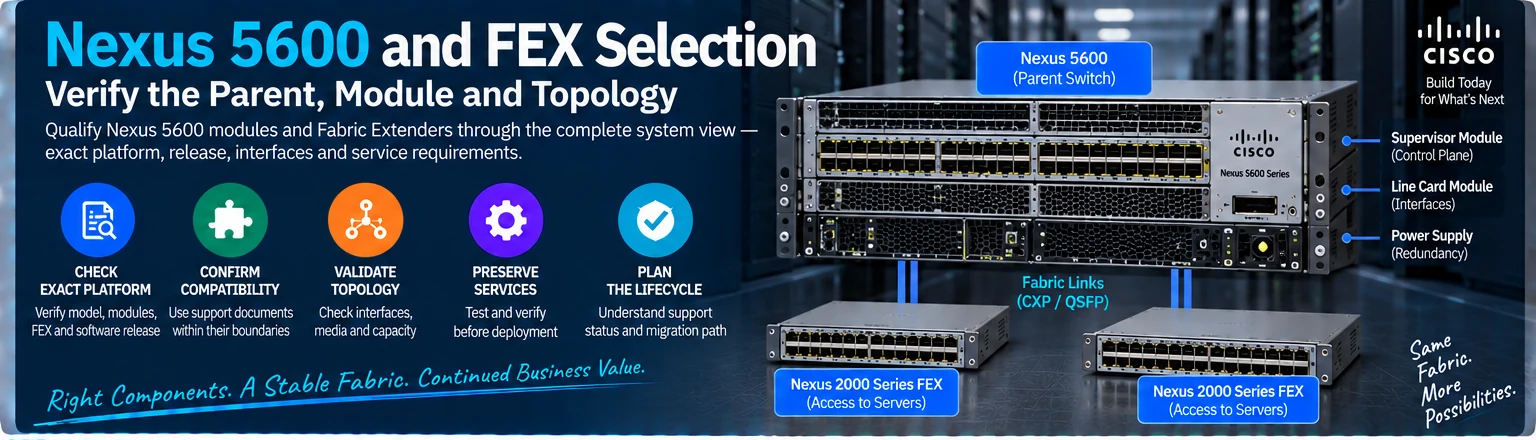
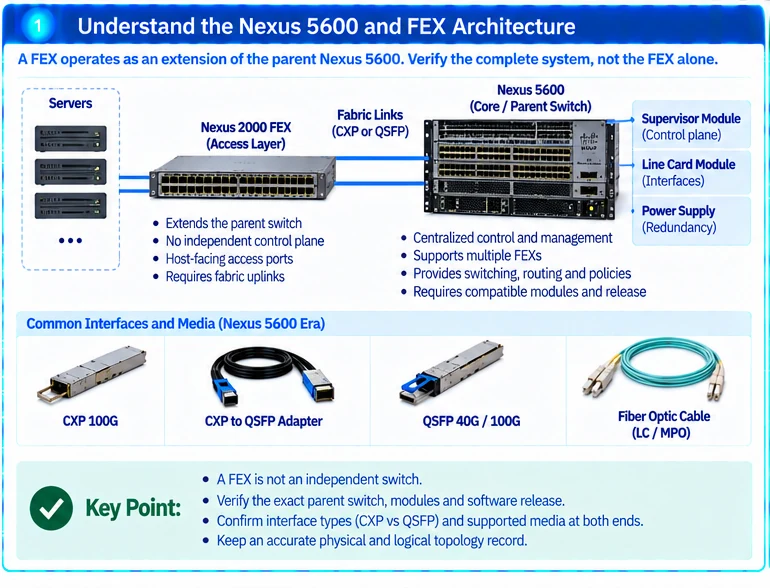
A Fabric Extender is selected within a parent-switch architecture. It should not be evaluated as an independent access switch with a similar port count. For an installed Nexus 5600 environment, qualify the parent, module, FEX, interconnect and software combination together.
1. Capture the installed system
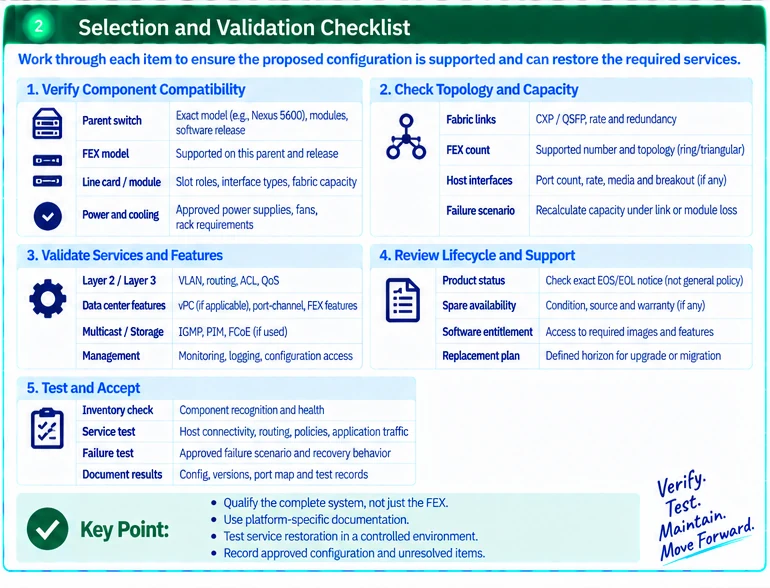
Record the exact Nexus model, modules, FEX identifiers, software release and connection topology. Preserve configuration and operational inventory before introducing a replacement.
Use the Nexus 5600 hardware documentation for the relevant chassis and module arrangement. A support table for another parent generation is not evidence for the installed system. R23
2. Identify the proposed change
| Change | Main qualification question |
|---|---|
| Replace an existing FEX | Is the exact replacement supported by this parent and release? |
| Add another FEX | Are topology, scale and interface requirements supported? |
| Change a fabric connection | Are both interfaces and the proposed media qualified? |
| Replace a parent or module | Does the resulting system preserve required FEX and service behavior? |
| Add a new feature | Is it supported across the complete parent/FEX configuration? |
Document the distinction between a like-for-like spare and an architectural change. They require different validation scopes.
3. Use support documents within their boundaries
Cisco publishes FEX configuration guidance for specific parent platforms and releases. For example, a Nexus 9000 Release 10.6(x) guide describes its own environment; it should not be used to infer support for Nexus 5600. R27
When the exact combination is not established, mark it unresolved. Do not fill the gap by assuming that shared branding or similar interface names imply compatibility.
4. Qualify physical connections and capacity
Record connector type, logical rate, supported module or assembly and actual route. Preserve any distinction between legacy CXP and newer QSFP-family interfaces. A common 100G label does not establish interchangeable electrical or mechanical implementation.
Calculate the uplink capacity available to the intended endpoints and the effect of the supported failure scenario. Do not equate the sum of host-facing port rates with guaranteed capacity through the parent connection.
5. Review the maintenance horizon
Check exact lifecycle notices, spare availability and support conditions for the offered hardware. The manufacturer’s general end-of-life policy explains milestones, but the product-specific notice determines the relevant dates. R19
Define when the maintained environment will be replaced or reevaluated. An expansion that preserves a bounded service can be reasonable without becoming a recommendation for indefinite new deployment.
6. Verify service restoration
Test inventory recognition, host connectivity, fabric paths and the features the service uses. Perform only approved failure tests and retain the actual recovery behavior. Update the parent/FEX map and qualified spare list after acceptance.
The final record should state the exact supported combination and the service it restores or expands. That is more useful than a generic statement that a FEX is compatible with Nexus switches.
Engineering illustrations
These figures illustrate the design concepts discussed here. They are not measured results, certified configurations or a supplied-equipment list.
Related reading
- Legacy Nexus Expansion: Qualify Modules, Fabric Extenders and Migration Limits
- CXP and QSFP28: Equal 100G Labels Do Not Make Equal Interfaces
References
可直接使用的项目资料
按当前任务选择资料。可以先提交已有清单,后续再补缺项。下载模板为英文。