Network Switch Selection Worksheet: Turn Requirements into a Comparable Shortlist
Compare switches with a requirement-led worksheet covering interfaces, capacity, features, installation, support and acceptance evidence.
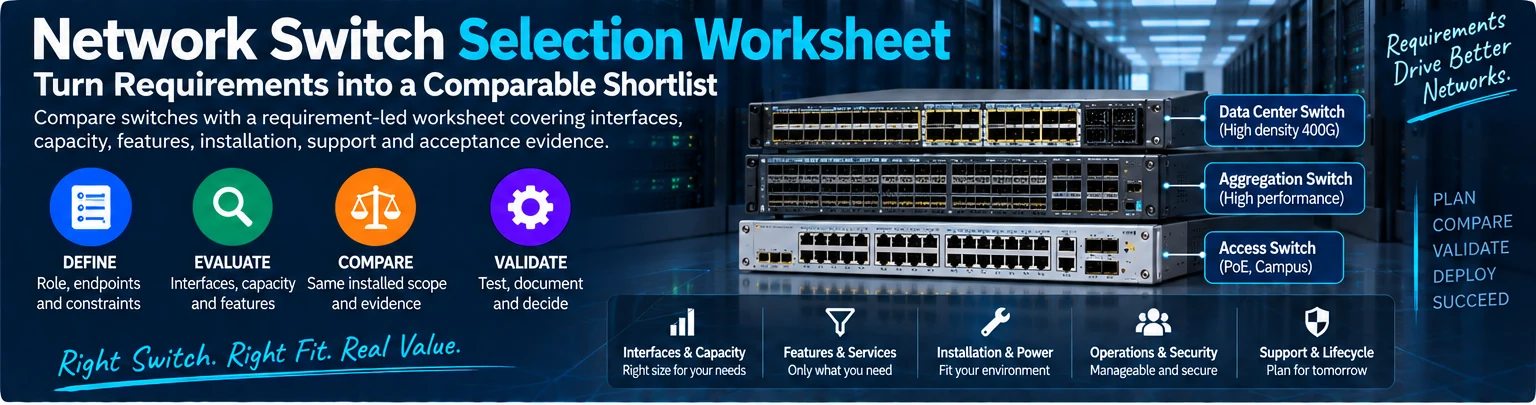
A switch shortlist should be produced from requirements, not assembled from the largest headline specifications. The purpose of this worksheet is to make offers comparable and expose unresolved conditions before purchase. It applies to access, aggregation and data-center roles, with different requirements for each.
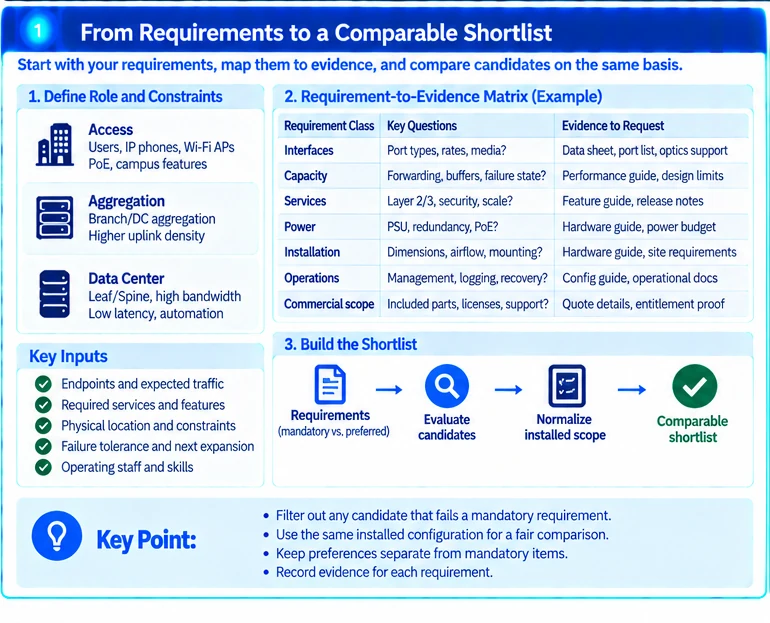
1. Define the role and constraints
Record endpoints, required services, traffic direction, physical location and operating staff. Identify the failures the network must tolerate and the next planned expansion. Use an architecture appropriate to the environment rather than copying a larger campus or fabric design. R45
Separate mandatory requirements from preferences. A candidate that fails a mandatory interface or installation condition should not survive the shortlist because it scores well on unrelated features.
2. Build a requirement-to-evidence matrix
| Requirement class | Evidence to request |
|---|---|
| Interfaces | Exact port types, supported modes and qualified media |
| Capacity | Relevant forwarding limits and normal/failure-state port budget |
| Services | Supported release, feature scope and scale constraints |
| Power | Input requirements, redundancy and PoE where applicable |
| Installation | Dimensions, airflow, mounting and service access |
| Operations | Management, logging, recovery and configuration lifecycle |
| Commercial scope | Included parts, condition, entitlements and contractual support |
Avoid treating a data-sheet feature name as proof of the required scale or topology. Record the intended use next to the evidence.
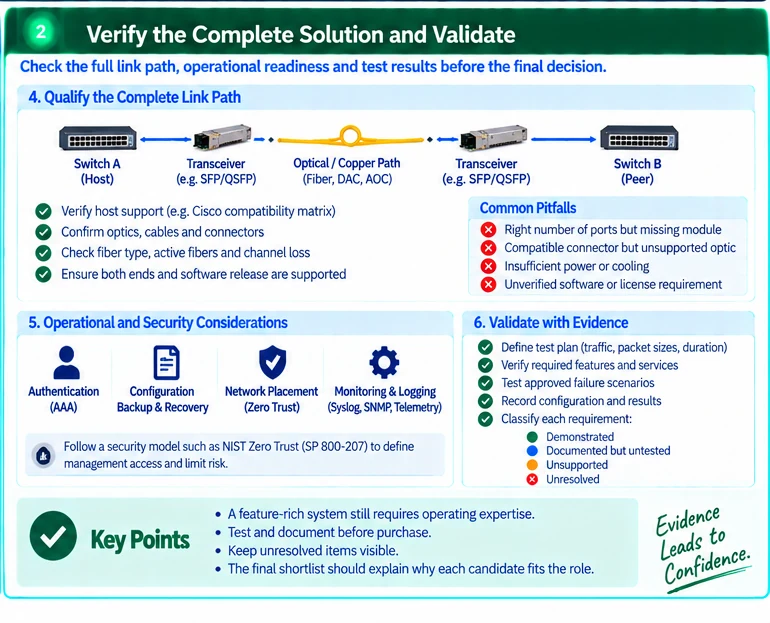
3. Qualify the complete link path
Match each required interface to the actual peer and interconnect. Check both hosts and the optical or electrical channel. Compatibility resources support this process but must be used for the exact model and release. R49
A switch with the right number of sockets may still require a network module, different optics or additional cabling to perform the role.
4. Compare usable configurations
Normalize offers to the same installed scope: power supplies, fans, modules, rails, cables, required software and any agreed support. Keep spares and optional items separate.
An illustrative comparison between a bare chassis and a fully populated system should not present the price difference as a hardware saving. First account for the missing components and deployment work.
5. Check operational and security ownership
Confirm how administrators authenticate, how configuration changes are backed up and how recovery works when the production path is unavailable. Network placement should not automatically authorize access to every management or application resource. R35
A feature-rich system with no available operating expertise may introduce responsibilities the project has not budgeted for.
6. Validate the final candidates
Define a proof-of-concept around mandatory functions and representative traffic. Retain the configuration, test method and observed limitations. Use approved conditions for fault or load testing.
Classify each requirement as demonstrated, documented but untested, unsupported or unresolved. That classification makes the decision auditable without pretending that every catalogue claim has been independently verified.
The final shortlist should explain why each remaining candidate fits the role and what must be resolved before deployment. It should not substitute a generic brand ranking for a project-specific engineering decision.
Engineering illustrations
These figures illustrate the design concepts discussed here. They are not measured results, certified configurations or a supplied-equipment list.