
S5860 Switch Deployment: Confirm the Platform Before Configuration
Prepare an S5860 deployment with exact model and software identification, staged service configuration, LACP checks and safe recovery controls.
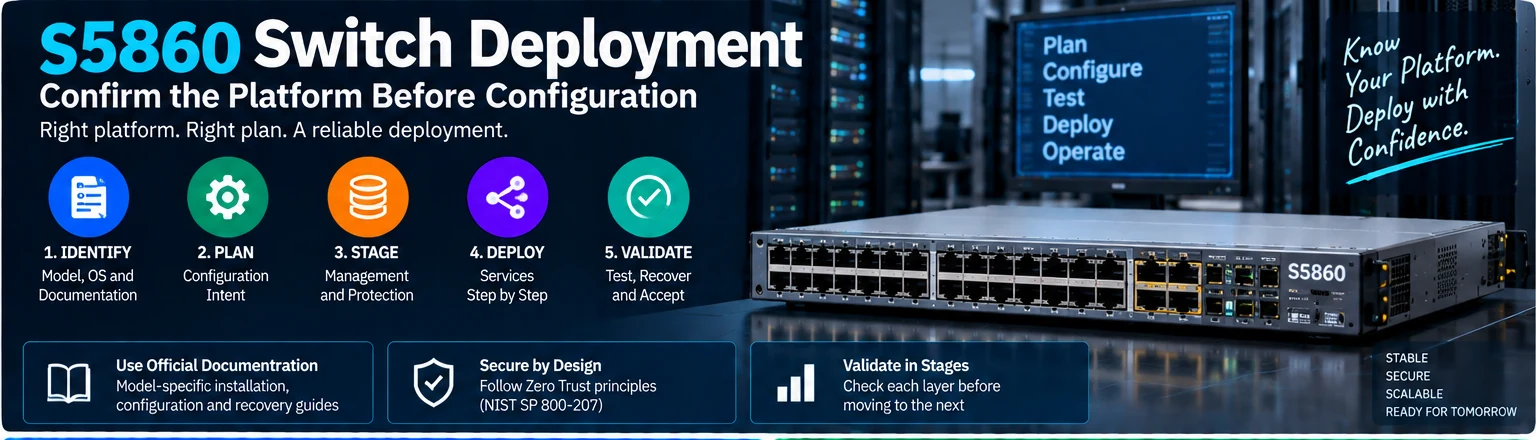
This is a deployment-readiness and validation guide for equipment identified as S5860. It deliberately does not publish one command set for every model or operating-system image. The exact product identifier and installed software must be confirmed against their own manufacturer configuration and recovery guides before implementation.
The previous style of using a family name with generic switch commands is not a reliable deployment method. Similar syntax across vendors does not establish identical interface names, defaults or feature behavior.
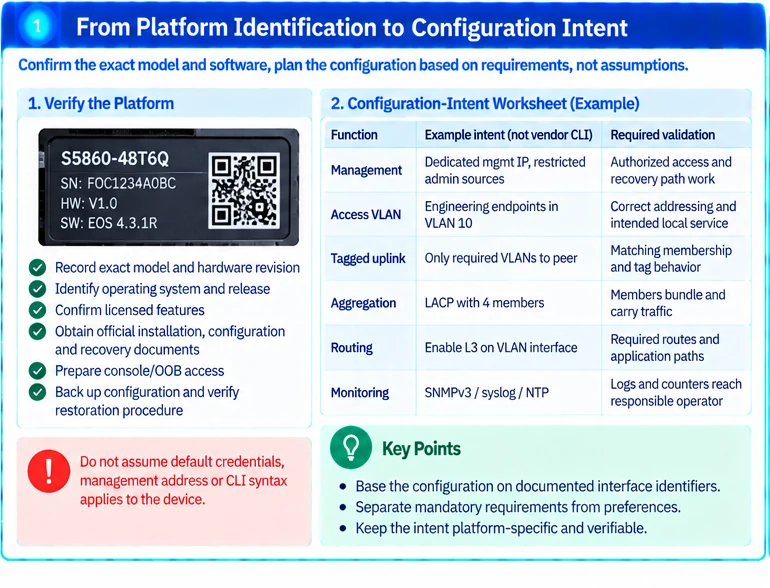
1. Establish the platform record
Capture model, hardware revision where relevant, installed operating system, release and licensed features. Obtain the matching installation, configuration and recovery documents. Confirm that every cited model actually belongs to the intended supported family; do not silently substitute a similarly named product.
Prepare a console or approved out-of-band path, configuration backup and a known restoration procedure. Do not assume a published default username, password or management address applies to the device.
2. Create a configuration-intent worksheet
| Function | Example intent—not vendor CLI | Required validation |
|---|---|---|
| Management | Dedicated approved address and restricted admin sources | Authorized access and recovery path work |
| Access VLAN | Engineering endpoints in a defined segment | Correct addressing and intended local service |
| Tagged uplink | Only required VLANs carried to the peer | Matching membership and tag behavior |
| Aggregation | Reviewed LACP members and peer relationship | Members actually bundle and carry traffic |
| Routing | Explicit interfaces, neighbors and route policy | Required routes and application paths |
| Monitoring | Approved authenticated management method | Logs/counters reach the responsible operator |
Use documentation-specific interface identifiers when converting this intent into commands. Do not copy an interface range from another platform.
3. Stage management and protection first
Create authorized administrative access, time synchronization, logging and configuration backup according to the installed release. Restrict management sources and avoid unnecessary management exposure. Network location alone should not authorize access to the device. R35
Do not deploy demonstration SNMP read-write communities or shared sample secrets. Choose a supported authenticated management arrangement consistent with the organization’s requirements.
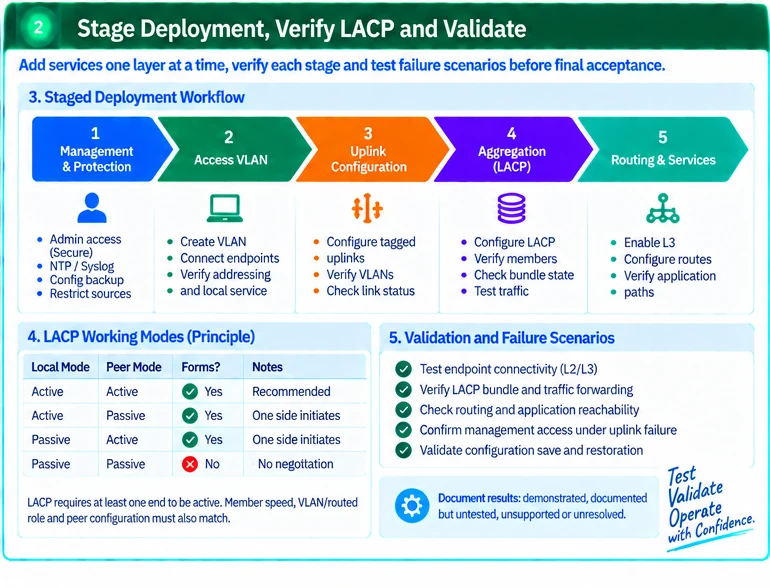
4. Add services one layer at a time
Start with one access segment and verify its endpoint behavior. Add the reviewed uplink, then aggregation where required, and only then the intended routing services. Check after each stage so that a new failure has a bounded cause.
For LACP, at least one end must initiate negotiation: active/active and active/passive can form an aggregate when the other requirements match; passive/passive does not initiate LACP. This protocol principle is documented by Cisco, but Cisco configuration syntax is not thereby authorized for an S5860 device. R53
Also verify member speed, VLAN or routed role, peer identity and actual bundled state. A configured group with no active members is not a working aggregate.
5. Validate before saving the final baseline
Test addressing, name resolution, intended application paths and policy restrictions. Verify the management path under the approved uplink-failure scenario. Confirm the release-specific persistence and restoration method; saving a file is not the same as demonstrating a successful recovery.
| Failure | Investigate first |
|---|---|
| Endpoint lacks connectivity | Link, port role, VLAN membership and addressing |
| Aggregate does not form | LACP roles, member consistency and peer configuration |
| Routing service fails | Interface state, addressing, neighbors and route policy |
| Management is unreachable | Management context, return path and access policy |
Use the exact release’s diagnostic commands and retain relevant output. Avoid a factory reset or software change as the first troubleshooting action.
The deployment is ready for acceptance when the exact platform, implemented intent, test results and recovery process are documented. A command appendix should be produced only after that platform information is resolved; this workflow must not be represented as a vendor-certified universal configuration.
Engineering illustrations
These figures illustrate the design concepts discussed here. They are not measured results, certified configurations or a supplied-equipment list.
Related reading
- Network Switch Troubleshooting: Isolate the Failure Before Changing Configuration
- Network Switch Selection Worksheet: Turn Requirements into a Comparable Shortlist
- Cisco Power and Stack Accessories: Build Two Separate Compatibility Records