
Network engineering
Migrating to 25G Server Access and 100G Uplinks Without Guesswork
Plan a staged 25G/100G upgrade around host readiness, uplink ratios, breakout support and application acceptance.
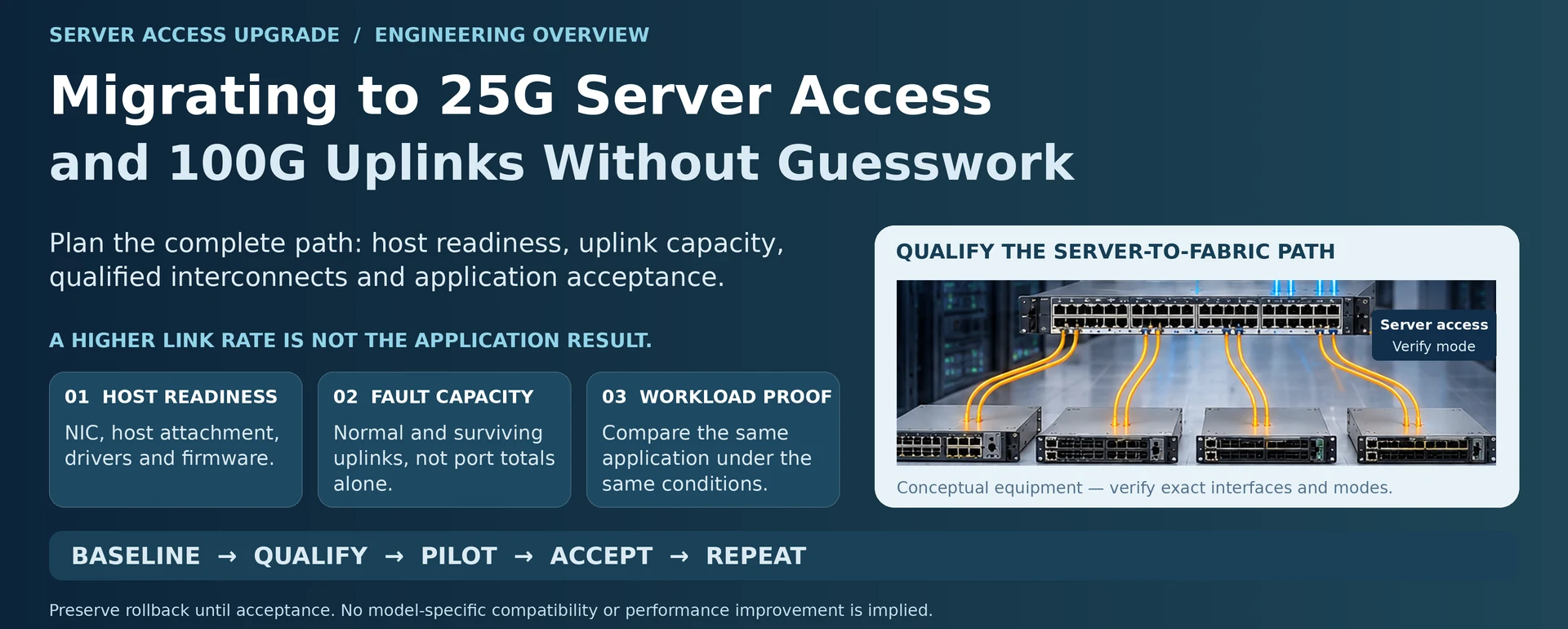
Moving from 10G server links to 25G access can expose bottlenecks that the old network concealed. The limiting element may become the uplink, the server’s host interface, storage throughput or a shared application service. A successful upgrade changes the complete path in controlled stages rather than replacing optics and assuming the workload is faster.
Establish a before-and-after requirement
Record the application, traffic direction, concurrency and current completion time or throughput. Identify whether the objective is greater per-server capacity, more simultaneous servers or shorter congestion periods. These objectives can require different uplink and topology choices.
Inventory the server NIC, host attachment, driver, firmware and peer-switch interfaces. Include the available port modes, qualified interconnects and maintenance access. The connector form alone is not evidence that a host can run the required rate or breakout arrangement. R49
Build a capacity model that includes faults
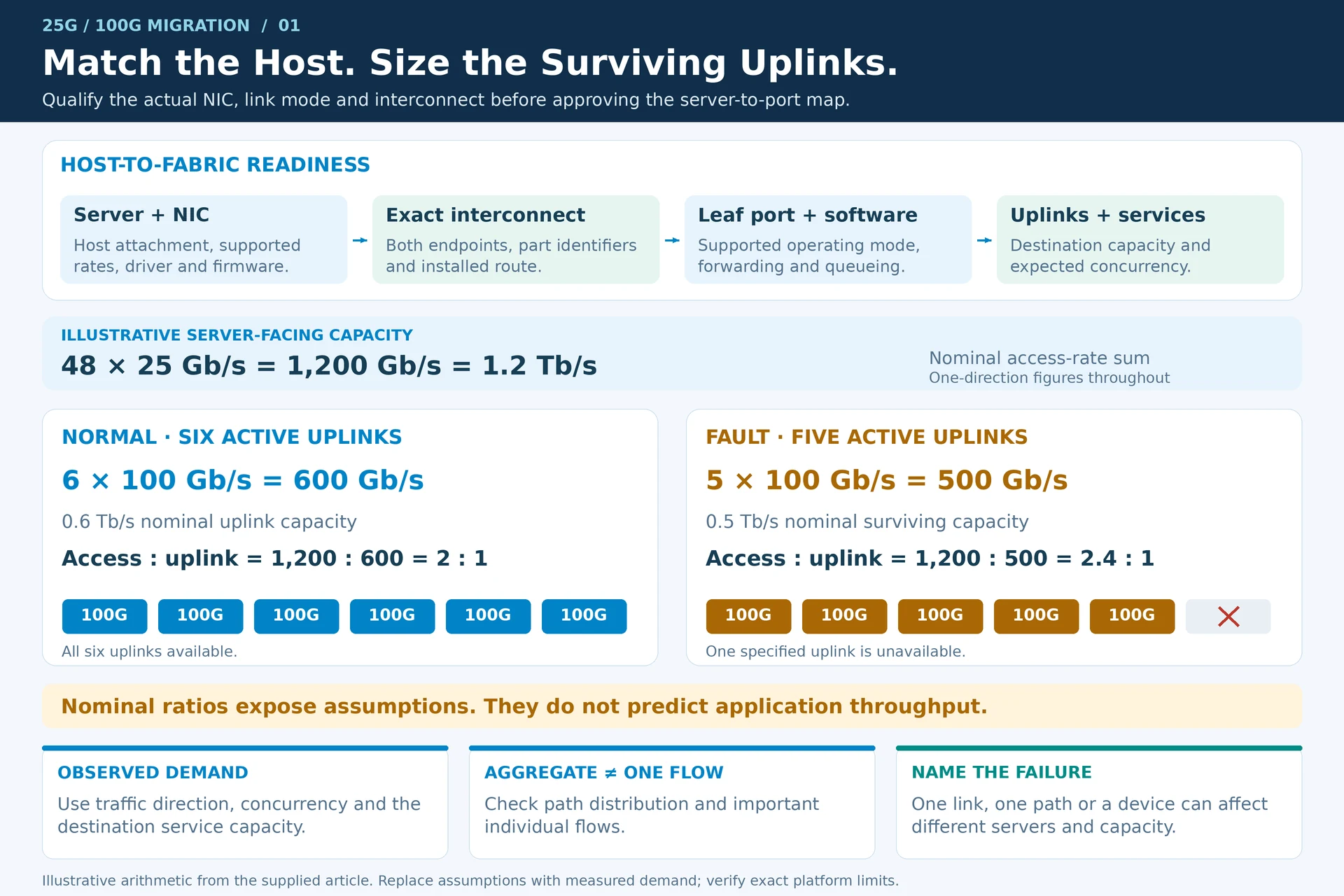
For an illustrative leaf, forty-eight 25G server links provide 1.2 Tb/s of nominal access capacity. Six 100G uplinks provide 600 Gb/s, giving a 2:1 access-to-uplink ratio. If one uplink is unavailable, 500 Gb/s remains and the ratio becomes 2.4:1. Use these figures to expose the design assumption, not to claim that every server will continuously transmit at line rate.
| Planning state | Question |
|---|---|
| Existing network | Where does the measured workload currently wait? |
| Normal upgraded operation | Can the uplink and destination services absorb expected concurrency? |
| Degraded operation | Which service level remains after the specified failure? |
| Expansion | Which additional servers consume the reserved ports and capacity? |
Where multiple paths are used, distinguish aggregate capacity from the capacity available to one flow. Also verify that the selected switch has the required forwarding, queueing and feature behavior; port arithmetic is only one design layer.
Qualify interconnects by operating mode
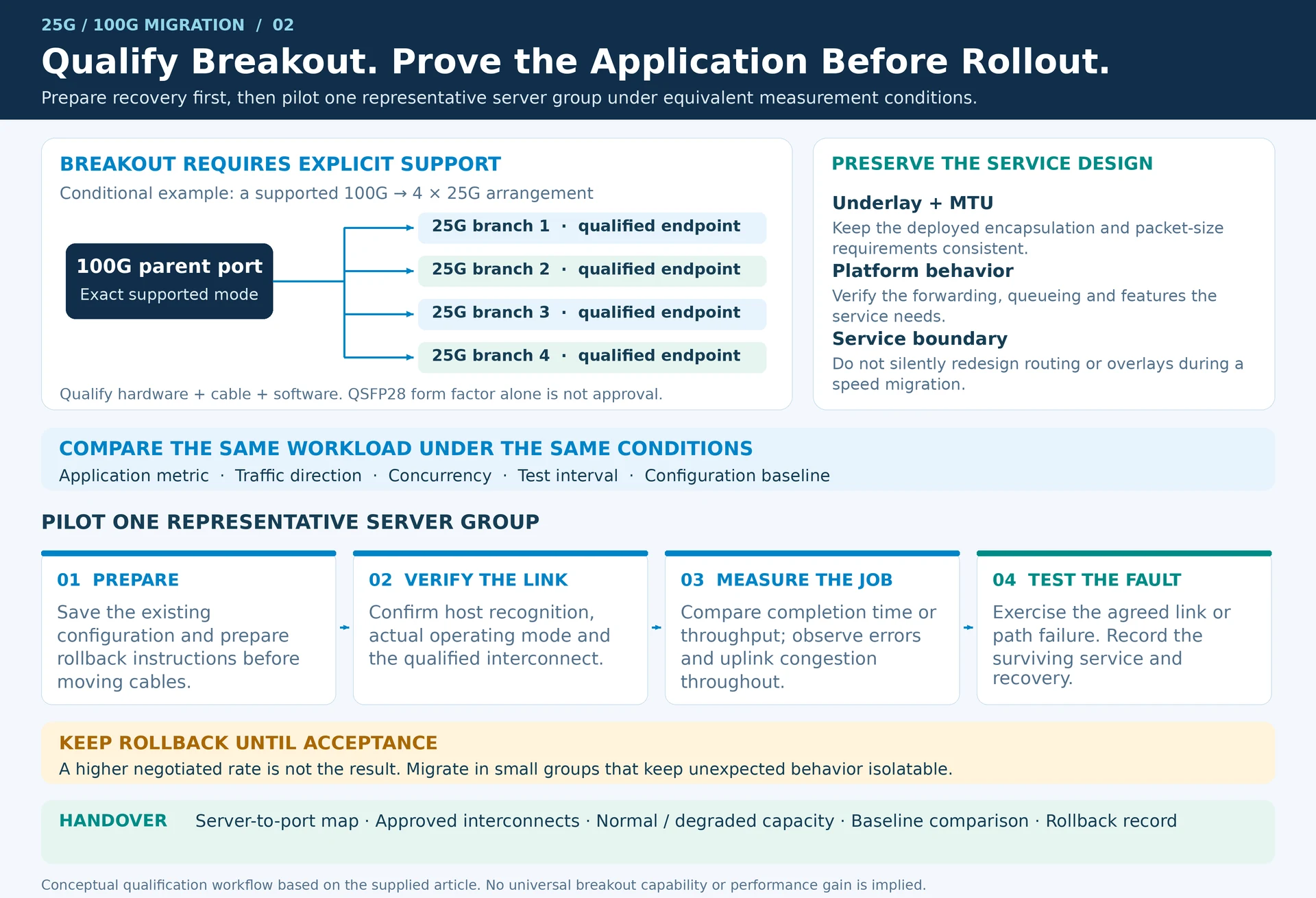
A supported 100G parent port may offer specific breakout options, but those options must be confirmed for the exact hardware, cable and software combination. Do not assume every QSFP28 connection can become four usable 25G server links. Cisco’s transceiver documentation and host compatibility information address different parts of this qualification. R25R49
For overlay networks, preserve the underlay and MTU requirements of the deployed encapsulation. A speed migration should not silently change the service boundary or introduce inconsistent packet-size handling. R30
Pilot one representative server group
Prepare configurations and rollback instructions before moving cables. Confirm link mode and host recognition first, then compare the chosen application metric against the baseline under the same conditions. Observe error counters and uplink congestion during the test, not only at its end.
Test the relevant link or path failure before scaling the rollout. Migrate in groups small enough to isolate unexpected behavior, and preserve the previous configuration until acceptance is complete.
The handover should contain the server-to-port map, approved interconnect list, normal and degraded-state capacity model, baseline comparison and rollback record. That package demonstrates what the 25G/100G change achieved instead of treating a higher negotiated rate as the result.
Engineering illustrations
These figures illustrate the design concepts discussed here. They are not measured results, certified configurations or a supplied-equipment list.
Related reading
- SFP+, QSFP28 and QSFP-DD Selection: Form Factor Is Only the First Filter
- 400G Data Center Design Guide: Ports, Capacity, Optics and Acceptance