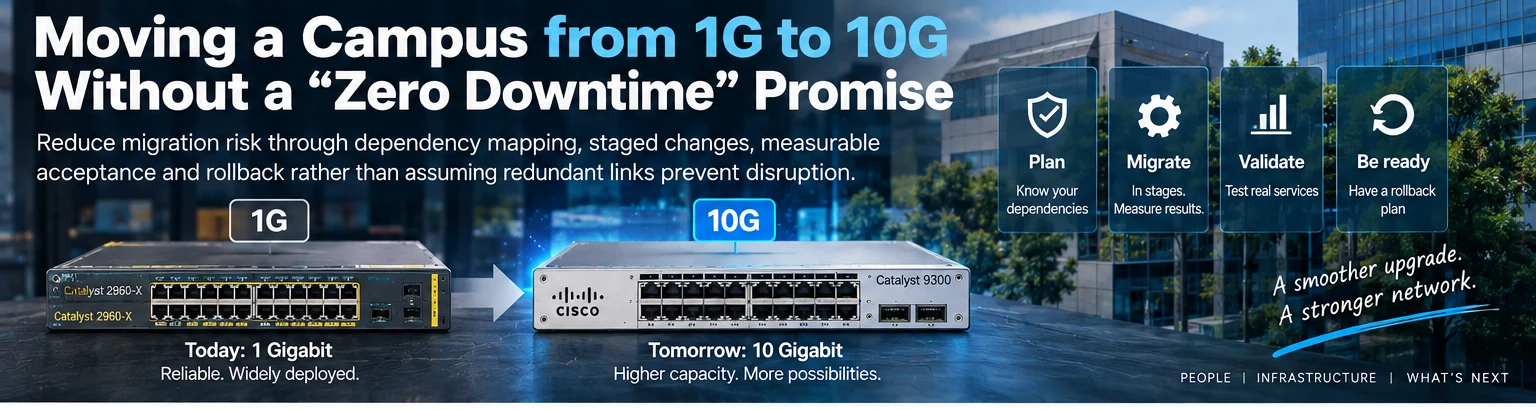
In the rapidly evolving landscape of enterprise IT infrastructure, keeping pace with data traffic demands is not just a performance metric—it is a business imperative. Organizations across the globe are facing a critical bottleneck as their legacy 1Gbps switches struggle to handle modern workloads. Simultaneous file transfers, uncompressed video streaming, and high-frequency VoIP calls have rendered Gigabit Ethernet insufficient for current standards. However, migrating from 1G to 10G often raises a daunting question among IT leaders: How do you upgrade without disrupting business operations?
This case study explores the strategic approach behind a seamless campus network upgrade. By combining validated open network switches, compatible optics, and a controlled migration plan, IT administrators can transition from legacy 1G infrastructure to 10G uplinks and access ports without a single minute of unplanned downtime.
The Challenge: Why Legacy 1G Infrastructure Fails
To understand the necessity of an upgrade, one must first identify the friction points in existing campus networks. The 1G era defined connectivity for over a decade, but today’s traffic patterns have shifted dramatically.
Traffic Growth and Bandwidth Saturation
Average traffic per port on a 1G link has seen exponential growth. A single department head downloading terabytes of data via 1G connections can saturate the entire access layer, impacting colleagues on the same segment. In a typical corporate office, shared network congestion often leads to latency spikes during critical times, such as end-of-day reporting or early-morning meetings.
The Rise of High-Definition Media
Modern collaboration tools rely heavily on high-definition video. Webinars, virtual whiteboards, and 4K video conferencing require consistent low-latency bandwidth. On a 1G port, background traffic from IoT devices or server backups can throttle these critical flows, causing jitter and frozen screens.
Scalability and Future-Proofing
Deploying 10G Ethernet at the edge is no longer a luxury reserved for data centers. With the proliferation of high-performance computing (HPC) clusters and AI research initiatives on-premises, network engineers require 10G capacity to feed workloads from the core. A 1G switch architecture often lacks the internal ASIC capacity to handle 10G line-rate traffic, making an upgrade necessary for longevity.
Strategic Planning for Zero Downtime
A network upgrade is not merely a hardware swap; it is a controlled engineering process. To achieve zero downtime during a campus network upgrade, the deployment strategy must minimize the window of exposure and impact on production traffic.
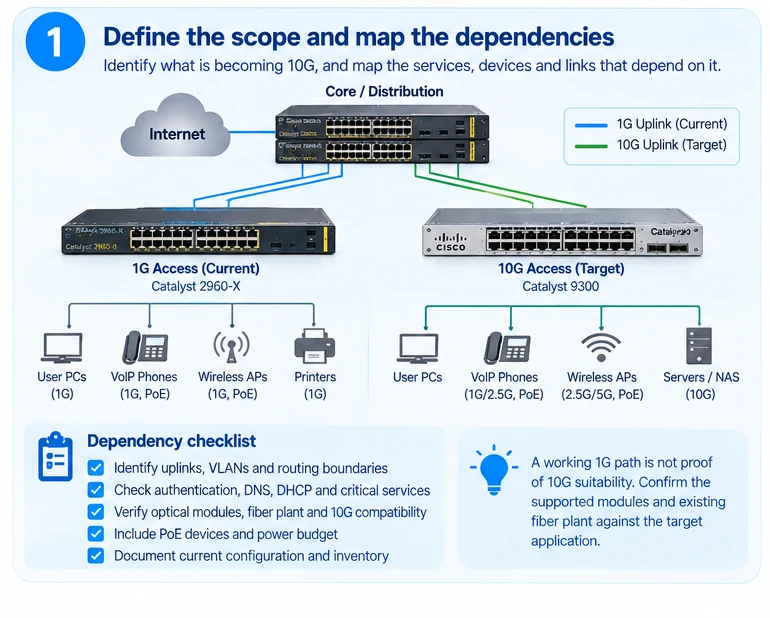
1. Assessment and Inventory
Before purchasing equipment, a detailed inventory of the existing topology is required. IT teams must document MAC addresses, VLAN configurations, and routing protocols. This data is crucial for migration scripts. For a campus network, mapping the physical layout helps in planning cable pathways for the new 10G transceivers or DAC cables.
2. Hardware Compatibility Checks
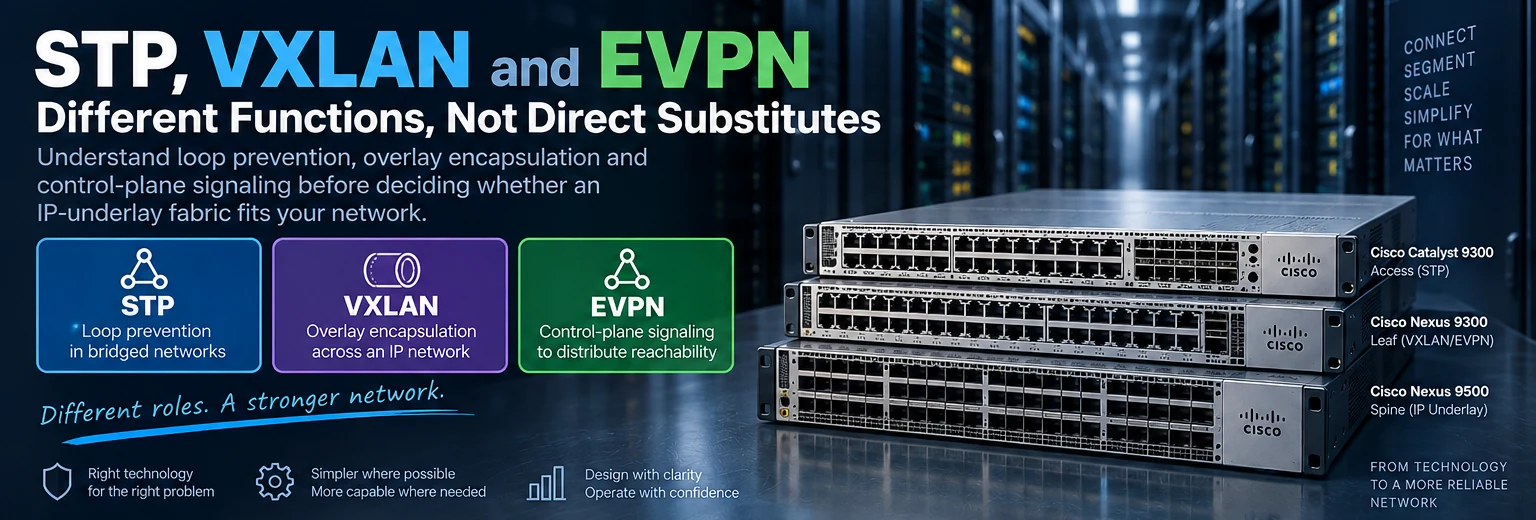
Ensuring compatibility between legacy and new devices is the first step toward stability. Open network switches can interoperate with major vendor gear when the VLAN, spanning-tree, routing, and management protocols are validated in advance. If the core and access layers come from different vendors, confirm that SNMP, CLI/API access, logging, and automation workflows align before the cutover.
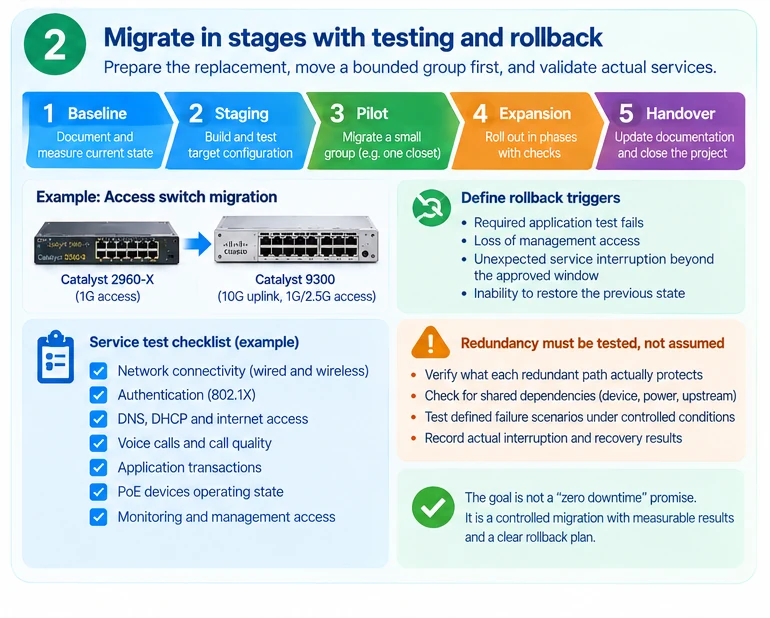
3. Staged Migration Approach
Replacing all switches simultaneously is rarely cost-effective or safe. A modular switch migration plan involves rolling updates:
- Install new switches in an unused rack slot or separate chassis initially.
- Duplicate configurations to the new hardware using vendor management tools or script-based migration.
- Verify connectivity on the new 10G ports before cutting over traffic.
- Move VLANs from legacy to new hardware one floor or one department at a time.
Implementation: The Technical Workflow
Executing a network upgrade requires precise technical execution. Below are the key phases in deploying 10G connectivity to 1G access points.
Phase 1: Cabling and Physical Layer
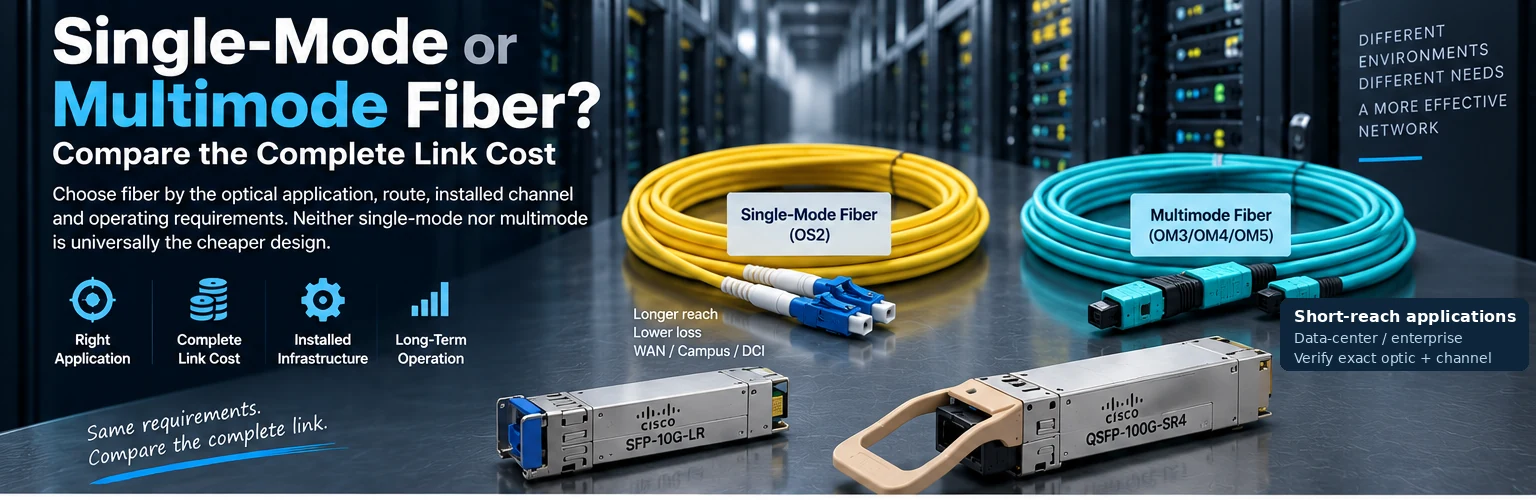
The transition to 10G requires careful attention to cabling. While 1G can run over standard Cat5e, 10G over copper requires Cat6a or specialized Cat5e with a high-performance cable. For longer distances, 10G fiber optics (SFP28) are preferred.
| Cabling Type | Distance Limit | Compatibility | Best Use Case |
|---|---|---|---|
| 1G DAC Cable | ~3 meters | Copper Ports | Server Rack-to-Rack |
| 10G DAC Cable | ~7 meters | 10G SFP28/Copper | Access to Top-of-Rack |
| 10G Fiber (OSFP/XFP) | Up to 100+km | Fiber Ports | Core Interconnect |
| 100G AOC | Up to 100m | 100G SFP56 | Aggregation Layer |
Table 1: Comparison of cabling options for the upgrade path.
Phase 2: Configuration Migration
When introducing new open network switches, configuration inheritance is a massive time-saver. Use the backup configuration from the legacy switch to create a base for the new device. However, verify all spanning-tree settings (MSTP, RSTP) and security policies.
- VLAN Translation: Ensure that the new 10G access ports maintain the same VLAN ID assignments as the old 1G ports.
- QoS Settings: Prioritize VoIP and Video traffic in the 10G pipeline to ensure performance remains constant even as throughput increases.
- Security Policies: Replicate ACLs and port security rules to maintain the security posture established during the legacy campus network design.
Phase 3: Active Migration and Monitoring
Once the new hardware is configured, begin the traffic shift. This is where zero downtime relies on the redundancy of the link.
- Dual-Homing: Connect critical servers to the new 10G switch using a bond mode. Traffic can be gradually shifted by changing the default gateway or using a VRRP failover mechanism.
- Telemetry Monitoring: During the transition, monitor interface utilization on the open network switch using SNMP or NetStream. If a specific 10G port shows high latency, do not force the migration on that port until resolved.
- Rolling Restart: If a hardware replacement is absolutely necessary (e.g., replacing a 1G switch), ensure that the new unit is hot-swappable or has a backup power supply that keeps the port up during the swap.
Case Study: Upgrading the Finance Department Network
Consider the scenario of a mid-sized financial firm needing to upgrade their accounting floor. The legacy infrastructure uses 1G SFP+ modules which are nearing the end of their life. The goal is to upgrade to 10G SFP28 interfaces for faster database transactions.
- Hardware Selection: The team selected 48-port 10G access switches with SFP28 uplinks, redundant power, and a non-blocking forwarding plane.
- Power Budget Check: The finance floor requires PoE+ for APs. The selected access switch family supports high-power PoE classes, ensuring that the upgrade does not introduce power issues.
- Execution: The team installed the new switch in the same rack, adjacent to the old one. They configured the new switch to mirror the VLAN database from the old device.
- The Cutover: During a scheduled maintenance window, the old switch was unplugged from the specific uplink, and the new switch took over. Because the new switch was pre-configured with the same MAC address learning, the network core did not detect a MAC flapping event.
- Result: The upgrade was completed within 15 minutes of scheduled maintenance, with no user complaints regarding connectivity loss.
Overcoming Common Upgrade Challenges
Even with the best plan, technical challenges can arise. It is vital to anticipate them to ensure the zero downtime goal remains achievable.
Challenge: Fiber Compatibility Issues
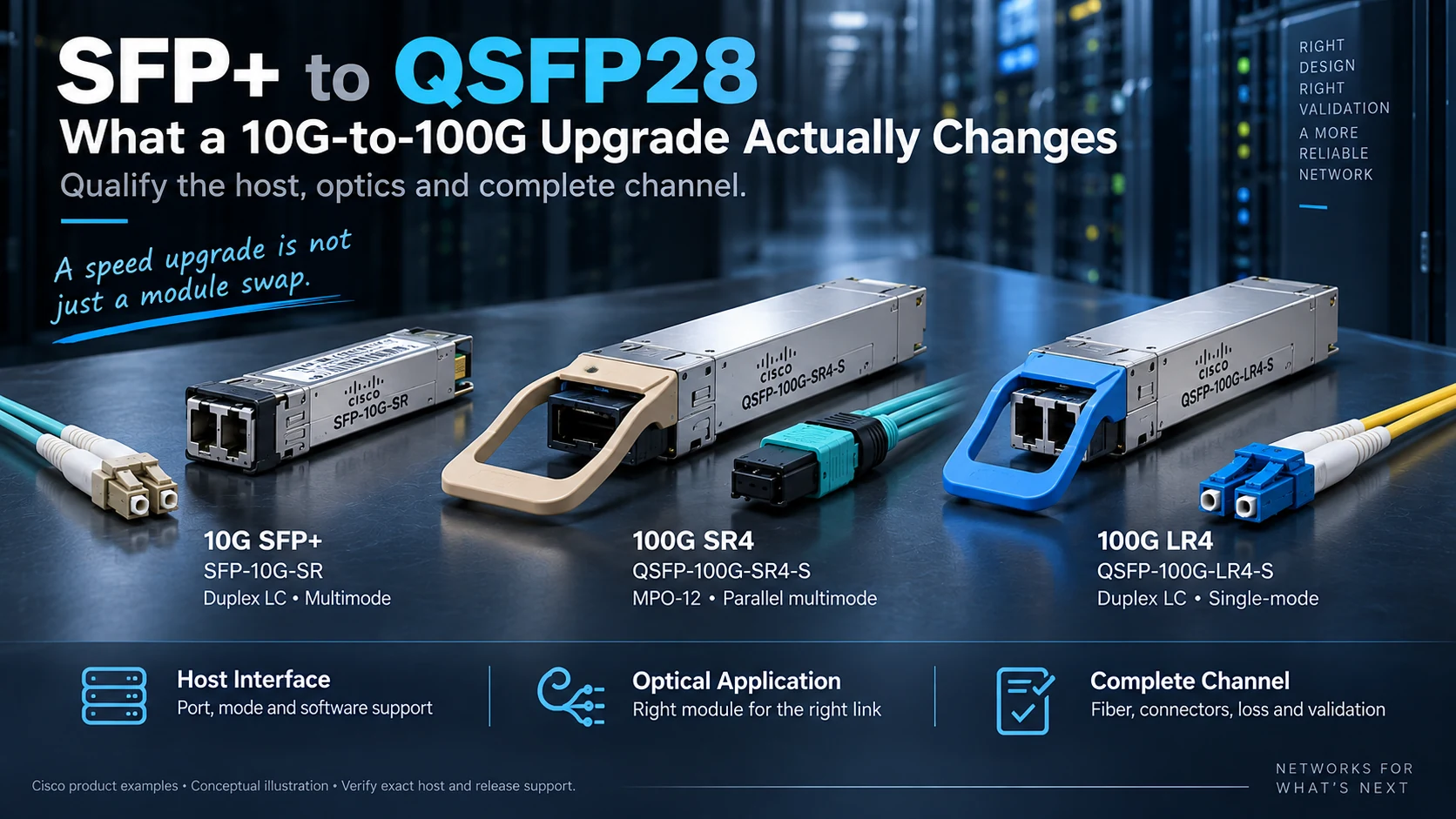
One of the most common issues during a network upgrade is fiber compatibility. SFP28 modules used for 10G are specific and cannot always be mixed with SFP+ modules used for 1G on the same device without careful management.
- Solution: Use vendor-compatible SFP28 transceivers that are RoHS compliant and designed for stability. Verify that the transceiver is recognized by the switch before enabling the port.
- Mitigation: Have a kit of tested SFP28 DAC cables ready to swap if an optical module fails during the cutover.
Challenge: Latency Spikes
Upgrading to 10G often involves moving from a copper backplane to a different architecture. This can introduce latency differences.
- Solution: Adjust the QoS settings on the new open network switch to prioritize the legacy 1G traffic initially. As the traffic stabilizes, gradually throttle the legacy links to force traffic onto the new 10G paths.
Challenge: Configuration Drift
Over time, network configurations often drift between devices. Migrating these can lead to errors.
- Solution: Use the available telemetry, configuration export, or API tooling to capture the legacy config. Review it against a best-practice template before applying it to the new 10G hardware.
Benefits of the 10G Campus Network Upgrade
Why should you commit to this upgrade? The benefits extend beyond raw speed.
- Increased Capacity: 10G uplinks provide the necessary headroom for bandwidth-hungry applications like cloud backups, video conferencing, and AI inference engines.
- Future-Proofing: 10G is the stepping stone to 25G and 100G networks, offering a smooth transition path for future scalability.