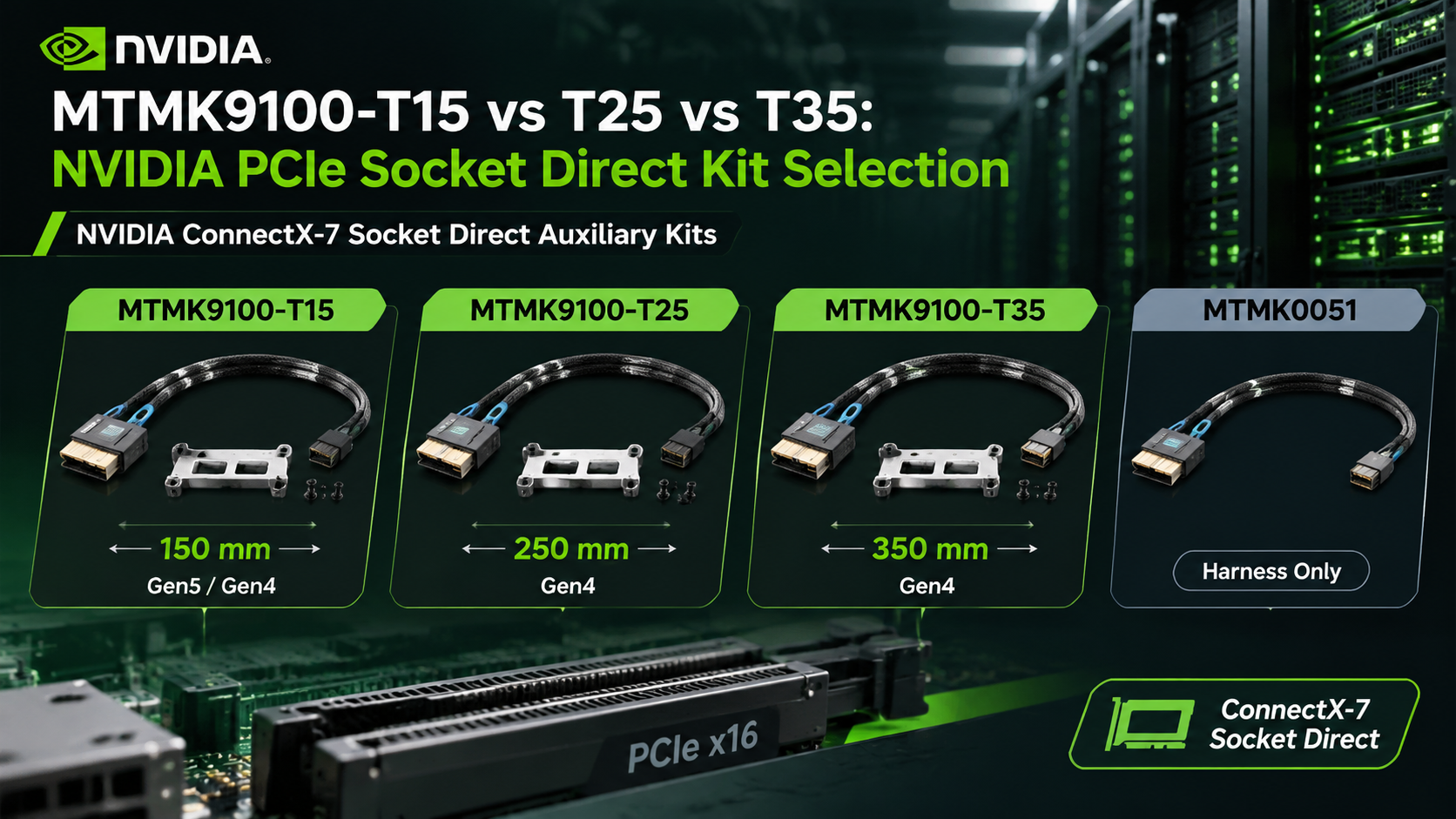
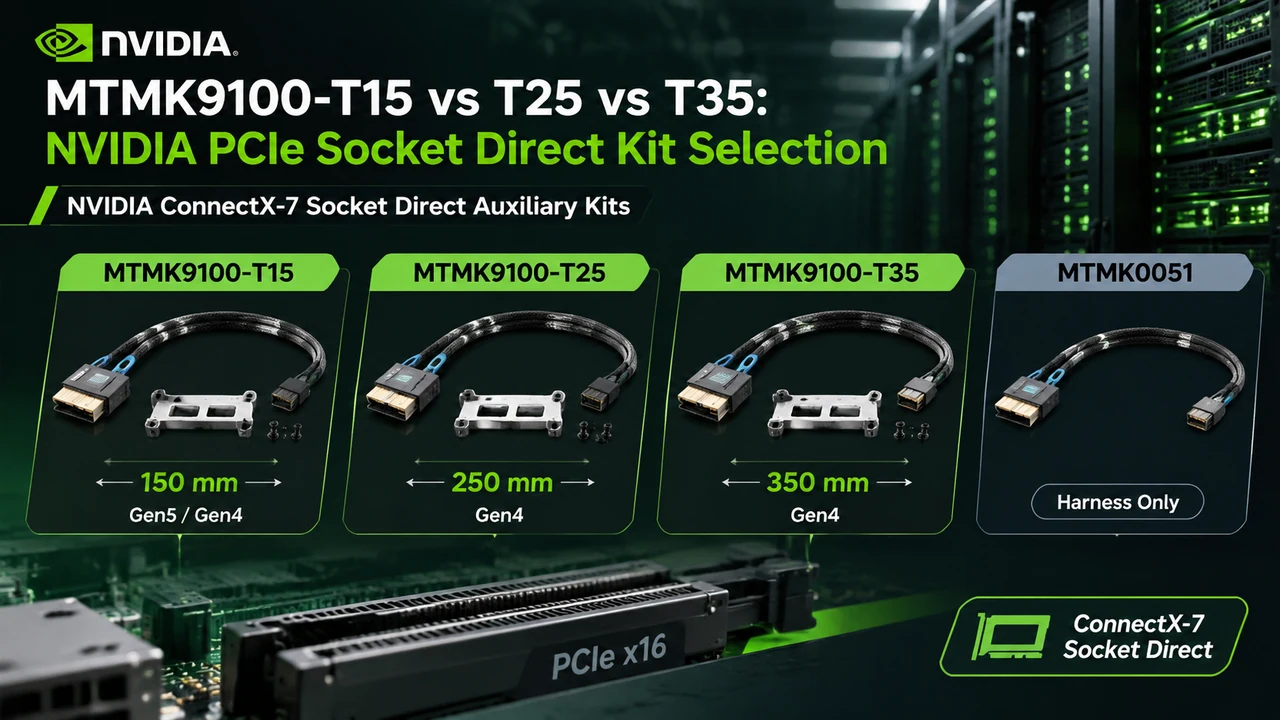
Use MTMK9100-T15 for a qualified ConnectX-7 Socket Direct configuration that requires a PCIe Gen5 auxiliary path and supports the 150 mm harness route. T25 and T35 provide 250 mm and 350 mm Gen4 paths. NVIDIA also lists the kits in the BlueField-3 DPU hardware guide and states that BlueField-3 Socket Direct is currently unsupported by firmware. Check the exact DPU and release before quoting it for this purpose. NVIDIA ConnectX-7 auxiliary kit · NVIDIA kit technical specifications · NVIDIA BlueField-3 auxiliary kit guide
Compare the three Socket Direct kits and their harness lengths for the server’s internal route. View full-size cover image.
Compare the three complete kits and the harness listing
| OPN | Harness length | Documented PCIe path and scope |
|---|---|---|
| MTMK9100-T15 | Two × 150 mm | Auxiliary PCIe x16 kit, Gen5/Gen4 in ConnectX-7 technical specifications |
| MTMK9100-T25 | Two × 250 mm | Auxiliary PCIe x16 Gen4 kit |
| MTMK9100-T35 | Two × 350 mm | Auxiliary PCIe x16 Gen4 kit |
| MTMK0051 | 150 mm | PNY’s parts list describes a Gen4 harness set with two color-designated harnesses and clips. Verify the exact cables, revision and contents. |
The three MTMK9100 kits have a passive auxiliary card and two harnesses as documented by NVIDIA. PNY’s line item for MTMK0051 is a harness listing. Check the exact retention clips, bracket and card in the requested package. NVIDIA ConnectX-7 kit and package contents · PNY networking line card, auxiliary parts, p. 23
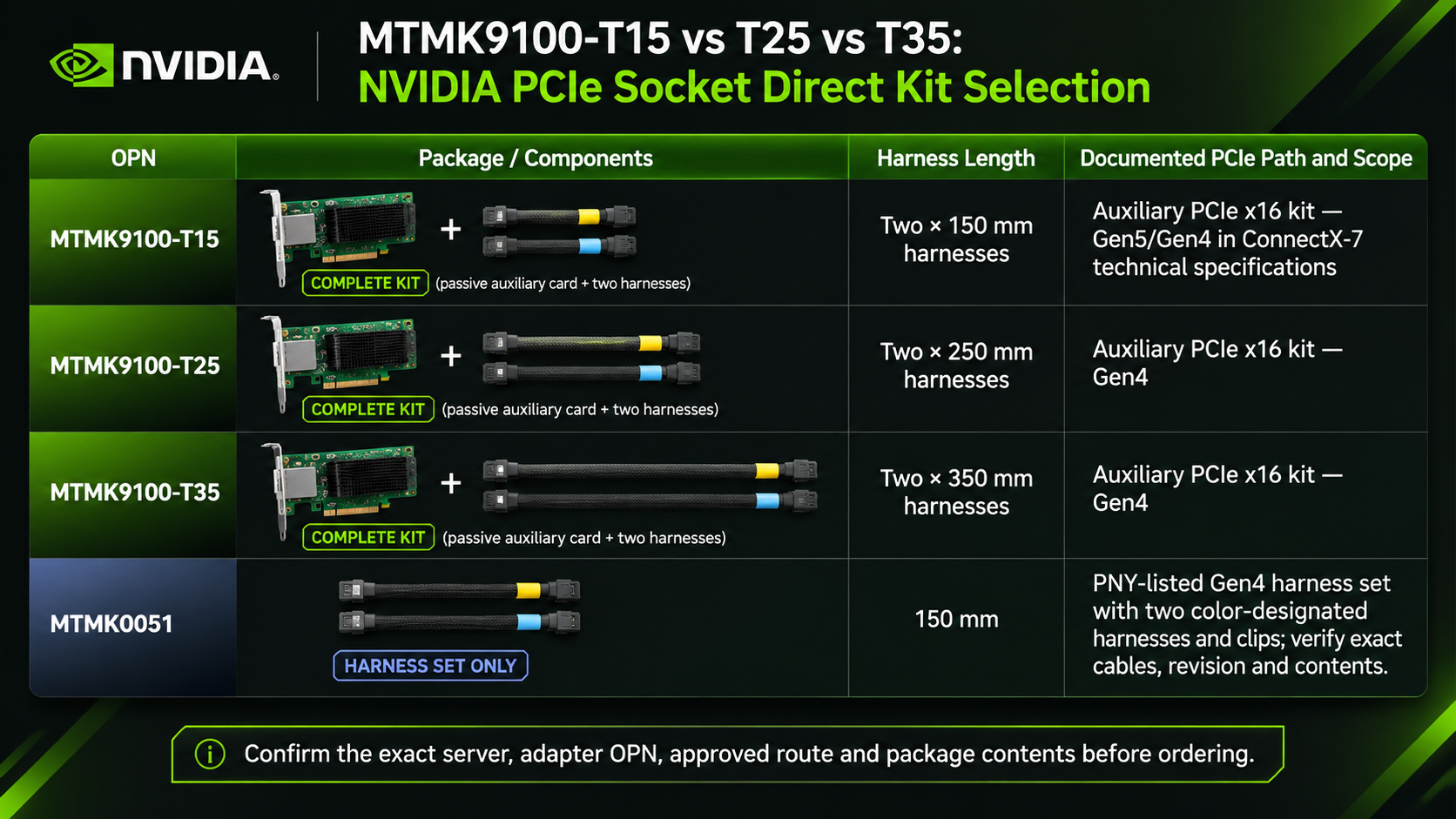
Match each complete kit with its harness listing before placing an order.
Six pairwise checks for Socket Direct kits and harnesses
The first three products are complete auxiliary kits in the NVIDIA manuals. The MTMK0051 line is a harness set according to PNY’s product list. For a quote, distinguish the Gen5 or Gen4 route from the parts already installed in the server. NVIDIA ConnectX-7 kit contents · NVIDIA PCIe kit specifications · PNY accessory line card, p. 23
| Exact pair | Selection difference |
|---|---|
| MTMK9100-T15 vs MTMK9100-T25 | 150 mm and Gen5/Gen4 versus 250 mm and Gen4. If the host needs Gen5, validate a supported 150 mm route before ordering. |
| MTMK9100-T15 vs MTMK9100-T35 | 150 mm and Gen5/Gen4 versus 350 mm and Gen4. Check the long route and the required PCIe generation independently. |
| MTMK9100-T25 vs MTMK9100-T35 | Both are Gen4 auxiliary kits. Choose 250 mm or 350 mm according to the approved routing and retention clearance. |
| MTMK9100-T15 vs MTMK0051 | Both have 150 mm harness listings. The T15 is a complete Gen5/Gen4 kit. The channel describes MTMK0051 as Gen4 harnesses. Check whether the job requires an auxiliary card and Gen5 support. |
| MTMK9100-T25 vs MTMK0051 | A 250 mm complete Gen4 kit and a 150 mm Gen4 harness listing solve different installation jobs. Check route length and installed auxiliary-card revision before replacing only cables. |
| MTMK9100-T35 vs MTMK0051 | A 350 mm Gen4 auxiliary kit gives a different routed length from a 150 mm harness set. Identify the primary card, auxiliary board and approved harness pair on the replacement ticket. |
Documented application: dual-socket ConnectX-7 server installation
NVIDIA’s Socket Direct installation guide shows a supported ConnectX-7 configuration using two PCIe x16 slots and an auxiliary card. The auxiliary kit connects the main adapter and the auxiliary card with two distinct harness paths. For a dual-socket rack server, check the approved slots and CPU ownership, measure the route around risers, and match the required PCIe generation. Use the prescribed card and harness pair. Record how the system enumerates both paths after installation. NVIDIA Socket Direct dual-slot installation instructions · ConnectX-7 driver installation and device enumeration
Why a longer harness changes the hardware decision
For a Gen5 interconnect requirement, a 250 mm route and the T25 kit can fit mechanically while failing the desired generation requirement. Bring the adapter OPN, server model and measured route to the platform owner. Ask whether there is an approved placement for the 150 mm Gen5-capable kit or a different supported solution. For an approved Gen4 host, a longer kit is an option if the actual path and bend clearance allow it. The platform decision should precede the cable purchase.
Measure the route along the actual harness path around risers, fans and service clearances. Record both slot IDs and the CPU or socket associated with each slot. The two harnesses in the kit have different routing and labeling. Identify both by the hardware guide and check compatibility with the connector placements on the exact card. NVIDIA ConnectX-7 kit routing and mating guidance
Is a Socket Direct kit the same as a BlueField-3 downstream port kit?
Choose the part by the supported mode as well as the length. NVIDIA lists 930-9DAX5-0015-000 and 930-9DAX4-0035-000 for BlueField-3 downstream port extension with the DPU as root complex. Socket Direct uses the DPU as an endpoint, and the public guide flags its firmware limitation. The downstream kits and MTMK9100 kits must be specified separately. NVIDIA BlueField-3 PCIe auxiliary kit, Socket Direct and downstream port sections
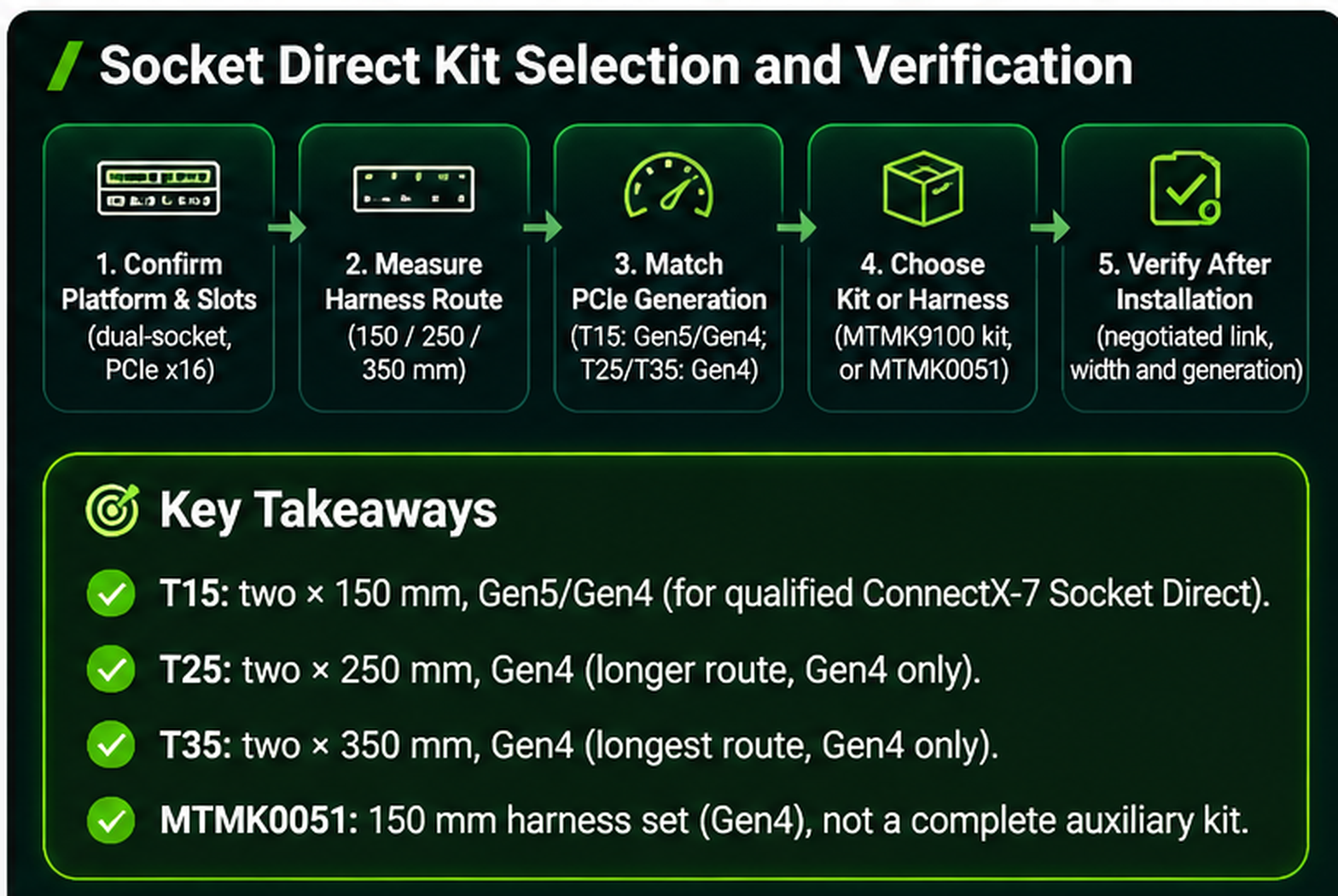
Check the connector locations, harness reach and clearance along the server’s internal cable path.
Replacement decision and verification
Replacement decision. T25 and T35 can be evaluated as Gen4 alternatives once the new length is approved for the measured route. Keep the required Gen5 capability when replacing a T15 installation. Use a harness-only MTMK0051 quote for a cable repair only when the auxiliary card is already present and the offered harness is approved for its revision. NVIDIA kit contents · NVIDIA auxiliary kit speed table · PNY harness listing
Before and after. Record the supported slot pair, adapter OPN, routed length and required generation. After installation, check both negotiated links and their device mapping against the design. NVIDIA ConnectX-7 Socket Direct enumeration
Buying guide for the auxiliary kit
For a quote, attach the full adapter OPN, server and riser model, available slots, measured harness route, required link generation and requested package contents. Verify the negotiated lane count and PCIe generation after installation. SwitchInfra adapter selection guide
Frequently asked questions
Which kit should I quote if the measured route is longer than 150 mm?
Check the supported route against the actual slot and chassis geometry. If the platform allows Gen4, the documented 250 mm and 350 mm kits can be evaluated. If the design requires Gen5, work from the approved server layout and Gen5-capable kit. NVIDIA auxiliary kit technical specifications
What should I verify after installing a Socket Direct kit?
Confirm that the operating system detects the intended PCIe paths. Compare the negotiated width and generation against the acceptance criteria, and check that the planned adapter assignments are visible to the host. NVIDIA ConnectX-7 enumeration examples
Acronyms and terms
- PCIe means Peripheral Component Interconnect Express. x16 is a 16-lane connection.
- CPU means central processing unit. DPU means data processing unit.
- Gen4 and Gen5 name PCIe generations. Check the host and harness together.
- OPN means ordering part number. Socket Direct is NVIDIA’s design for giving the supported CPU sockets direct adapter access.