
Cisco · campus-fiber
Catalyst Fiber Uplink Design: From Network Module to Optical Channel
Design Catalyst fiber uplinks by matching host modules, port modes, optics, channel loss and failure-state capacity.
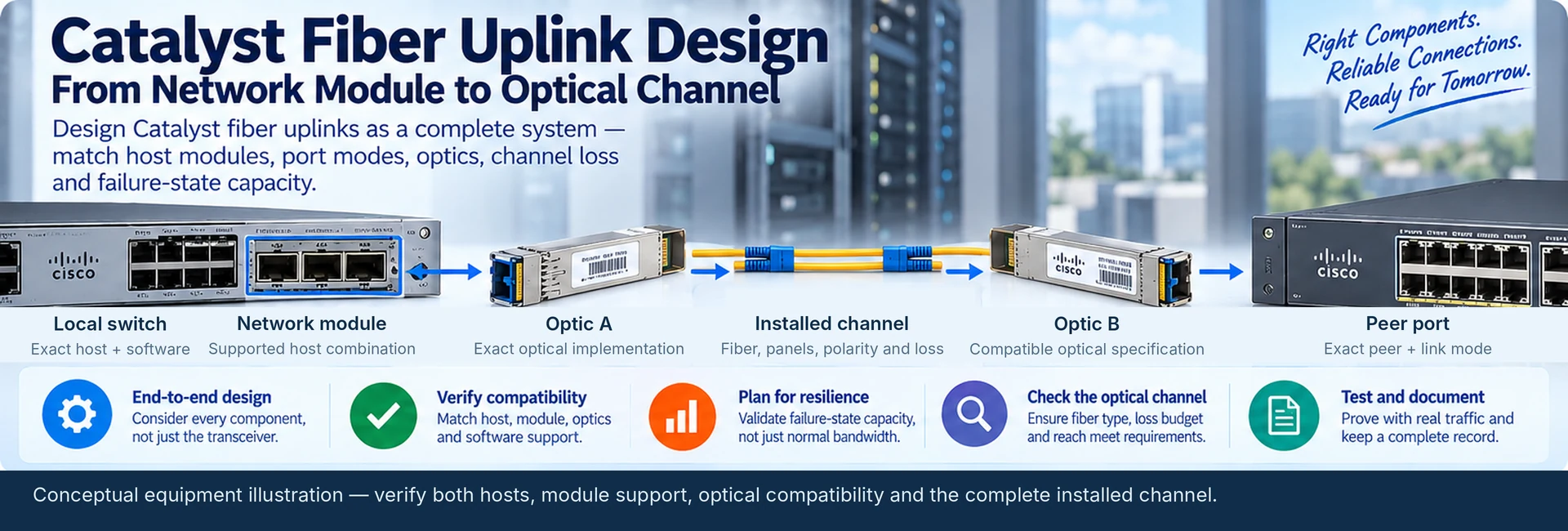
A campus fiber uplink is a system of interfaces, not a transceiver purchase. The switch chassis, network module, optical modules, installed fiber and peer configuration must support the same intended service. This design method applies to new Catalyst uplinks and controlled upgrades of existing buildings.
Draw the connection before selecting parts
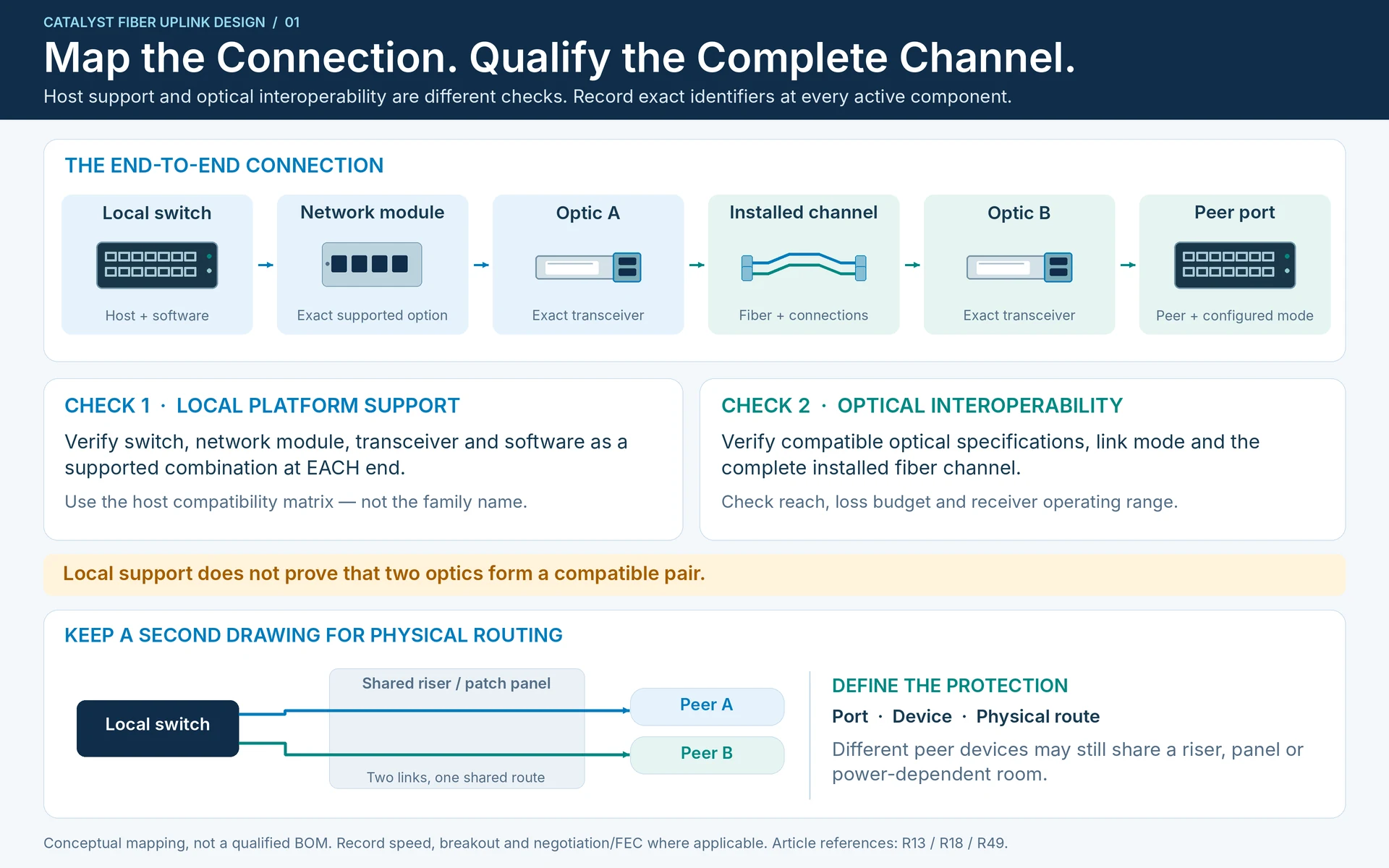
Represent each connection as local switch → network module → optic → installed channel → optic → peer port. Record an exact identifier at every active component. A network-module socket provides an interface; the transceiver determines a supported optical implementation. Cisco documents different network-module combinations for Catalyst variants, so a family name alone is not a compatibility statement. R13
Keep a second drawing for physical routing. Two uplinks connected to different aggregation switches may still share the same riser, patch panel or power-dependent room. State whether redundancy protects a port, a device or a route; do not imply all three from a pair of cables.
Size the surviving path
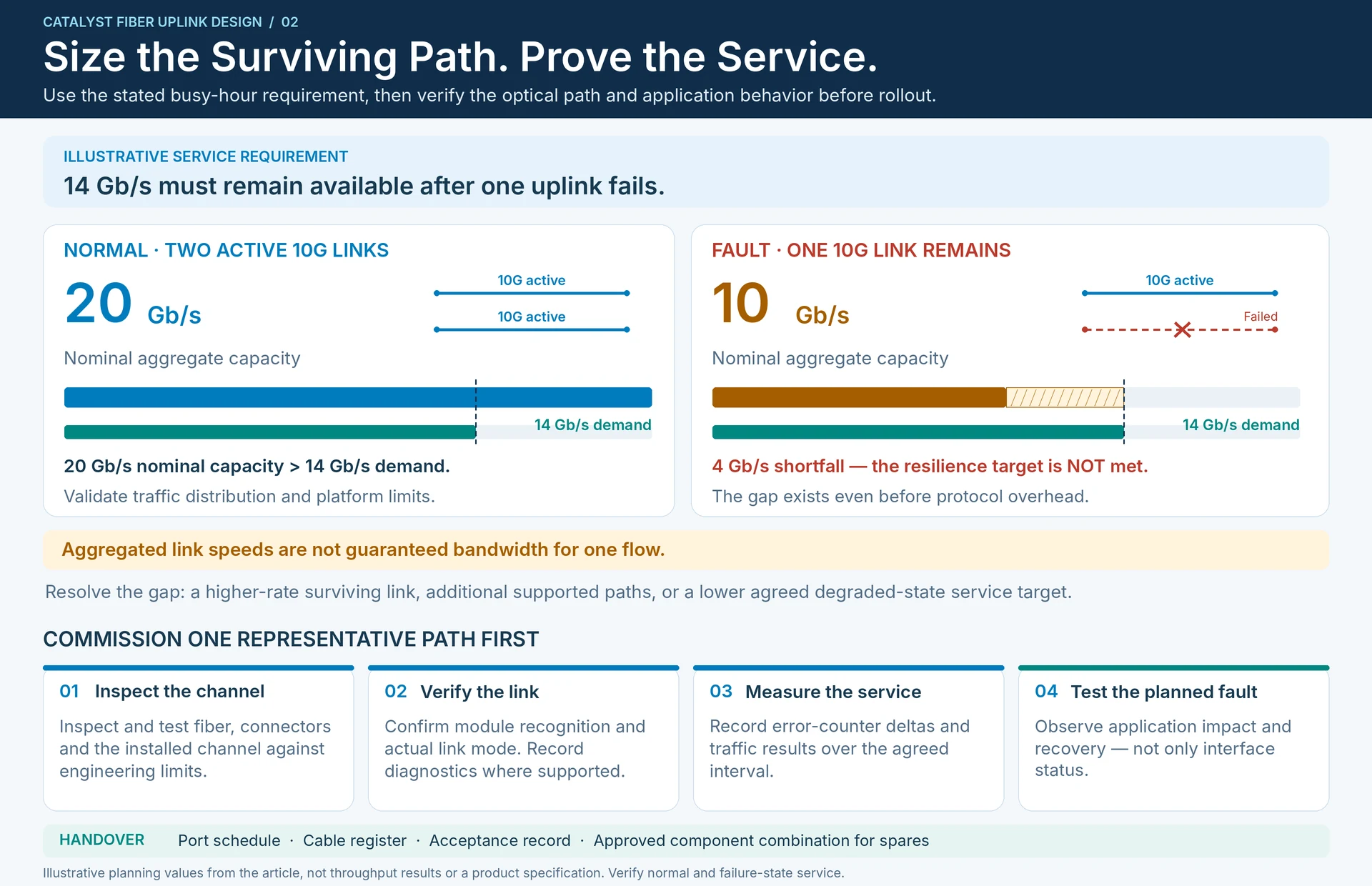
Use measured traffic and an explicit growth assumption rather than the sum of every desktop port. As an illustrative requirement, a floor needs 14 Gb/s at its planned busy hour and must retain that capacity after one uplink fails. Two 10G links offer 20 Gb/s of nominal aggregate capacity normally, but only 10 Gb/s after the failure. They do not meet that stated resilience objective, even before considering protocol overhead or traffic distribution.
A higher-rate surviving link, additional paths or a reduced degraded-state service target may resolve the gap. Aggregation also does not guarantee that one flow can use the sum of all member-link speeds.
Qualify the physical channel
| Design record | Required decision |
|---|---|
| Host and module | Exact switch, supported module and software baseline |
| Logical interface | Speed, breakout state and applicable negotiation/FEC settings |
| Optical interface | Supported modules with mutually compatible optical specifications |
| Installed route | Fiber category, connector arrangement, polarity and intermediate connections |
| Engineering limits | Applicable reach, loss budget and receiver operating range |
| Service objective | Normal and degraded-state capacity plus recovery behavior |
Check the host support matrix separately from optical interoperability. A module can implement the appropriate optical interface yet still lack support in a particular switch configuration. Conversely, two locally supported modules do not automatically form a compatible optical pair. Use the manufacturer compatibility matrix and the selected modules’ specifications for those different questions. R18R49
Commission one representative path first
Inspect and test the installed channel, confirm module recognition and verify actual link mode. Record diagnostics where supported, error-counter deltas and traffic results over an agreed interval. Then test the planned uplink failure and observe application behavior, not merely interface status.
The deliverable is a port schedule linked to a cable register and acceptance record. Keep the approved component combination with it so that a later spare replacement preserves the design. For a sourcing enquiry, provide both switch models, installed network modules, route length and fiber details, required capacity and the failure condition the uplink must survive.
Engineering illustrations
These figures illustrate the design concepts discussed here. They are not measured results, certified configurations or a supplied-equipment list.
Related reading
- Catalyst 9300 Uplink Module Checklist: Host Support Before Transceiver Choice
- Network Module or Optical Transceiver? Follow the Uplink End to End