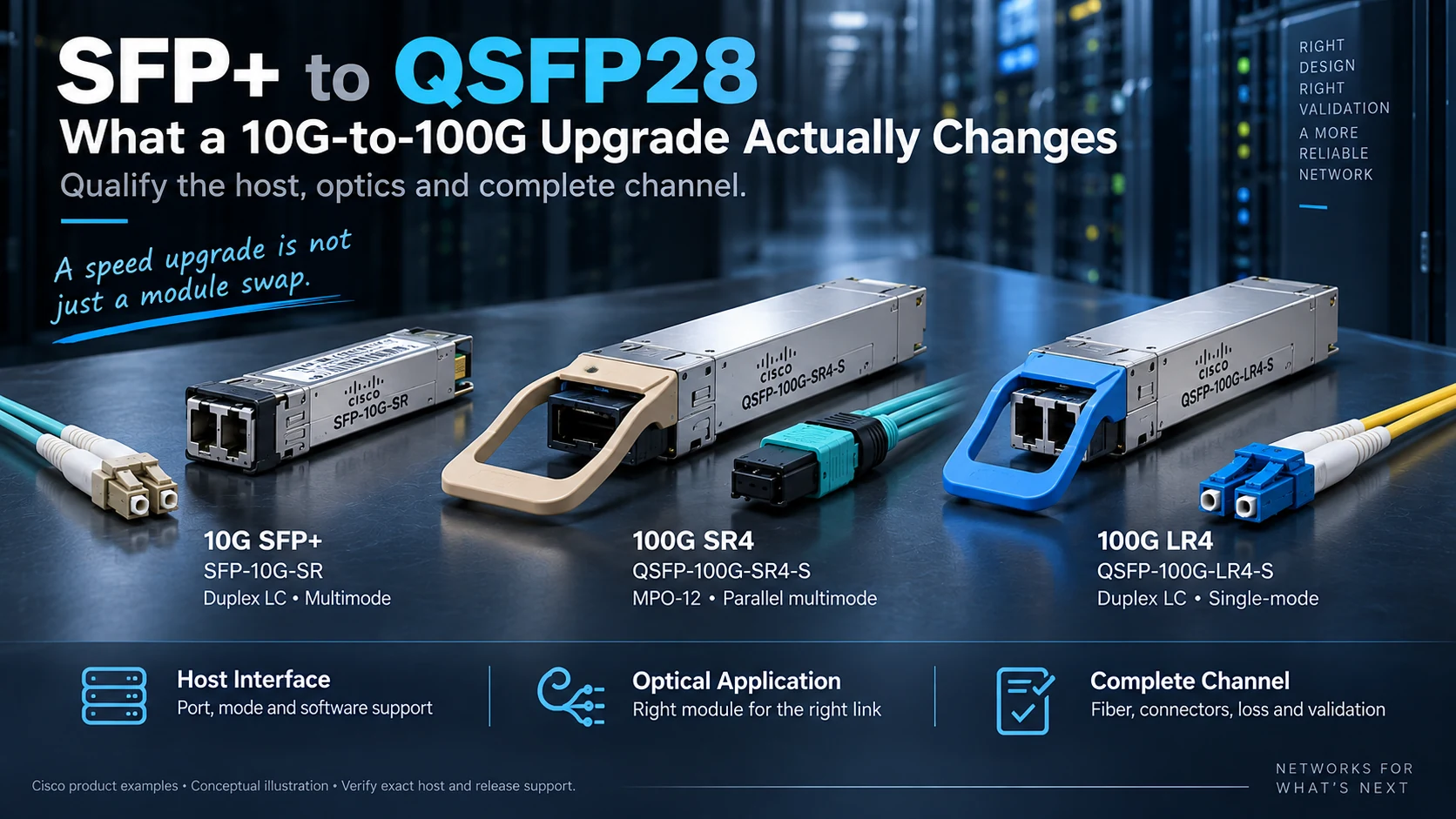
Moving from a common 10G SFP+ connection to a 100G QSFP28 connection is more than replacing one small module with a larger one. The host interface changes, and the optical implementation may change with it.
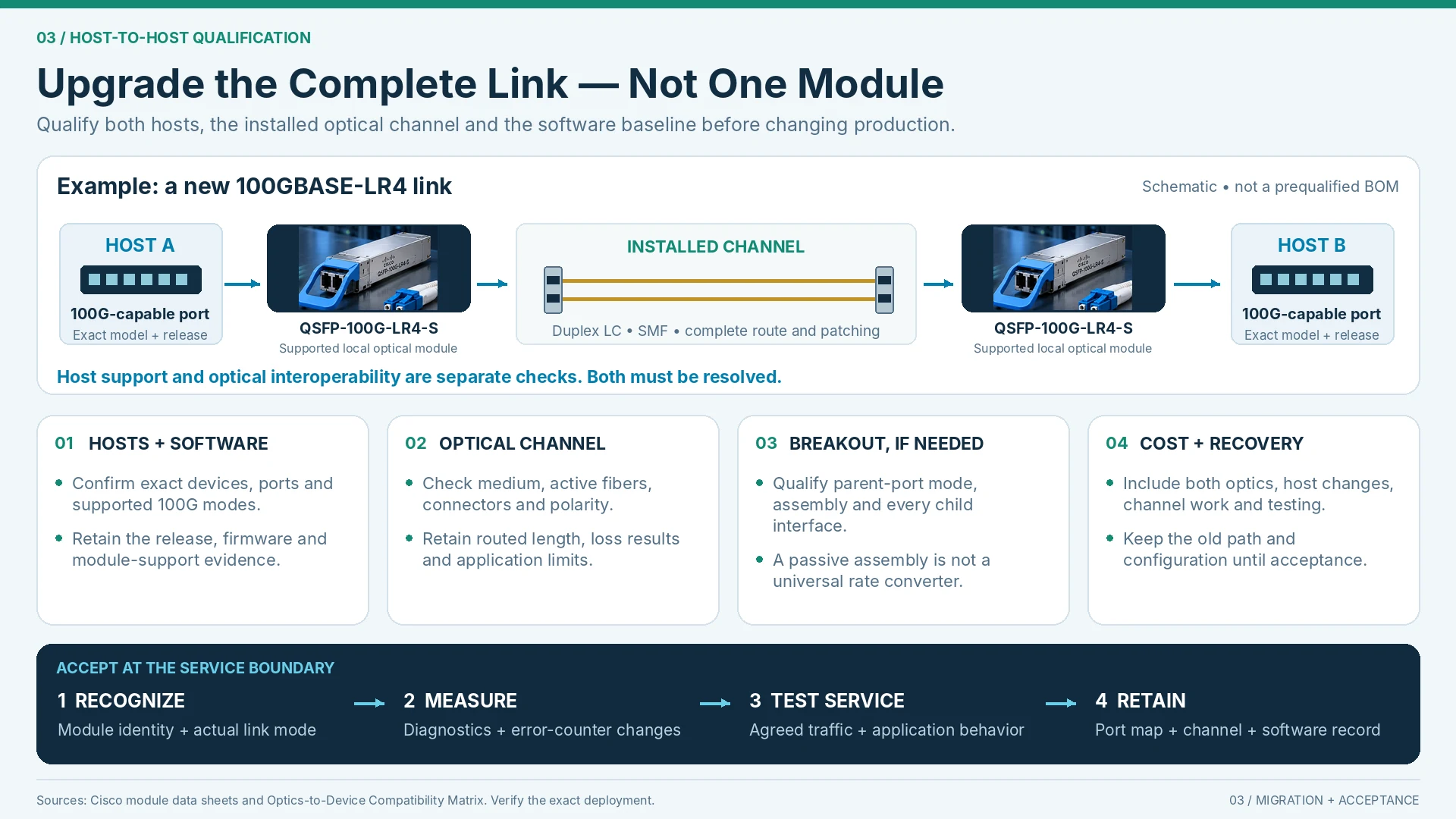
The upgrade should be evaluated as a complete link, including both devices and the installed fiber path.
Form factor and optical application are different layers
SFP+ and QSFP28 identify module-interface families commonly associated with 10G and 100G applications respectively. They do not specify one universal reach or fiber arrangement. Cisco’s documentation lists multiple optical applications within each family. R18R25
Use the complete module identifier and optical specification. “100G QSFP28” alone does not establish whether a proposed link uses parallel fibers, wavelength multiplexing or another supported arrangement.
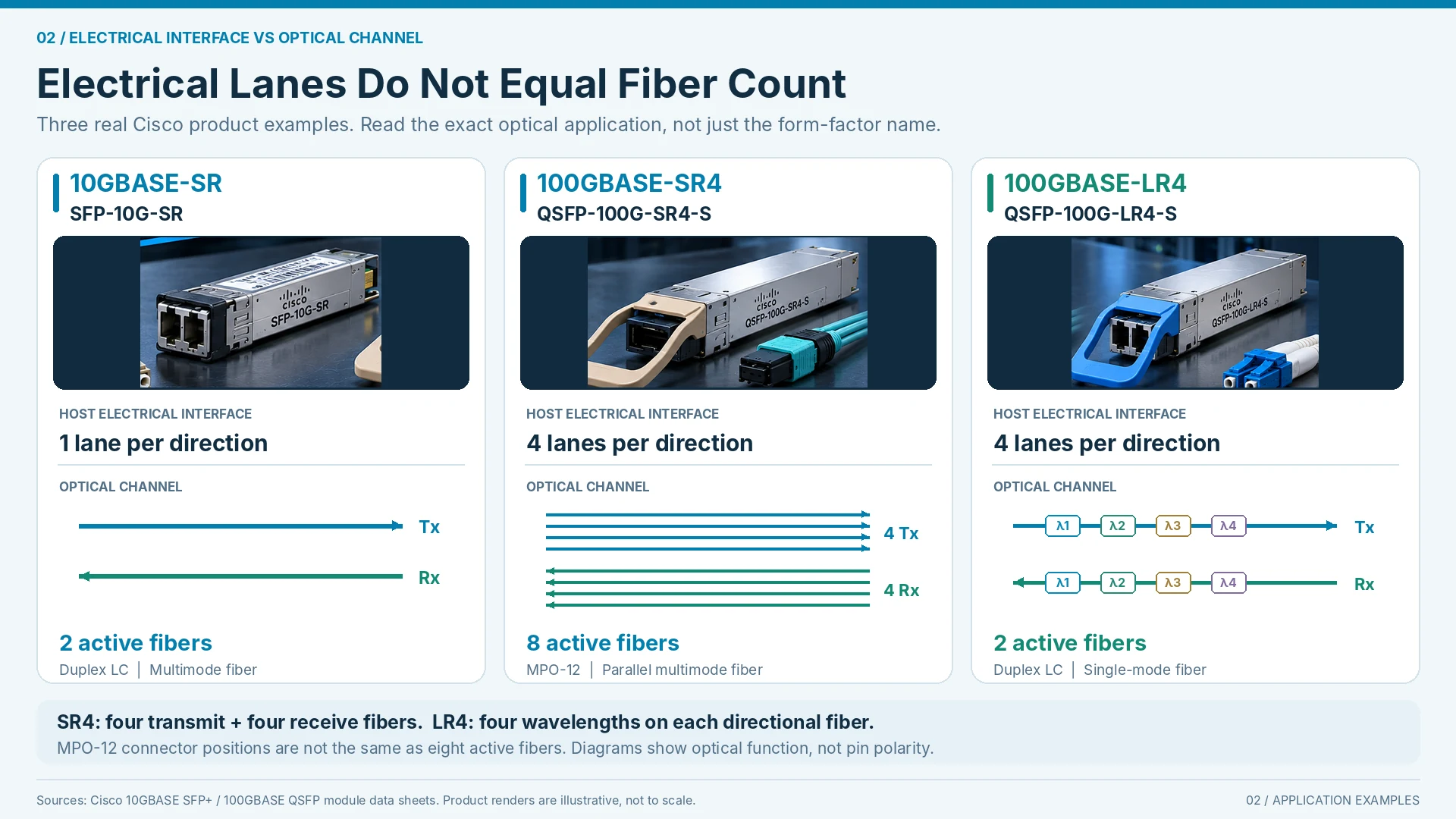
Electrical lanes do not equal external fiber count
QSFP28’s host-side lane organization should not be translated directly into the number of fibers outside the module. Different optical applications map data onto the optical path differently. The transceiver specification—not the electrical lane count alone—determines the channel arrangement. R25
This matters when reusing patch panels or ordering MPO/MTP assemblies. A cable selected from a simplified “four lanes means four fibers” rule can be wrong even when the host port and nominal speed appear correct.
The host must support the intended mode
Confirm the switch or adapter port, software release and module support. A physical cage is not a guarantee that every rate or breakout option is available.
Use the vendor compatibility process for the exact combination. A breakout assembly redistributes supported interfaces; it does not create an unsupported port mode or translate every optical application into another. R49
The remote endpoint requires the same discipline. Qualifying only the local switch leaves half of the link unresolved.
| Upgrade element | Required check |
|---|---|
| Host port | Target rate and operating mode are supported |
| Optical modules | Both ends implement the intended compatible application |
| Channel | Fiber, connectors, polarity and loss meet the application |
| Breakout, if used | Host mode, assembly and remote interfaces are qualified |
| Software | The actual combination is supported in the chosen release |
Reuse should follow qualification
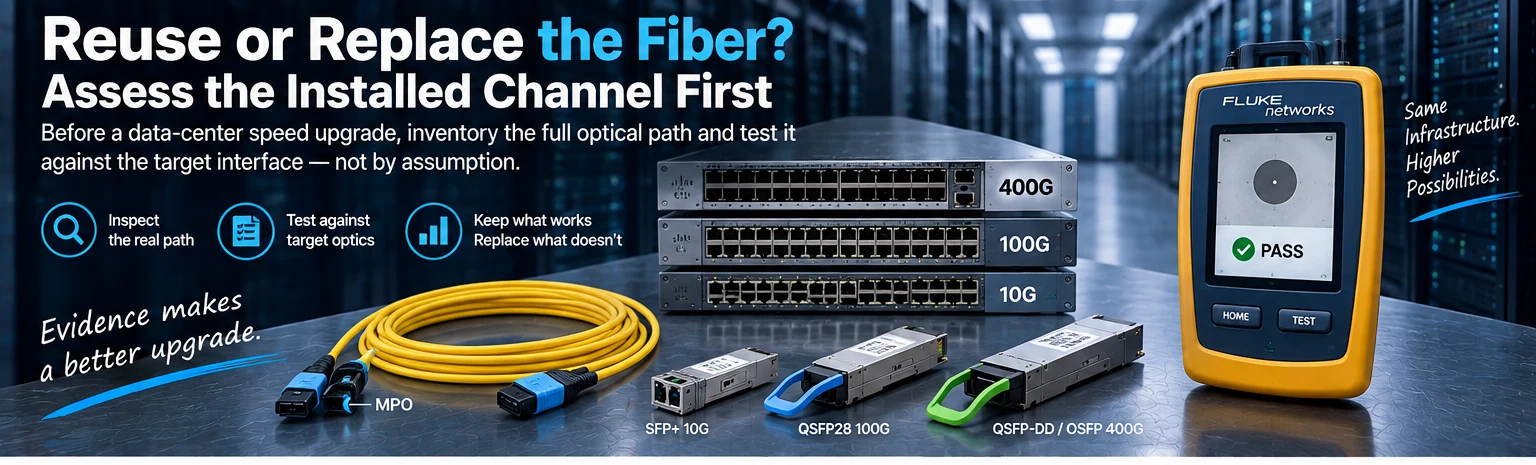
An illustrative upgrade may retain an existing fiber route when the new optical application fits its type, connectors and measured performance. Another may require new patching or a different channel. Neither outcome follows from the rate change alone.
Calculate the complete transition cost, including both optics, any host-interface changes, channel work and testing. Comparing only module prices can hide the dominant installation expense.
Test at the intended service boundary
Commission the physical link, inspect relevant diagnostics and errors, and run the agreed traffic test. Retain the exact endpoint and channel configuration with the result.
The useful question is not simply whether QSFP28 is faster than SFP+. It is what must change for this particular 100G connection to be supported, maintainable and useful to the network. That is the unit of design and procurement.
Engineering illustrations
These figures illustrate the design concepts discussed here. They are not measured results, certified configurations or a supplied-equipment list.