
Cisco · campus-access
Catalyst Campus Access Design: Ports, PoE and Uplink Capacity
Build a campus access block from endpoint demand, separate traffic and PoE budgets, exact uplink options and a controlled rollout plan.
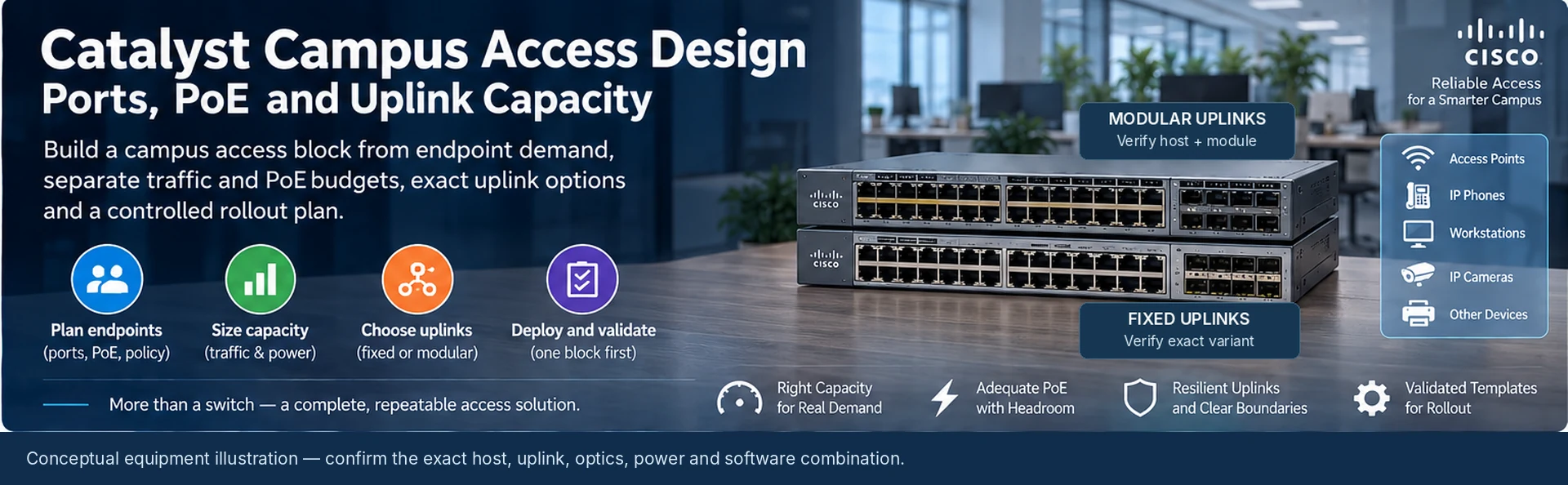
The right campus access design matches endpoint behavior, power demand and upstream capacity. A switch with enough front-panel ports can still be unsuitable if the uplink is constrained, the PoE budget is inadequate after a supply failure, or the selected accessories do not belong to that platform.
Design the network in repeatable access blocks, such as a floor or service area. Each block should have a known endpoint schedule, uplink path and recovery boundary.
Describe the endpoints
Group workstations, phones, access points, cameras and special-purpose equipment by location. Record required link rate, power allocation, identity policy and service priority. Reserve ports for a stated expansion plan rather than applying an unexplained percentage.
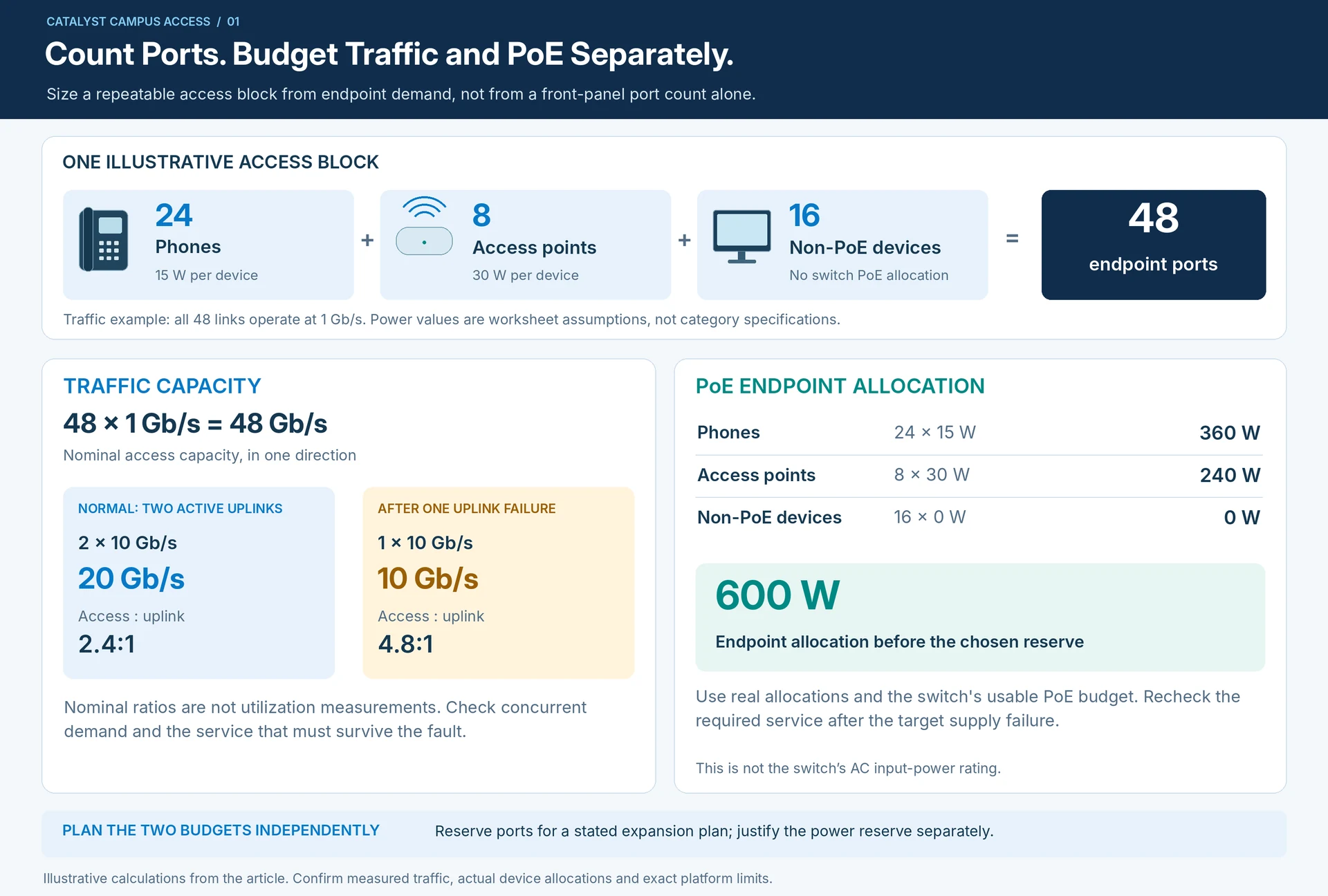
A useful illustrative block contains 24 phones, eight access points and 16 non-PoE devices. It uses 48 endpoint ports, but those ports do not have identical data or power requirements. The design must resolve both independently.
Calculate two budgets
For traffic, 48 one-gigabit access links represent 48 Gb/s of nominal access capacity in one direction. Two active 10G uplinks provide 20 Gb/s in aggregate, producing a nominal ratio of 2.4:1. One surviving uplink raises that ratio to 4.8:1. Neither ratio predicts actual utilization; evaluate measured concurrent demand and the service that must remain available.
For an illustrative power worksheet, allocate 15 W per phone and 30 W per access point at the switch budgeting boundary. That gives 24 × 15 + 8 × 30 = 600 W of endpoint allocation before the chosen reserve. This is an assumption-based example, not a specification for those device categories. Use the real negotiated or required allocations and the selected switch’s usable PoE budget.
Choose fixed or modular uplinks deliberately
Cisco distinguishes fixed- and modular-uplink variants within its campus families. Exact host and accessory identifiers matter; a family label does not establish a common module or stacking system. R14R12
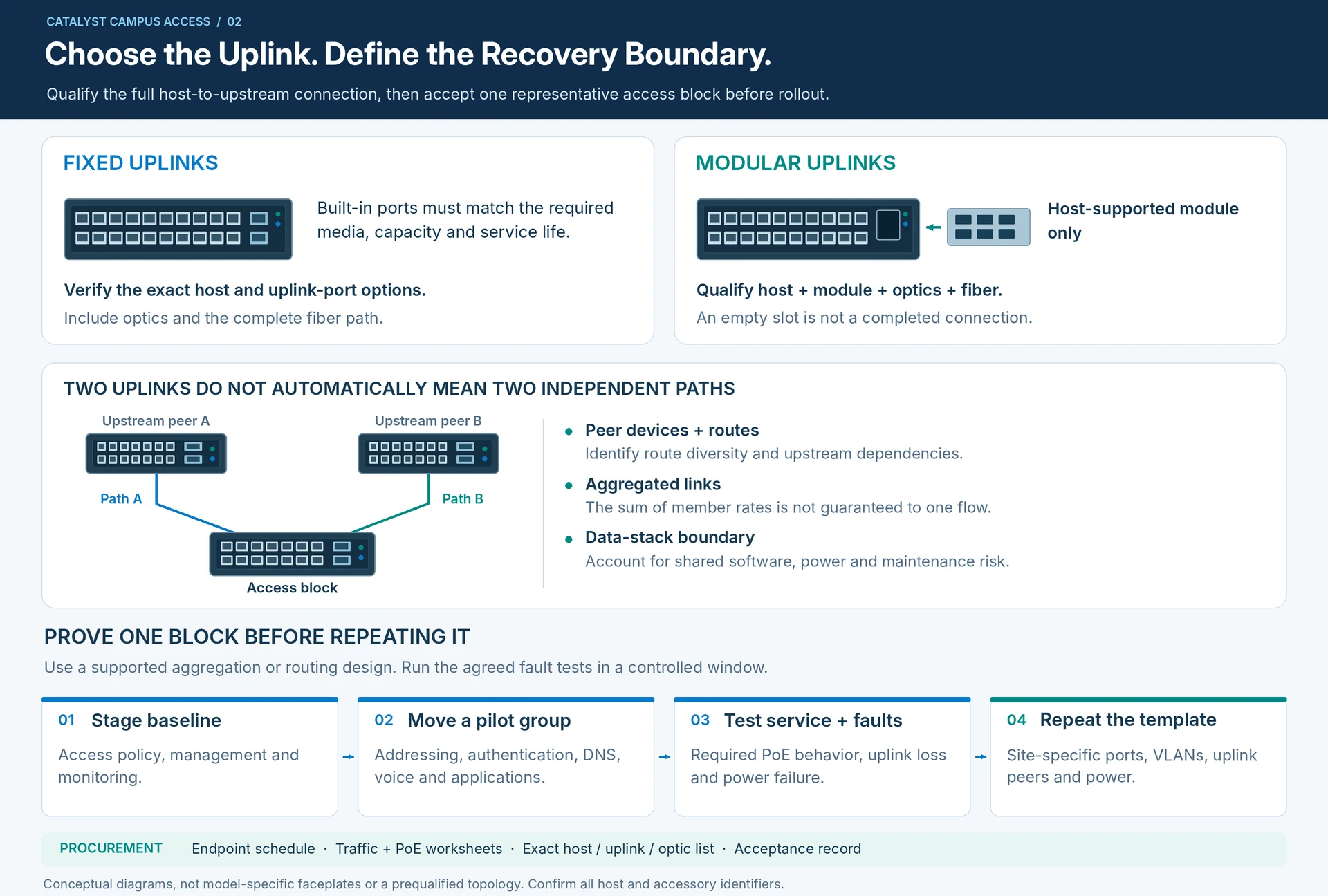
Fixed uplinks can be appropriate when their media and capacity match the service life. Modular uplinks can accommodate certain future changes, but only within the host’s documented support. Include the module, optics and fiber path in the comparison rather than pricing an empty slot as a completed connection.
Make the failure boundary explicit
A data stack can simplify some operating tasks, but it does not remove shared software, power or maintenance dependencies. Similarly, two uplinks do not automatically provide independent paths. Identify the peer devices, route diversity and supported aggregation or routing design.
For an aggregated uplink, assess both total traffic and important individual flows. Aggregate member rates should not be presented as the guaranteed bandwidth available to one conversation.
Deploy and accept one block first
Stage the access policy, management settings and monitoring baseline. Move a representative endpoint group, then test addressing, authentication, DNS, voice or application access and the required PoE behavior. Test the agreed uplink or power failure in a controlled window.
Use the pilot to establish a repeatable template, with site-specific fields for port maps, VLANs, uplink peers and power arrangements. Keep the rollout plan aligned with the campus service boundaries described in the design. R45
The procurement package should contain the endpoint schedule, traffic and power worksheets, exact host/uplink/optic list and acceptance record. This is a more useful definition of an access solution than “48 ports with PoE.”
Engineering illustrations
These figures illustrate the design concepts discussed here. They are not measured results, certified configurations or a supplied-equipment list.
Related reading
- Catalyst Access Switch Selection: Compare Exact C9200, C9200L and C9300 Variants
- Fixed or Modular Uplinks? Decide from the Next Network Change