
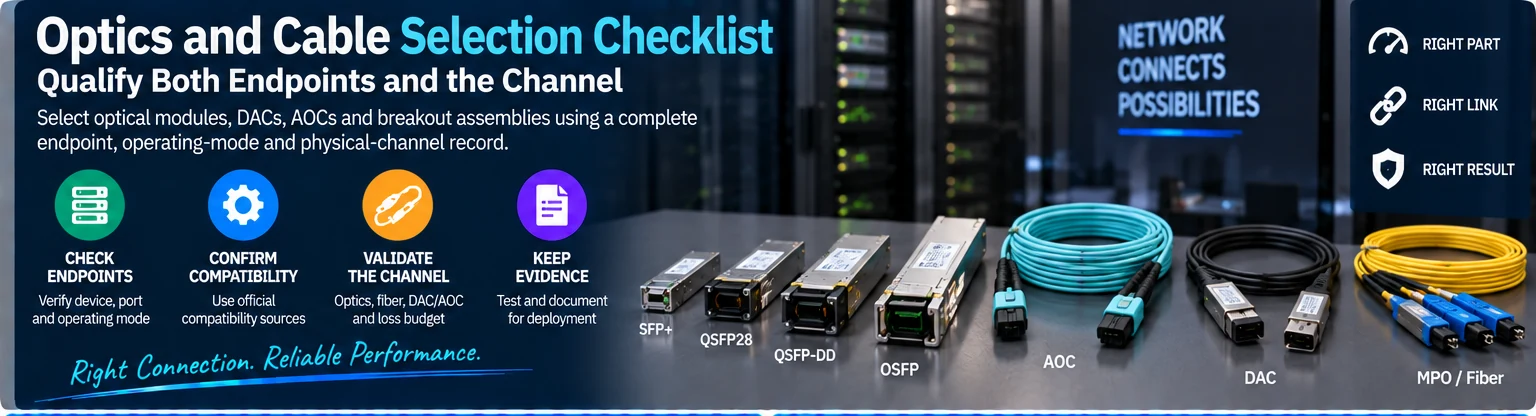
Optics and Cable Selection Checklist: Qualify Both Endpoints and the Channel
Select optical modules, DACs, AOCs and breakout assemblies using a complete endpoint, operating-mode and physical-channel record.
Choose the next check for your link
| Your starting point | Record now | Resolve before selecting the assembly |
|---|---|---|
| Separate transceivers and fiber | Both module OPNs, connector polish, fiber class, route length and patch points | Optical lane mapping, channel limits and host support |
| DAC or AOC | Exact assembly OPN and length, both host ports and required mode | Supported cable list for each endpoint, routing and bend limits |
| Breakout | Parent port, branch identifiers, speed and lane count per branch | Supported breakout mode and the complete endpoint combination |
A link schedule your engineering and purchasing teams can share
Blank CSV · Fictional filled example · Project handoff brief
The columns keep endpoint A and B, OPNs, protocol, speed, lane mode, firmware, connector polish, fiber, length, branch, channel-loss evidence, acceptance evidence and the next owner in the same row. Preserve the original BOM line. An unknown value stays blank and becomes an assigned question; it does not prevent the initial discussion.
Questions that change the selection
Does equal speed mean two ports will work together? Speed is one field. Check protocol, electrical and optical lane modes, form factor, firmware and the vendor’s supported combination. The LinkX overview provides family context; the exact OPN documentation resolves the part.
Can I mate APC and UPC connectors? Keep the specified polish consistent. The MMA4Z00-NS400-T documentation explicitly distinguishes its APC connector from UPC. Record polish at each connection instead of relying on connector colour alone.
Does a splitter convert a protocol or modulation format? A passive fiber assembly routes optical lanes. Confirm that the chosen ports and optics support the intended branch mode. Compare the straight assembly with the 1:2 assembly in the manufacturer’s topology table.
Can “up to 100 m” be copied into my BOM? Add the mode, fiber class and complete channel assumptions. For example, the 100G SR4 specification distinguishes OM3 and OM4 reach. Cable length and supported reach are different fields.
How many modules should I order? Count physical module positions separately from logical links and fiber branches. Resolve the exact topology before turning the schedule into procurement quantities.
Return to the AI Ethernet plan for capacity and acceptance, or send the current link list. The six-step qualification method below remains the detailed checklist.
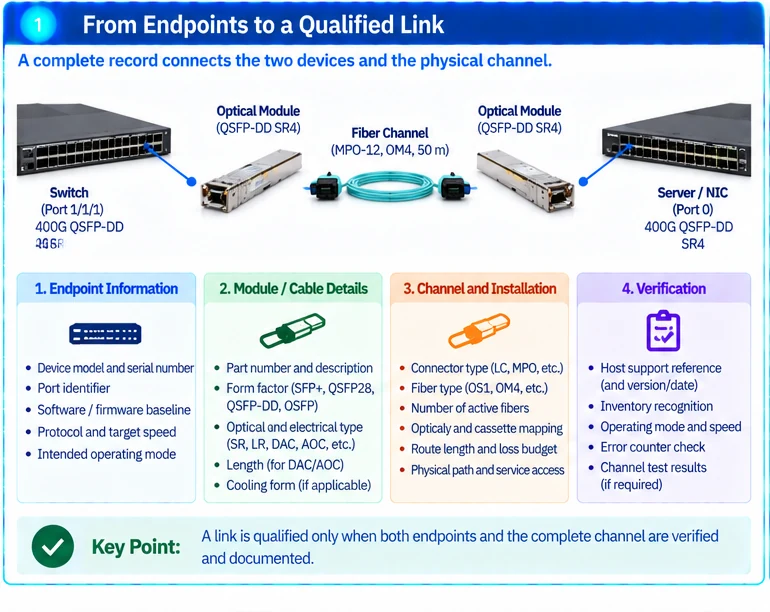
This checklist applies to a proposed connection, not an isolated module. Use it for optical links, direct-attach cables, active optical cables and breakout assemblies. A part is ready for procurement only when the record resolves both host interfaces and the complete physical path.
1. Record both hosts and the intended logical links
Capture the device model, port identifier, software or firmware baseline, protocol and target operating mode at each end. For a breakout, create one row per branch while retaining the parent-port identity.
Keep physical cages, logical ports and module aggregate capacity in separate fields. NVIDIA documents twin-port arrangements and platform-specific connections that make these distinctions essential. R01R05
2. Confirm host support independently
Check whether each host supports the proposed module or assembly in the intended mode and release. Save the relevant compatibility reference and its version or access date. A host support entry answers a different question from whether two optical interfaces can communicate. R49
Do not use a marketplace title or a shared connector outline as the support record. For thermal variants, identify the cooling form required by the host. R01
3. Resolve the optical or electrical path
| Field group | Required entries |
|---|---|
| Host support | Device, port mode, module/assembly part number and source |
| Signal compatibility | Protocol, target rate, lane arrangement and applicable FEC requirements |
| Physical installation | Connector, cooling form, routed length and service access |
| Optical channel | Optical specification, fiber, active fibers, polarity and loss constraints |
| Acceptance | Test configuration, observed errors and approved result |
For separate optics, verify the optical implementation at both ends. For DAC/AOC assemblies, retain the complete cable identifier and length. A different length suffix can represent a different qualified assembly rather than a harmless naming change.
For multi-fiber channels, document every cassette and connector mapping. Passive fiber distribution does not convert incompatible endpoint signaling. R42
4. Calculate quantity from the connection map
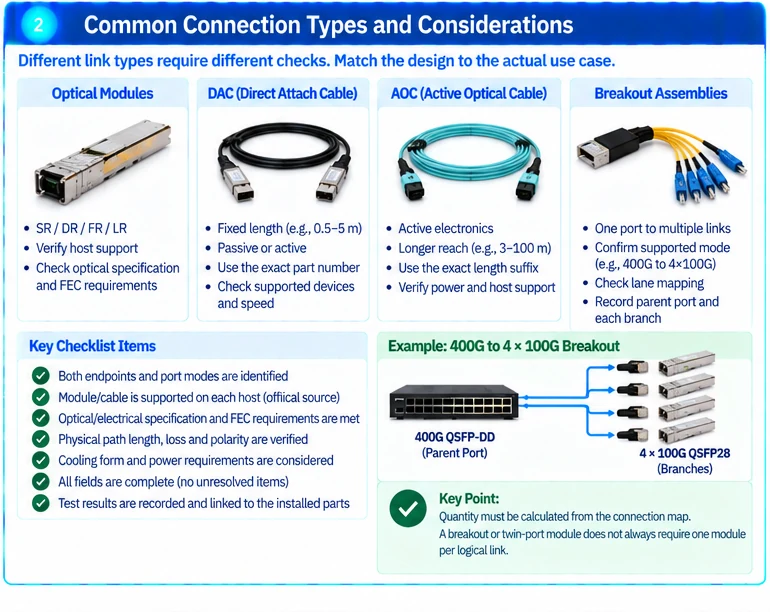
A conventional separate-optics link generally needs one module at each endpoint and a connecting fiber path. Twin-port modules or breakouts require a channel-level calculation instead. Do not multiply logical links by two modules without checking the implementation.
An illustrative four-link arrangement might use four individual modules at one end and two supported twin-port modules at the other. This example explains the counting method; it is not a qualified BOM for any named platform.
5. Resolve exceptions before release
Mark every missing field. An unknown host release, unidentified peer optic or unmeasured route is an engineering dependency, not an opportunity to assume the most convenient specification.
If a supplier proposes an alternative, repeat the checks affected by that change. Matching rate and connector is not enough to preserve the previous qualification.
6. Commission and retain evidence
Confirm recognition and actual operating mode, inspect relevant diagnostics and record error-counter changes under agreed traffic. For optical channels, retain the applicable inspection and channel-test results. Link those results to the exact installed components and software baseline.
The final output is a qualified link record that can be reused for installation, spares and future troubleshooting. It should distinguish a documented supported combination from an untested candidate rather than describing both simply as compatible.
Engineering illustrations
These figures illustrate the design concepts discussed here. They are not measured results, certified configurations or a supplied-equipment list.
Related reading
- What “800G” Really Describes: Port Rate, Module Capacity and Compatibility
- SFP+, QSFP28 and QSFP-DD Selection: Form Factor Is Only the First Filter
References
Practical project worksheets
Download only what helps your task. You can send your existing list now and add missing details later. Worksheets are in English.
Optics and cable link checklist
Endpoint models, port mode and speed, distance, fiber, connectors and breakout.
Download the worksheetDiscuss the existing requirements →