
NVIDIA SN4600 vs SN4700: 64-Port 100GbE or 32-Port 400GbE?
Compare MSN4600-CS2FC, MSN4600-CS2RC, MSN4700-WS2FC and MSN4700-WS2RC for Spectrum-3 port density, optics reuse and airflow.
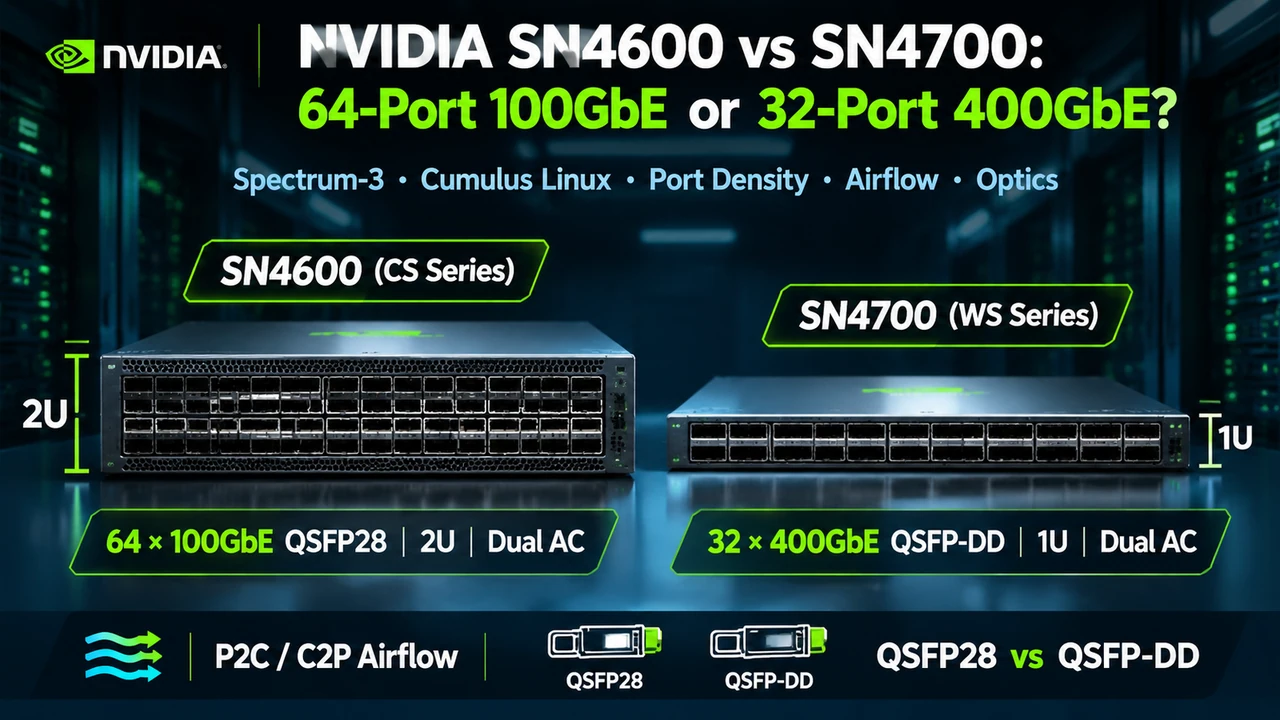
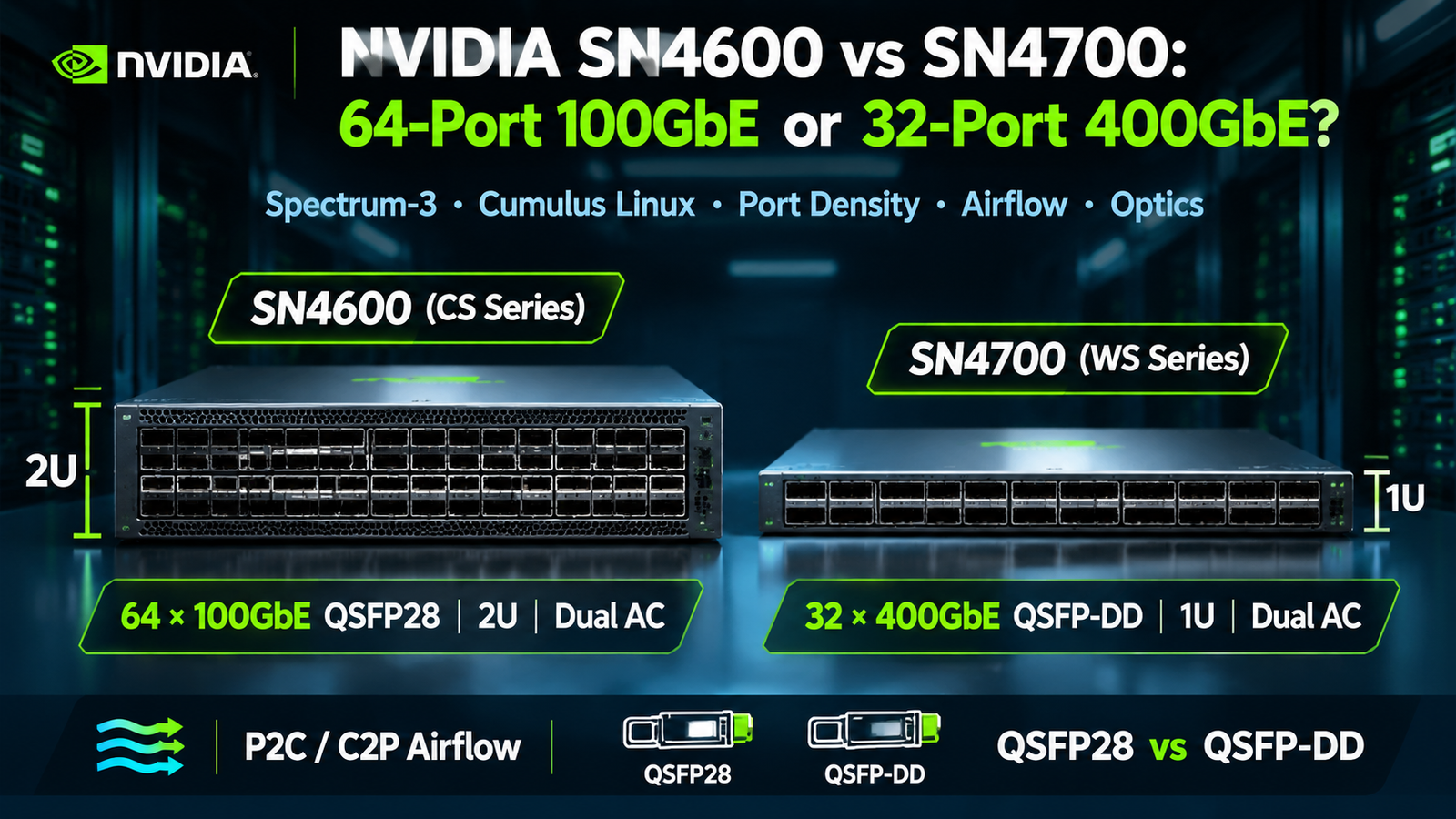
For the order codes in this guide, NVIDIA lists SN4600 MSN4600-CS2FC and MSN4600-CS2RC as 2U switches with 64 native 100GbE QSFP28 ports. SN4700 MSN4700-WS2FC and MSN4700-WS2RC are 1U switches with 32 native 400GbE QSFP-DD ports. Pick the topology, endpoint rates and optical path first. An order for an SN4600 family name alone leaves room for a different port configuration. NVIDIA Spectrum-3 SN4000 ordering information
Choose a Spectrum-3 switch according to the port density and link speeds the fabric requires. View full-size cover image.
Compare the four Cumulus Linux OPNs
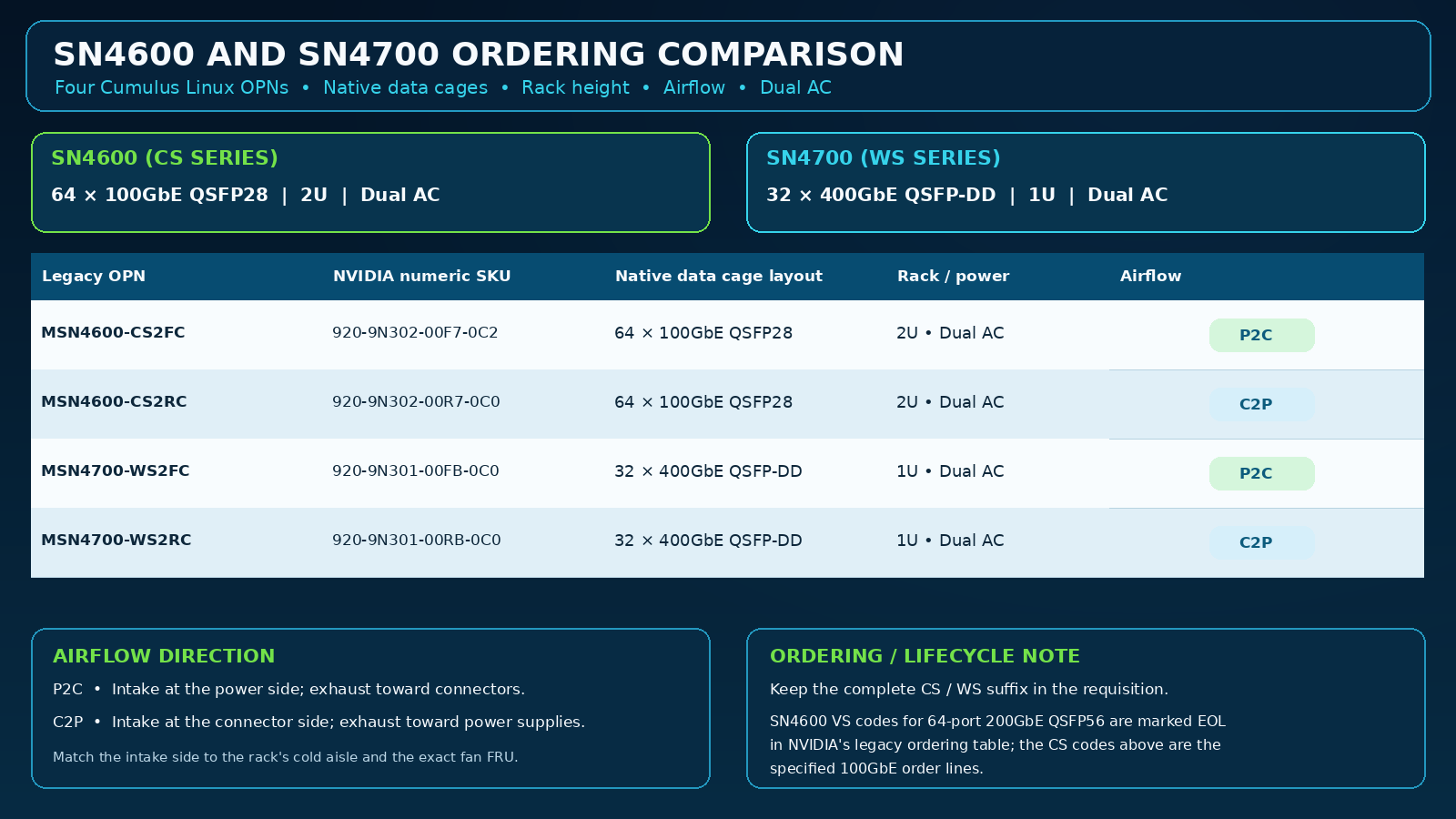
The model, data cages and power values below follow NVIDIA’s exact order rows. P2C takes in air on the power side, and C2P takes in air on the connector side. NVIDIA SN4000 ordering information and airflow guidance
| Legacy OPN | NVIDIA numeric SKU | Data cage layout | Rack and airflow |
|---|---|---|---|
| MSN4600-CS2FC | 920-9N302-00F7-0C2 | 64 × 100GbE QSFP28 | 2U, dual AC, P2C |
| MSN4600-CS2RC | 920-9N302-00R7-0C0 | 64 × 100GbE QSFP28 | 2U, dual AC, C2P |
| MSN4700-WS2FC | 920-9N301-00FB-0C0 | 32 × 400GbE QSFP-DD | 1U, dual AC, P2C |
| MSN4700-WS2RC | 920-9N301-00RB-0C0 | 32 × 400GbE QSFP-DD | 1U, dual AC, C2P |
The same NVIDIA manual also lists SN4600 VS codes for 64-port 200GbE QSFP56 and marks those exact codes EOL in its legacy ordering table. The CS codes above are the specified 100GbE order lines. Keep the letters in the requisition and check the currently offered hardware and lifecycle for each quote. NVIDIA SN4000 legacy ordering table
Compare the four order codes and check their chassis airflow, port configurations and software.
Six pairwise comparisons for the SN4600 and SN4700 order codes
Compare native access and uplink media, then confirm the chassis space and intake side. Both family and airflow appear in the order code. NVIDIA Spectrum-3 order table · NVIDIA model-specific replacement parts
| Exact comparison | Choice and procurement consequence |
|---|---|
| MSN4600-CS2FC vs MSN4600-CS2RC | Both offer 64 native 100GbE QSFP28 ports in 2U. Pick the intake side, then match the fan and AC PSU order to the selected airflow. |
| MSN4700-WS2FC vs MSN4700-WS2RC | Both offer 32 native 400GbE QSFP-DD ports in 1U. Select the cold side and the matching M-series fan FRU before provisioning cabling. |
| MSN4600-CS2FC vs MSN4700-WS2FC | P2C stays the same. Compare a 64-cage native QSFP28 access plan with a 32-cage QSFP-DD 400GbE fabric. Qualify any lower-speed reuse on the SN4700 by explicit port mode and optics. |
| MSN4600-CS2FC vs MSN4700-WS2RC | A 100GbE-to-400GbE change also reverses airflow and changes rack height. Rework the port and fiber schedule and check the cold-side mounting position. |
| MSN4600-CS2RC vs MSN4700-WS2FC | The SN4700 moves the intake to the power side. Recalculate host ports, upstream capacity and the cable service path before replacing a C2P 100GbE switch. |
| MSN4600-CS2RC vs MSN4700-WS2RC | C2P stays the same. Choose native 100GbE port density for retained QSFP28 endpoints or 400GbE uplink capacity with verified QSFP-DD media. |
Documented application: separate cluster management and higher-speed fabrics
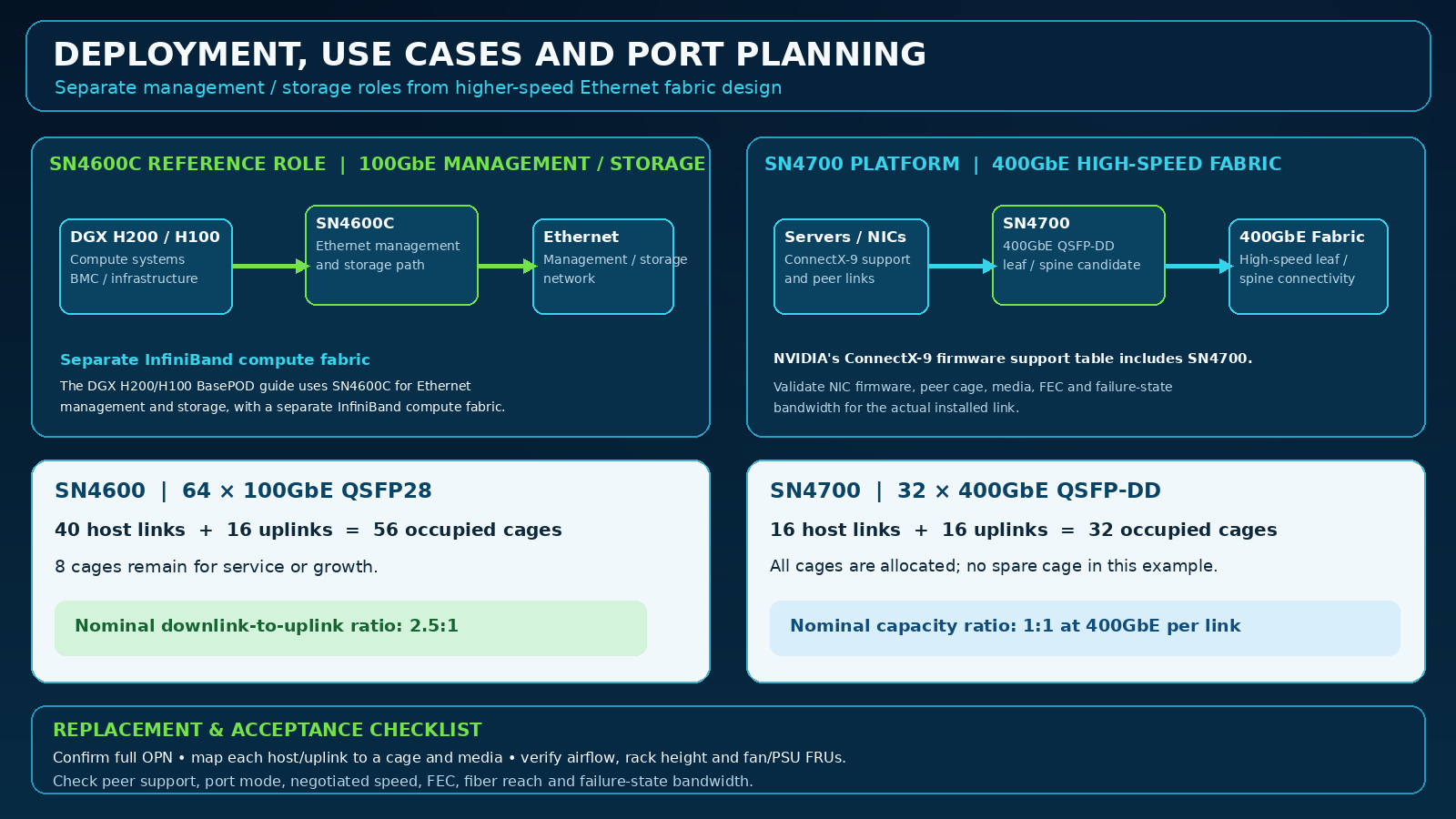
The DGX H200/H100 BasePOD deployment guide places SN4600C switches in the Ethernet management and storage path and shows paired connections from DGX systems. It uses a separate InfiniBand compute fabric. SN4600C is the specific reference design model. Use that design to understand why separate roles can require more native ports, then use the exact SN4600 CS ordering rows to qualify a proposed 100GbE replacement. NVIDIA BasePOD networking and bonded connections · NVIDIA SN4000 ordering information
For a 400GbE Ethernet expansion, the NVIDIA ConnectX-9 firmware support table includes the SN4700 platform. That gives a practical starting point for evaluating a separate high-speed leaf or spine. Use the installed host network interface and its firmware, peer cage, compatible media and failure-state bandwidth to qualify the actual link. NVIDIA ConnectX-9 validated switches and media
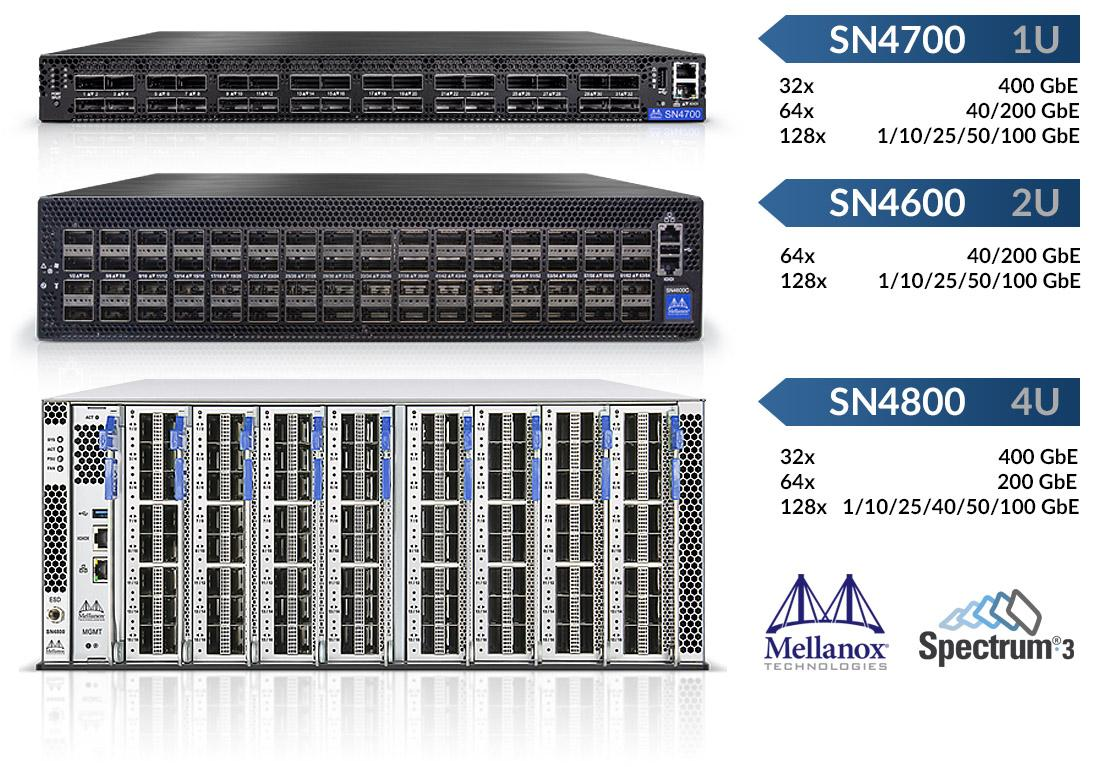
Compare the port arrangements of the SN4600 and SN4700 before planning cable placement.
When to use each switch
Retain a 100GbE fabric or many native QSFP28 endpoints. Start with the SN4600 CS versions when the purchase needs a large count of native 100GbE connections. List every optic and cable intended for reuse. Compare the peer interface, supported speeds and optical link budget. Reserve uplinks and spare ports explicitly. For example, 40 host links and 16 uplinks fit within 64 cages and leave eight available for service or growth. At the same 100GbE rate on each side, the nominal downlink-to-uplink bandwidth ratio is 2.5:1.
Build a 400GbE leaf or spine. Start with SN4700 if the endpoint or spine already operates in 400GbE mode or if the topology benefits from fewer higher-speed connections. A hypothetical 16-host and 16-uplink allocation fills all 32 cages and gives 1:1 nominal capacity when every link is 400GbE. Reserving even one physical cage requires changing the allocation. If hosts are 100GbE, count how a supported breakout maps each logical branch to a cage, then check each exact assembly and endpoint. NVIDIA SN4000 cable installation · SwitchInfra SN4700 leaf and spine port budget
Review high-speed port use, breakout links and rack requirements for the selected switch.
Can I reuse optics, AC supplies and spares?
Specify the optic or cable OPN on both sides of every migration link. A compatible mechanical form and line rate are the starting point. A complete check includes the allowed port mode, how the device reports the interface, peer support, FEC, thermal limits, reach and fiber plant. For the spare stock, use the exact SN4600, SN4600C, SN4700 or SN4700D support row. NVIDIA lists separate fan families for SN4600 and SN4700, even when their airflow directions match. NVIDIA SN4000 accessory and replacement table
Replacement decision and verification
Replacement decision. Within the same SN4600 CS or SN4700 WS chassis family, approve the alternate airflow variant only after checking the rack orientation and its matching fan and PSU scope. Moving from SN4600 CS to SN4700 is a 100GbE-to-400GbE fabric redesign. Review which retained devices can be supported by an explicitly qualified link. NVIDIA SN4000 ordering information · NVIDIA SN4000 cable installation
Before and after. Cross-reference each current host or uplink to a proposed cage and media assembly. After the change, check negotiated speed and forward error correction (FEC) at both ends, exercise the intended server path, and confirm the uplink budget meets the agreed capacity after a failure.
Buying guide for an SN4600 or SN4700
A selection or replacement inquiry should name the legacy OPN, numeric SKU, airflow, port plan and existing optical inventory. Ask the quotation to identify the exact Cumulus Linux hardware variant, power and rail kit, plus any approved substitutes.
Frequently asked questions
What evidence should I keep when retaining native 100GbE optics?
Record the current QSFP28 part, peer switch or network adapter, protocol, link mode, firmware and room for the cable. If adding a 400GbE leaf, repeat that check for each retained 100GbE path and its supported new presentation. NVIDIA SN4000 cable installation
How do I keep the replacement switch aligned with the cabling plan?
Compare installed rack units, cable exit direction, remaining uplink cages and airflow. Approve a numbered cage and logical link schedule before installing the new switch. SwitchInfra SN4700 leaf-spine port budget
Acronyms and terms
- QSFP28 means Quad Small Form Factor Pluggable for the 100GbE connections in this guide. QSFP-DD is the double-density QSFP form factor.
- P2C means power-to-connector. C2P means connector-to-power.
- FEC means forward error correction. FRU means field-replaceable unit.
- EOL means end of life. OPN means ordering part number.