
NVIDIA UFM Appliance Selection: Enterprise, Telemetry and Cyber-AI
Compare NVIDIA UFM 4.0, Enterprise Gen 3.5 AC and DC, and Cyber-AI 4.5 appliance part numbers, fabric interfaces, rack requirements and software entitlement.
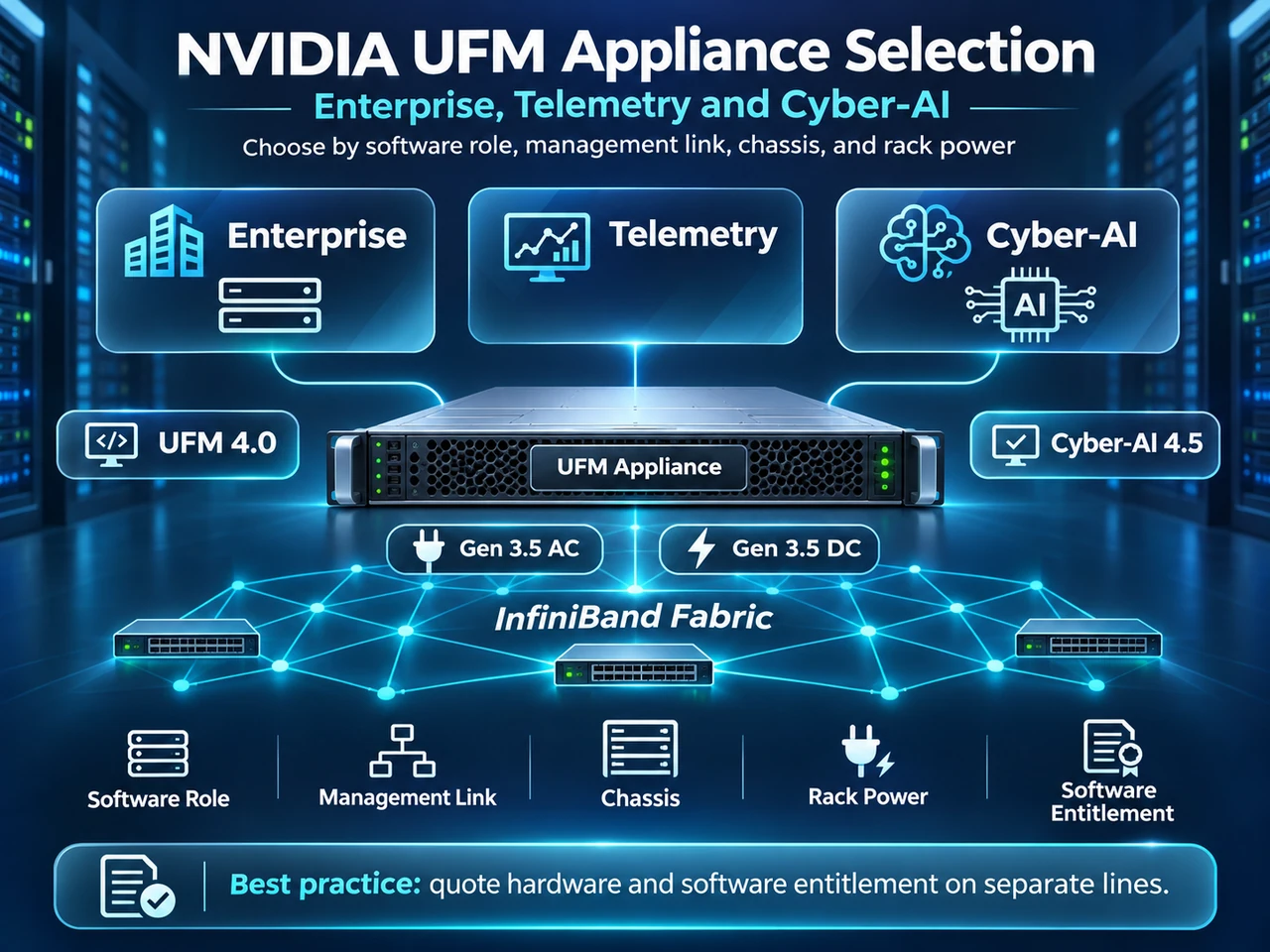
Choose an NVIDIA Unified Fabric Manager (UFM) appliance by the UFM software role, supported InfiniBand management links, and rack power. For the models compared here, the UFM Enterprise Gen 3.5 AC and DC versions differ in chassis height as well as power. The Cyber-AI 4.5 appliance has its own hardware and software ordering terms. Put the hardware and the software entitlement on separate lines in the quote so the team can verify both. NVIDIA UFM Enterprise Gen 3.5 manual · Gen 3.5 XDR DC manual · Cyber-AI Gen 4.5 manual
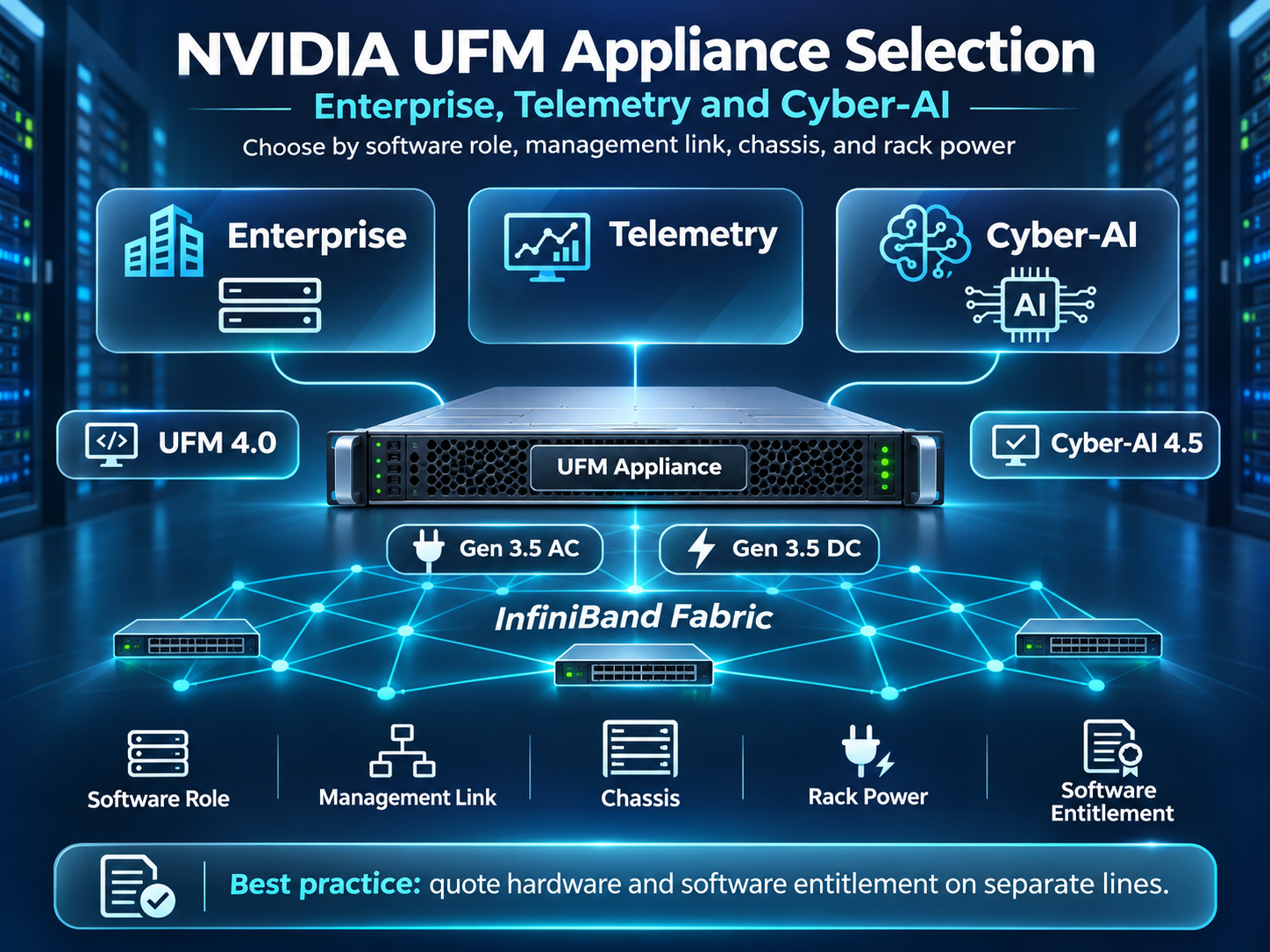
Compare the roles of UFM Enterprise, Telemetry and Cyber-AI when choosing an appliance for an InfiniBand fabric. View full-size cover image.
UFM appliance part numbers at a glance
The hardware details below come from the relevant NVIDIA ordering tables. The UFM 4.0 hardware overview identifies its AC supply and GPU, and NVIDIA’s networking part descriptions list the software package separately. UFM 4.0 ordering information · UFM 4.0 hardware overview · NVIDIA networking part descriptions
| Ordering part number | NVIDIA numeric SKU | What to verify before ordering |
|---|---|---|
| MUA9652H-2SF | 920-9B020-00FH-0D0 | UFM 4.0, 2U, dual AC PSUs, two ConnectX-6 HDR adapters and an A30 GPU in the documented hardware. NVIDIA lists Cyber-AI, Enterprise and Telemetry uses. Verify the software package separately. |
| MUA9652H-2SF_NIL | 920-9B020-00FH-0D1 in the SwitchInfra catalog | The catalog records a 2U UFM 4.0 system with two ConnectX-6 HDR adapters and separately purchased UFM entitlement. Match the offered hardware and license to this exact line. |
| MUA9702H-2SFS | 920-9B020-00RI-0D0 | Enterprise Gen 3.5, 1U, two single-port ConnectX-8 400 Gb/s InfiniBand adapters. The ordering row lists UFM software installed and the license sold separately. |
| MUA9702H-2SFS-DC | 920-9B020-10RI-0D0 | Enterprise Gen 3.5 DC, 2U, with a ConnectX-8 400 Gb/s adapter as described in the DC ordering row. Quote the UFM software package and entitlement separately. |
| MUA9752H-2SFS-AC | 920-9B020-00RI-0D5 | Cyber-AI Gen 4.5, 1U AC, two single-port ConnectX-8 400 Gb/s InfiniBand adapters and secure boot. The ordering row specifies a separate software package. |
The _NIL suffix has a distinct SwitchInfra entry. The public NVIDIA UFM 4.0 hardware ordering table above names the base MUA9652H-2SF variant. SwitchInfra MUA9652H-2SF_NIL catalog Q&A
The Gen 3.5 and 4.5 manuals describe appliances intended for XDR environments. The Gen 3.5 ordering rows still describe 400 Gb/s appliance-side adapters. An 800 Gb/s switch data fabric and the link used by UFM to manage it can run at different rates. Verify the switch-side fabric management port, module variants and allowed modes on the two ends. NVIDIA publishes separate examples for switch network ports and fabric management ports on Q3200 and Q3400. NVIDIA XDR DC hardware overview, fabric connectivity tables
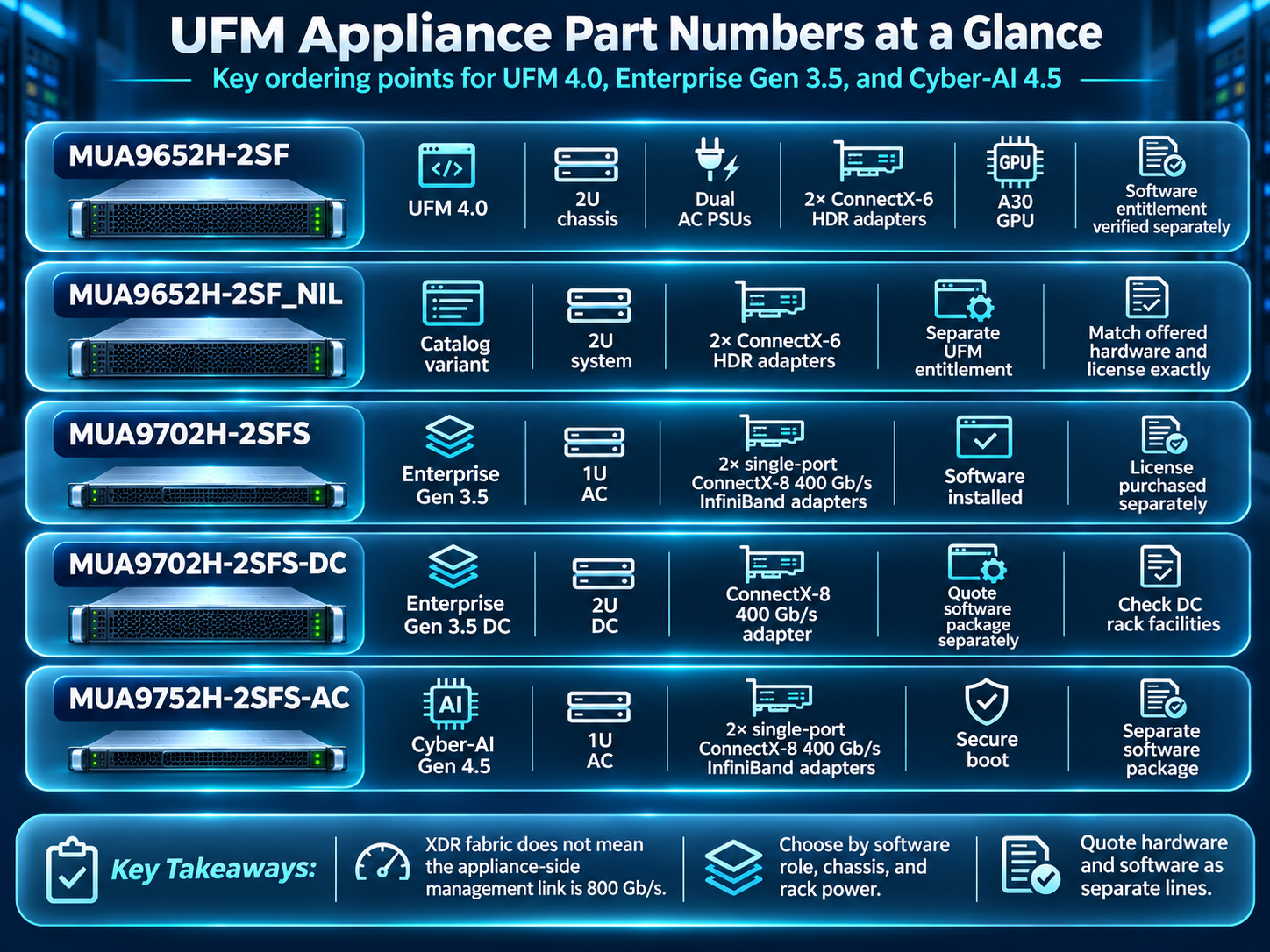
Use the ordering matrix to match the appliance part number, rack space, power input and software entitlement.
Ten pairwise comparisons for UFM appliance buyers
Read hardware and software as separate purchase lines. Compare adapter generation, rack feed, supported UFM edition and entitlement. The _NIL suffix details below are from SwitchInfra’s exact-item catalog and its technical note. NVIDIA’s public UFM 4.0 order row documents the base variant. NVIDIA UFM 4.0 hardware manual · SwitchInfra _NIL ordering note · NVIDIA Gen 3.5 AC · Gen 3.5 DC · Gen 4.5 Cyber-AI
| Exact comparison | Selection difference and order check |
|---|---|
| MUA9652H-2SF vs MUA9652H-2SF_NIL | Both belong to the 2U UFM 4.0 sourcing discussion. Match base numeric code 920-9B020-00FH-0D0 or catalog _NIL code 920-9B020-00FH-0D1. Request the installed image and licensable edition for the offered code. |
| MUA9652H-2SF vs MUA9702H-2SFS | Compare the documented 2U ConnectX-6 HDR platform with the 1U Gen 3.5 unit with two 400 Gb/s ConnectX-8 ports. For Enterprise or Telemetry on a new XDR rack, qualify the management link and entitlement against the Gen 3.5 release. |
| MUA9652H-2SF vs MUA9702H-2SFS-DC | Both occupy 2U. The Gen 3.5 DC model changes the power feed and adapter generation. Confirm available DC facilities and the UFM Enterprise or Telemetry software line before moving chassis. |
| MUA9652H-2SF vs MUA9752H-2SFS-AC | For a Cyber-AI procurement, compare the existing 2U HDR deployment with the 1U AC Gen 4.5 platform and its dual ConnectX-8 400 Gb/s adapter layout. Request version-specific migration and entitlement details. |
| MUA9652H-2SF_NIL vs MUA9702H-2SFS | The _NIL item is cataloged as UFM 4.0 hardware with software installed and entitlement separate. The Gen 3.5 AC ordering row also separates preinstalled software and license. Determine which UFM edition and management media the rack requires. |
| MUA9652H-2SF_NIL vs MUA9702H-2SFS-DC | A source quote for _NIL and a Gen 3.5 DC order differ in power architecture and software scope. Match the 2U label, rack feed and application license explicitly when preserving an HDR service or introducing a newer management attachment. |
| MUA9652H-2SF_NIL vs MUA9752H-2SFS-AC | For Cyber-AI continuity, check whether the requirement is to keep the cataloged 2U ConnectX-6 HDR appliance or move to 1U AC with the newer ConnectX-8 platform. Obtain the target software edition and license in writing. |
| MUA9702H-2SFS vs MUA9702H-2SFS-DC | Both are described for Enterprise or Telemetry. The AC item uses 1U with two single-port adapters in the order row. The documented DC item uses 2U and has its own adapter and software package description. Quote the DC chassis and media independently. |
| MUA9702H-2SFS vs MUA9752H-2SFS-AC | These 1U configurations have similar 400 Gb/s adapter descriptions. Their documented UFM roles and software packaging differ. Use the intended application and license to choose, then qualify its software release. |
| MUA9702H-2SFS-DC vs MUA9752H-2SFS-AC | The 2U DC Enterprise or Telemetry order and the 1U AC Cyber-AI or Enterprise order need different rack designs. Choose the facility feed, UFM edition and supported attachment together. |
Published deployment: IBM InfiniBand operations with UFM
A Mellanox case study describes IBM using Unified Fabric Manager (UFM) in a production environment with a separate test cluster. Operations used congestion alerts and the fabric map to locate a congested region, then used more detailed information to investigate the route and the affected workloads. This is a documented use of UFM for troubleshooting. The case identifies the platform function, so the appliance comparison here uses the exact hardware manuals to qualify current order codes. Mellanox/NVIDIA IBM UFM case study
For an equivalent operations requirement, ask the team to demonstrate that the proposed appliance and license discover the target switches, report congestion and let operators trace an affected path. Choose an Enterprise or Telemetry order against that scope. If Cyber-AI anomaly analysis is a requirement, put its software edition and evaluation criteria on a separate purchase line. For example, an existing HDR site may retain a supported UFM 4.0 appliance, while a new DC rack can qualify the Gen 3.5 DC order and its management media. NVIDIA UFM platform overview · Gen 3.5 DC management connection examples
Replacement decision and verification
Replacement decision. A move between UFM generations, or between an AC and a DC appliance, requires a qualified migration. A channel-listed _NIL appliance can be considered for a 4.0 replacement once the seller confirms its exact hardware, installed software and entitlement. Compare those three lines in writing. NVIDIA UFM 4.0 order record · Gen 3.5 DC hardware and management links
Before and after. Inventory discovered switches, alert destinations and the active subnet manager before the change. Save configuration using the supported recovery path. On the replacement appliance, verify fabric discovery, telemetry and alert delivery on each intended attachment. Test service recovery if high availability is required, and keep the original management path available until acceptance.
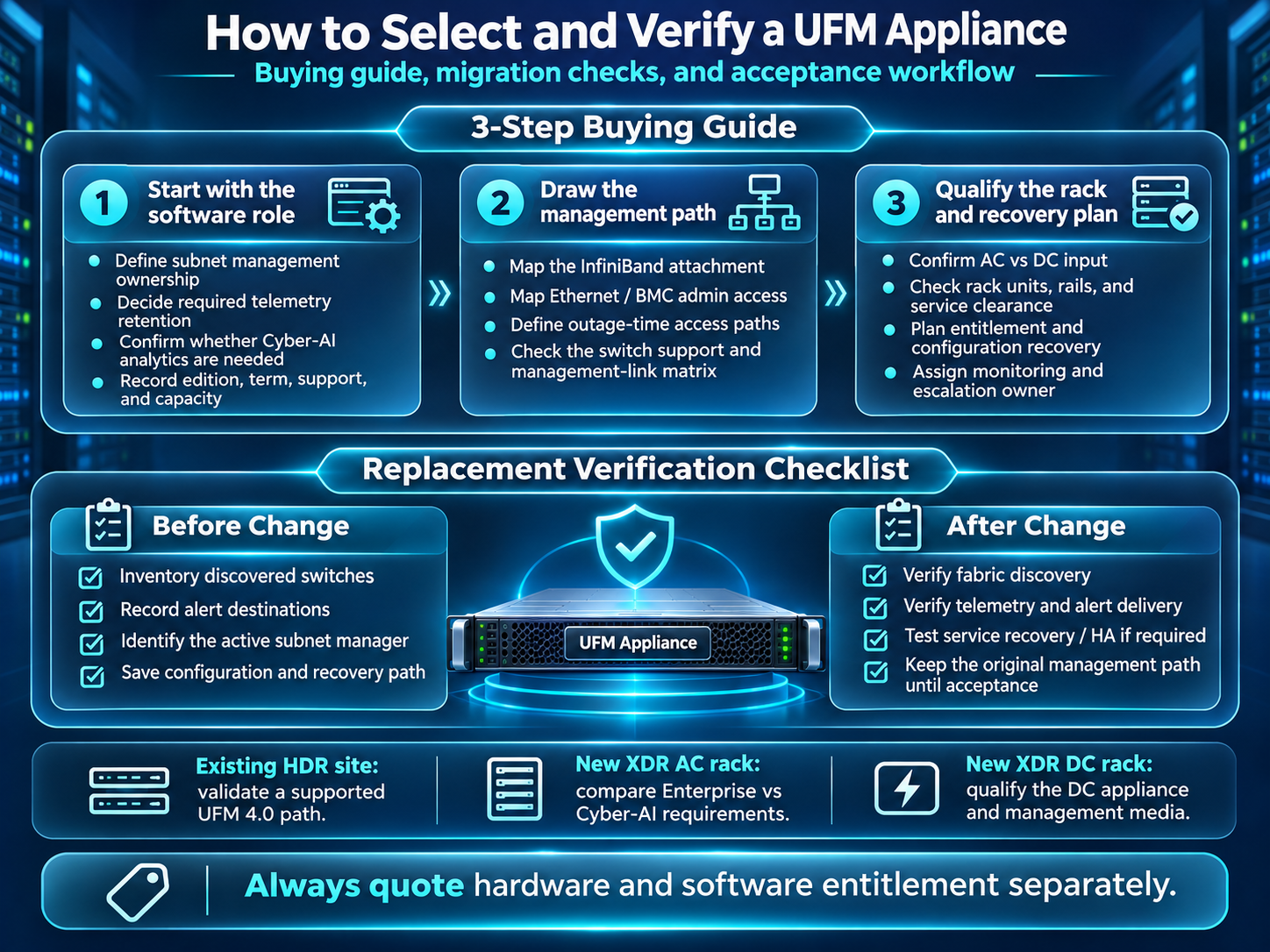
Review fabric management responsibilities, licensing and operational checks before a UFM appliance replacement.
Buying guide for UFM hardware and licenses
- Start with the software role. Define who owns the subnet management service, what telemetry must be retained and whether the project needs Cyber-AI analytics. Write the required edition, term, support and license capacity on the purchase request. For an existing build, record the installed release and expansion plan.
- Draw the management path. Map the appliance InfiniBand attachment, the separate Ethernet administration or BMC path, and the ports used during a fabric outage. Assign fabrics and management endpoints explicitly for an HA deployment. Check the release’s supported switch list and management-link matrix before choosing media.
- Qualify the rack and recovery plan. Record AC versus DC input, rack units, rail part, service clearances and power-feed ownership. Confirm how to restore the UFM configuration and entitlements if the appliance is replaced. Include the boot image or software entitlement, monitoring setup and escalation owner in the handover.
For example, a buyer moving the Enterprise service onto an XDR rack could compare MUA9702H-2SFS and MUA9702H-2SFS-DC. The exact power feed and rack space determine the starting part number. The lab should then confirm discovery, software entitlement and visibility for the intended switches through their documented management ports. A Cyber-AI request should name the software capability and license separately before the buyer adds MUA9752H-2SFS-AC to the bill of materials.
Does a preinstalled UFM image include the license?
For MUA9702H-2SFS, NVIDIA specifically lists the image as installed and the license as a separate purchase. Record the edition and entitlement for every appliance line, including suffix-specific quotes such as MUA9652H-2SF_NIL. Use the numeric SKU and the full quoted description to reconcile the hardware and software line items. NVIDIA Gen 3.5 ordering information · NVIDIA Cyber-AI software documentation
For a configuration review, send the appliance OPN, rack power, switch models, UFM edition and HA requirements. Include the intended fabric management link at both ends. Browse SwitchInfra management and gateway appliances · Plan management access and recovery
Frequently asked questions
What should a fabric operations pilot demonstrate?
Test switch discovery, congestion visibility, alert delivery and restoration of the UFM service with the proposed software version. Verify that the dashboard can trace the affected path on your topology. IBM’s documented problem gives a useful acceptance task for that pilot. IBM UFM operations case
What belongs on the UFM quote if there are two fabrics?
Name the appliance OPN, rack feed, UFM edition, entitlements and supported attachment for each fabric. If the design includes high availability, document how the deployment keeps management access and state available during maintenance. NVIDIA UFM platform documentation
Acronyms and terms
- UFM means Unified Fabric Manager.
- HDR means High Data Rate. The specified ConnectX-6 hardware is in the 200 Gb/s InfiniBand class.
- XDR means eXtreme Data Rate, the 800 Gb/s InfiniBand generation. The exact appliance-side management link can use a different rate.
- FNM is the switch’s dedicated fabric management interface in the cited XDR designs.
- HA means high availability. PSU means power supply unit. OPN means ordering part number.