Plan Management Connectivity and Spares With the AI Fabric
A practical checklist for management networks, rack readiness and replacement parts, with reference-architecture evidence and no invented deployment.

The most visible network in an AI project carries GPU traffic. The less visible management paths determine whether operators can inspect, recover and maintain that equipment when something goes wrong.
This guide describes a proposed engineering workflow. It is based on published reference architectures and is not a report of a SwitchInfra or third-party customer installation.
Separate management roles in the design
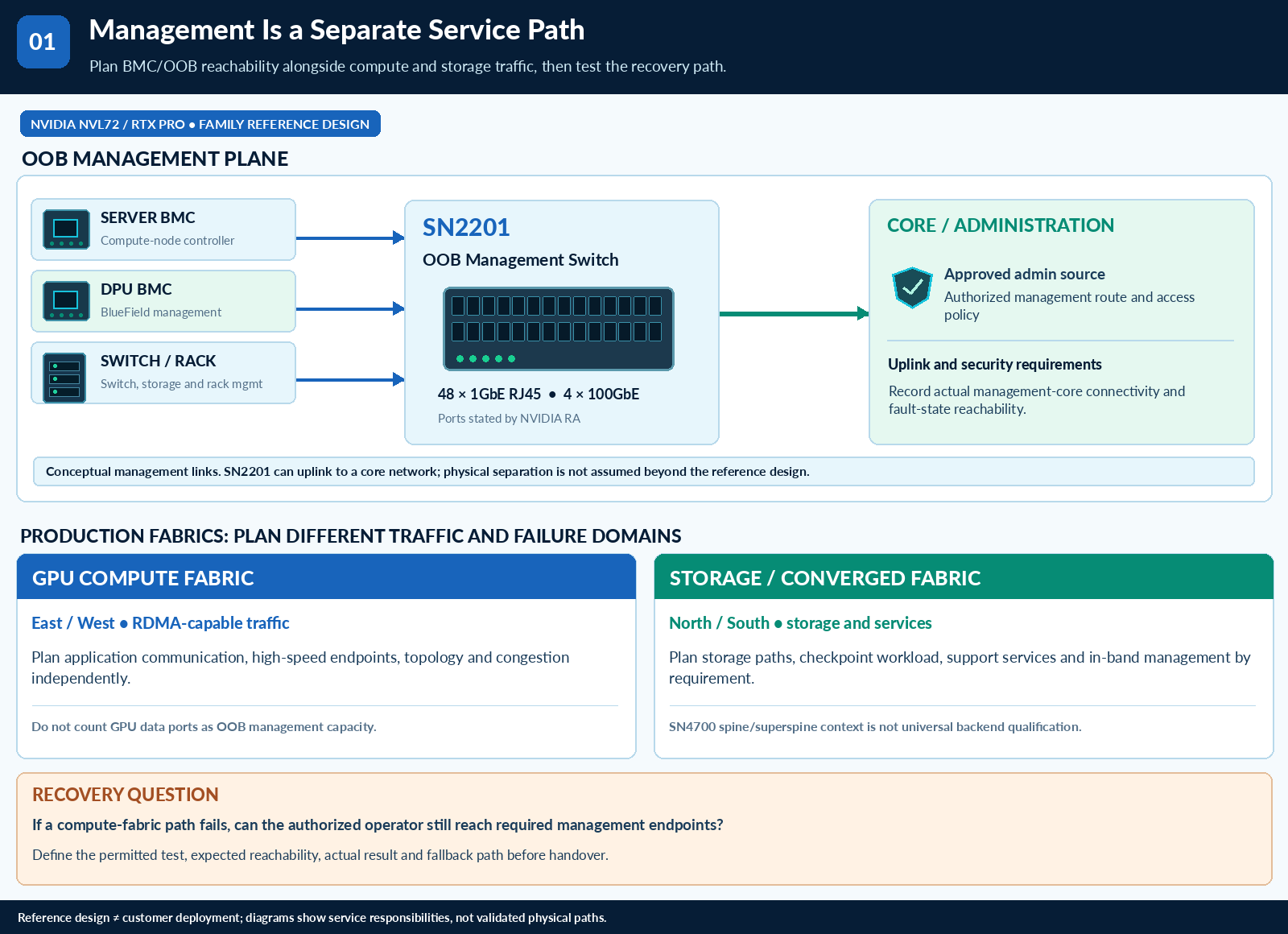
Create an inventory of server BMCs, DPU management interfaces, switch management interfaces and supporting services. For each one, identify the required reachability, responsible team and permitted administration path.
NVIDIA’s NVL72 reference architecture uses SN2201 for out-of-band connectivity to BMC and management ports. Its RTX PRO reference architecture also distinguishes SN2201 management connectivity from the higher-speed compute and storage network. These are reference-design roles, not proof that a specific customer purchased a particular SN2201 variant. NVL72 logical architecture · RTX PRO networking hardware
Build a port and dependency plan
Count devices, reserve an agreed expansion allowance and document the uplinks. Determine which services must remain available during a compute-fabric incident. Include the administration path used when the normal production network cannot be reached.
Validate the proposed access policy with the site’s security team. Test the approved recovery workflow before handover rather than discovering the missing path during an outage.
Match switching roles to the actual workload
A storage or general data-center fabric may need a different design from the GPU backend. NVIDIA positions SN4700 for spine and superspine applications in its SN4000 documentation. That role can inform a design discussion; it does not establish suitability for every AI backend or the presence of a named deployment. SN4000 datasheet
Record the target operating system, required features and supported component combination for each network role.
Select spares by service procedure
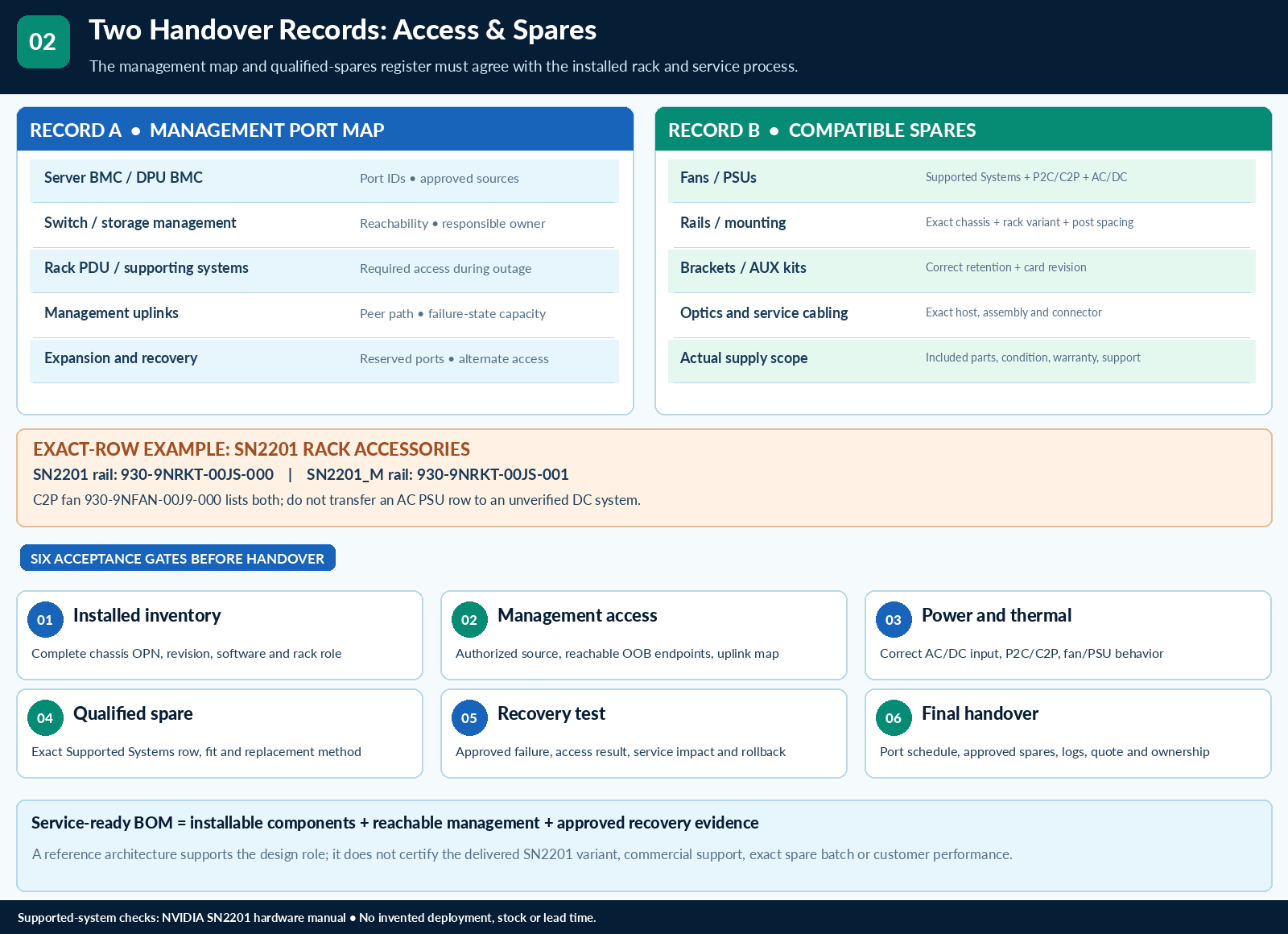
For fans, power supplies, rails, brackets and auxiliary kits, collect the exact chassis or adapter association, airflow direction, electrical rating and mechanical requirements. Check whether a kit is already included with the system. A similarly named part should not be offered as an interchangeable replacement without a compatibility record.
Decide which failures require an onsite spare and which can wait for replenishment. Test the replacement procedure in the permitted maintenance setting, then preserve part labels and instructions with the operating documentation.
A complete handover contains a port map, recovery path, compatible-spares list and acceptance results. That is a stronger procurement outcome than a list of headline switch speeds with the supporting infrastructure left unresolved.
Sources checked: 10 October 2026. This article discusses third-party evidence or an explicitly labeled engineering scenario; it does not establish a reseller’s delivery history, current stock or exact-SKU deployment.
Technical illustrations